Skip to content
Product collaboration

Bring security questionnaire software to your market.

NowSquare’s security response workspace helps companies answer customer security and AI-use questionnaires with reusable answers, supporting evidence, company approval and optional adviser review. Explore a product under your brand, a service or distribution partnership, investment or a joint venture with NowSquare.

What customer problem does it solve?Partnership options
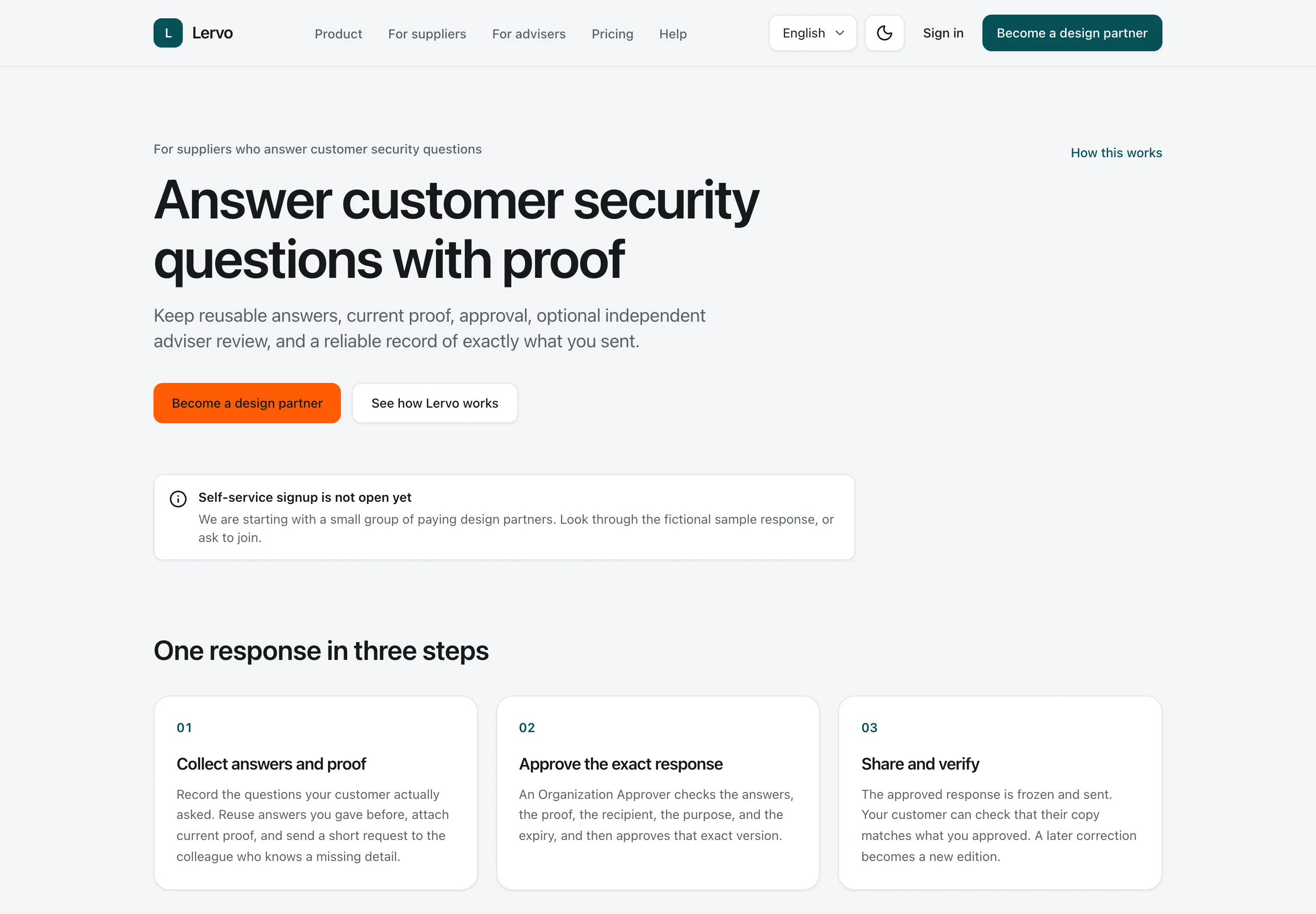
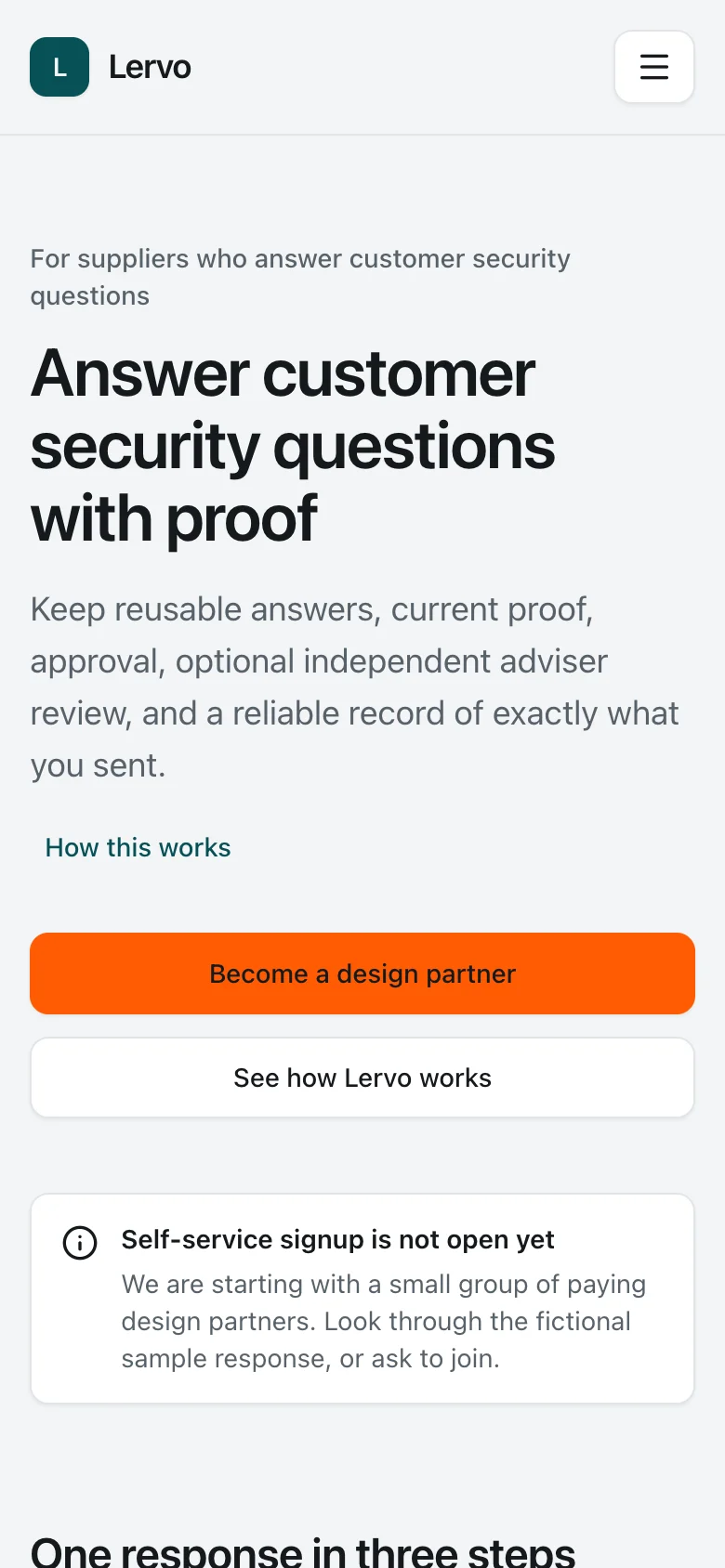
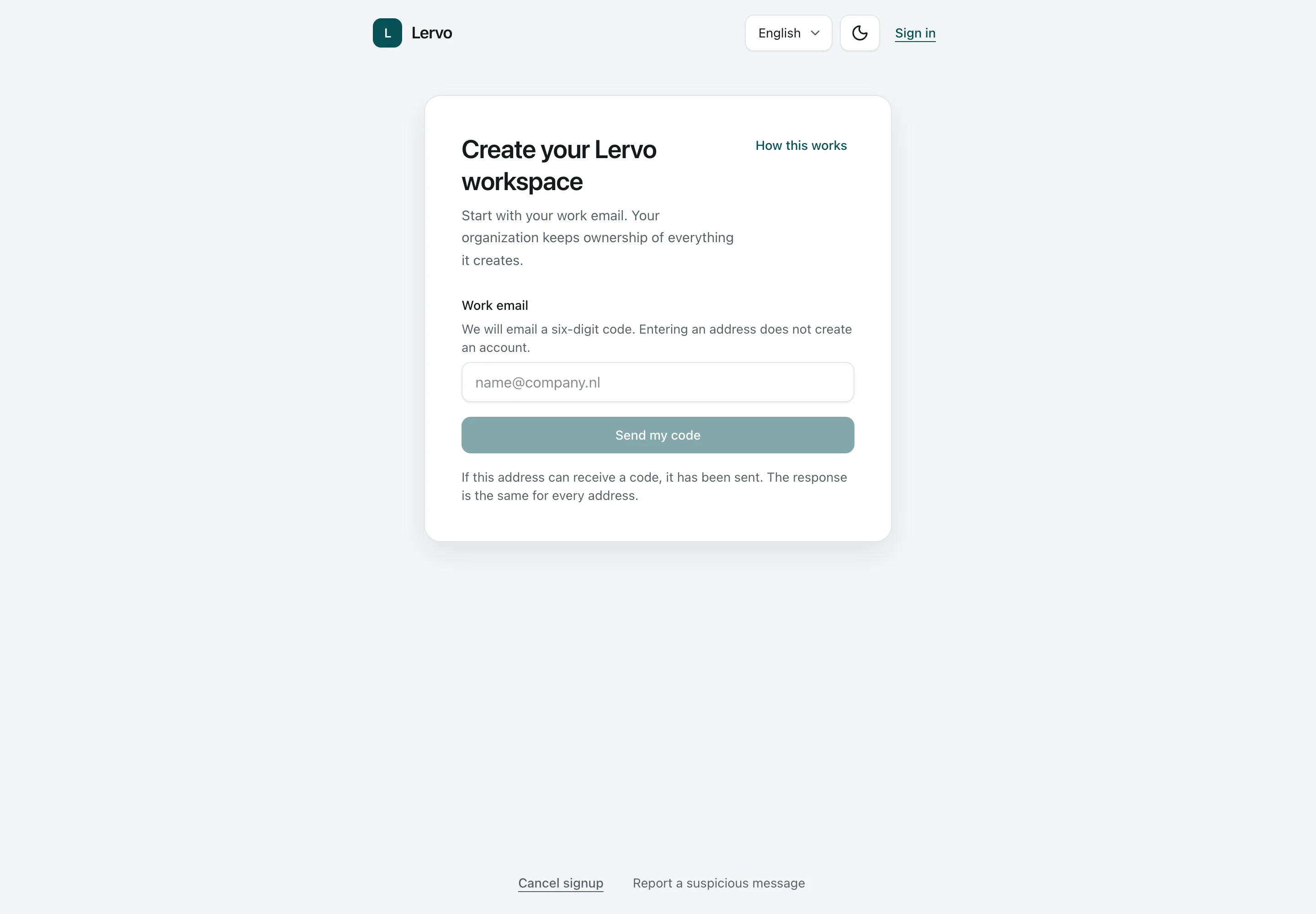
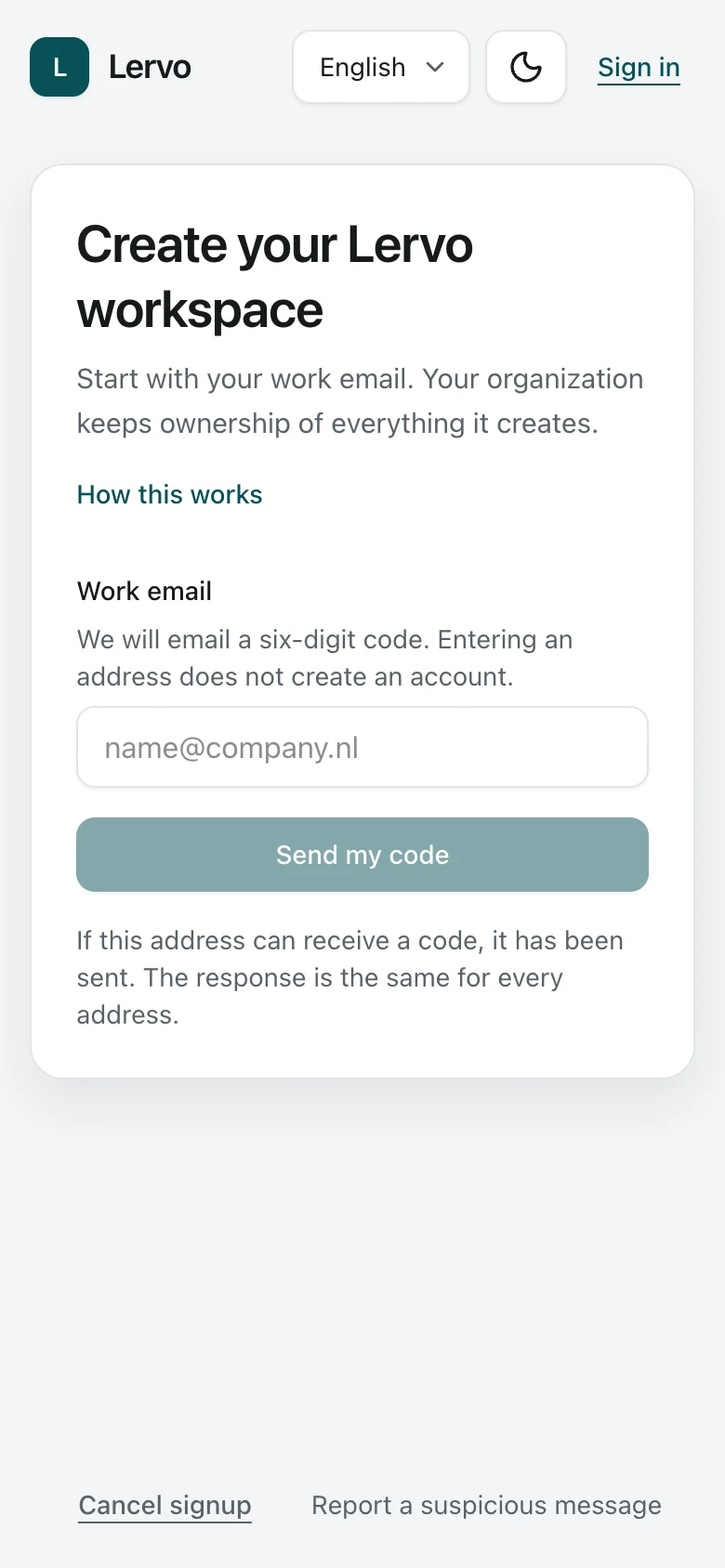
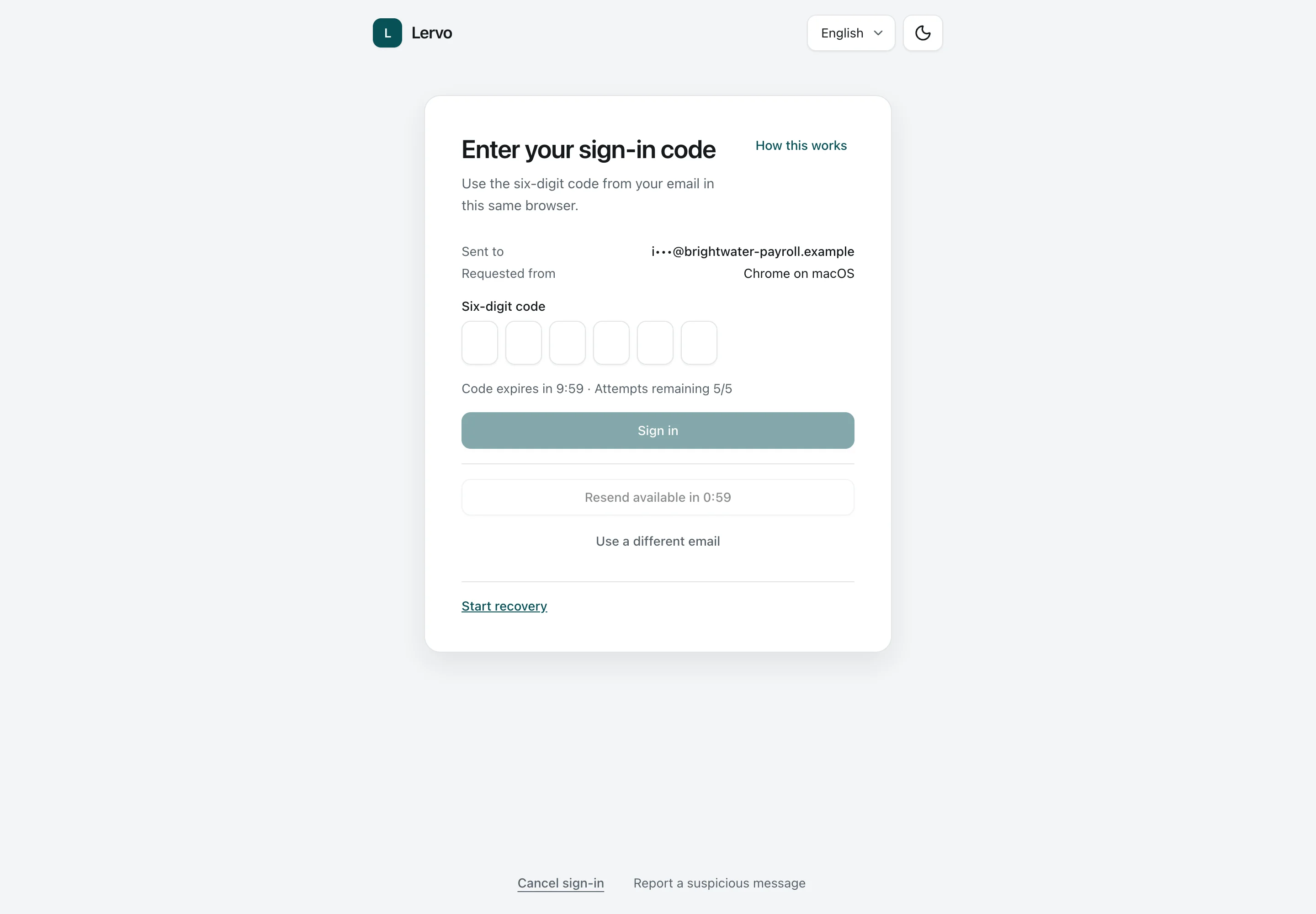
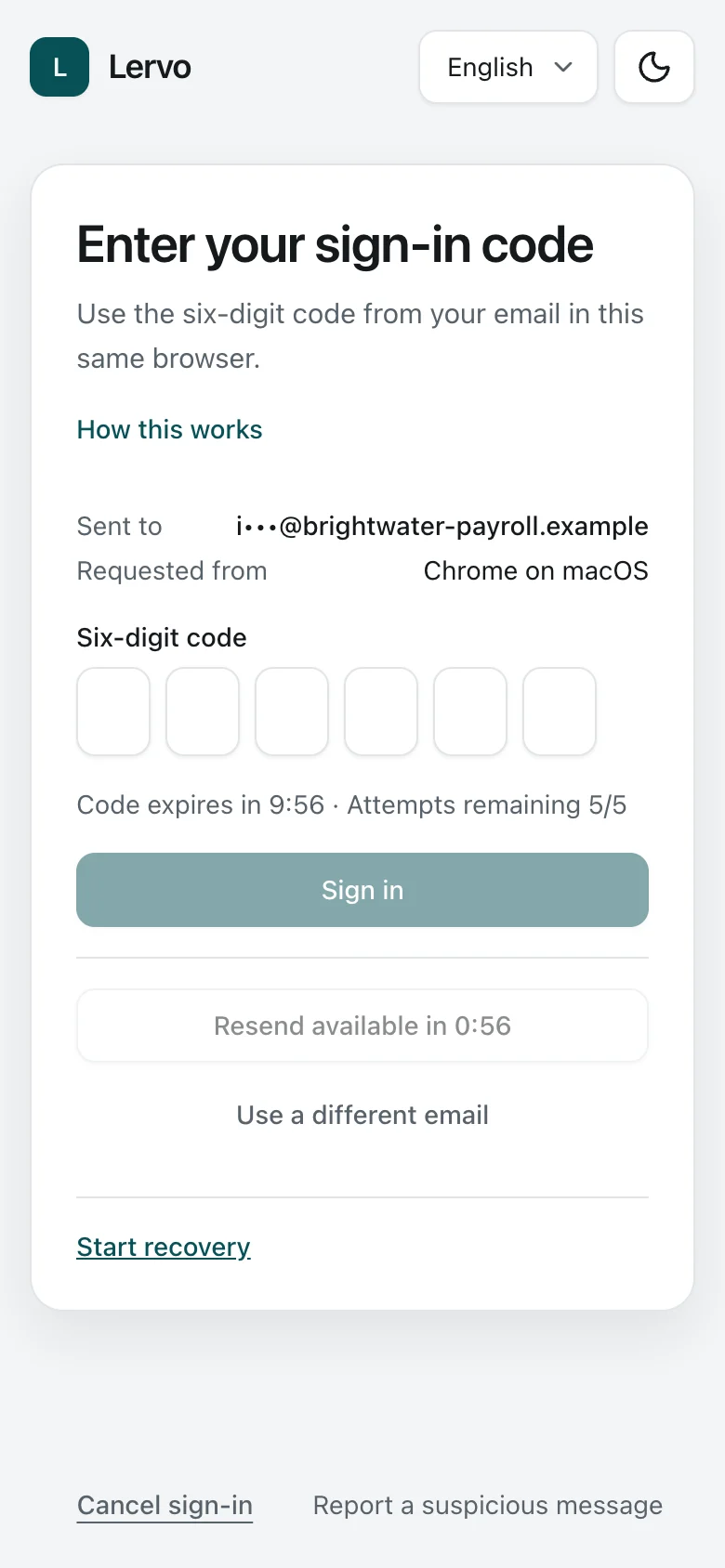
Two customer requests: a fixed questionnaire before company approval on desktop and an issued report on a phone.Product screens shown under the name Lervo. All companies, people, documents and amounts shown are fictional.

Ways we could work together.

NowSquare develops the software. Your company might bring a brand, access to customers, services or investment.

A product under your brand

Work in security, AI or business software and want a new product line or division? We can explore a partnership where you bring your brand, market access and funding, and we lead product design and development with the freedom to shape the product.

Security and AI advisory companies

Explore offering the workspace alongside your company’s client services. The product supports review of specific answer and evidence versions, while the client controls its information.

IT providers and professional networks

You may already support companies facing these requests. We can explore introducing the workspace alongside your services, helping clients get started or working with a group of members.

Investors and joint ventures

You might bring a client network, investment or experience growing a software business. Let’s discuss how we could develop the commercial opportunity together.

These are examples. If your company sees another commercial opportunity, we’d like to hear it.

Tell us about your company, the commercial opportunity you see in the security response workspace and what you would bring to a partnership.

Discuss a product partnership

Know a company this could suit? Share this page with them.

How the workspace supports customer security questionnaires.

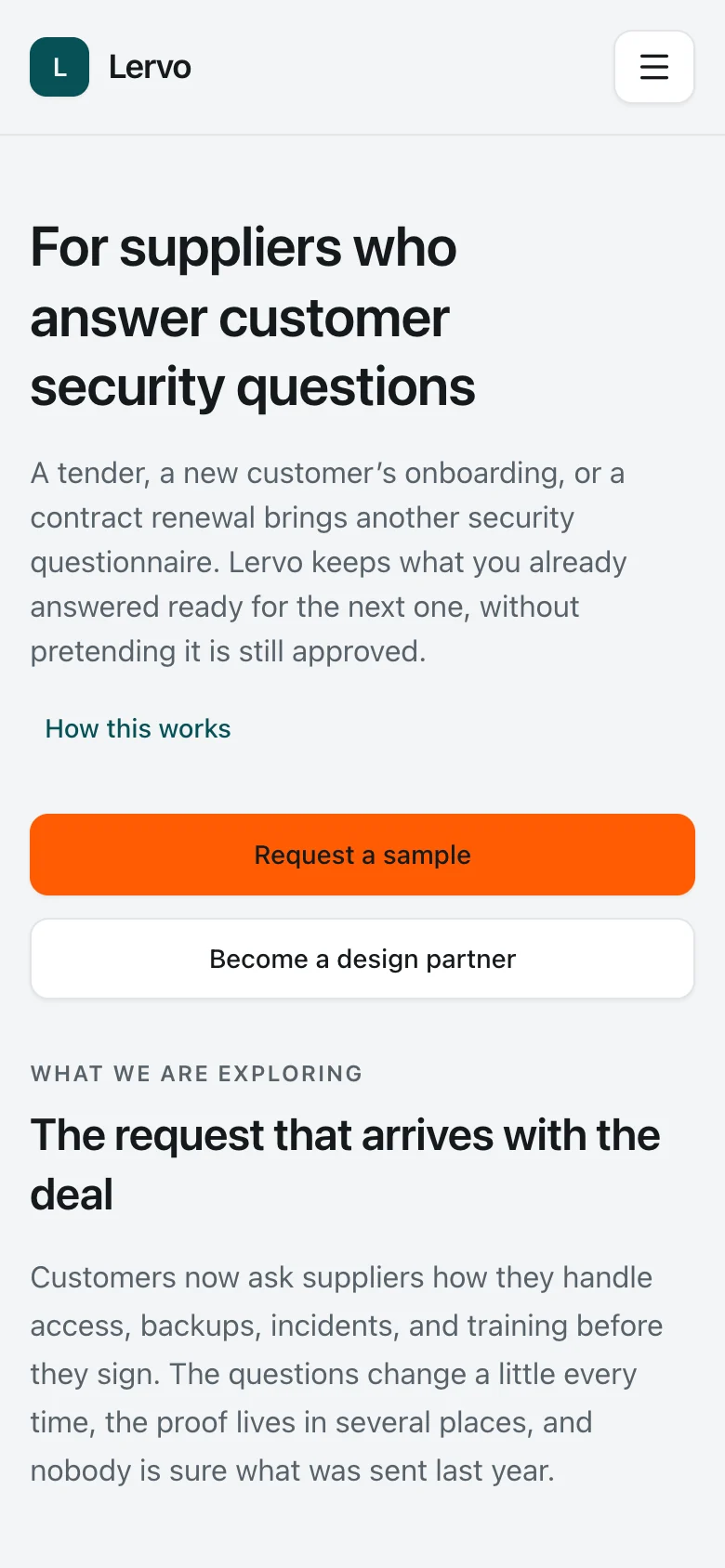
A tender, a new customer or a contract renewal can lead to questions about a company’s security practices and AI use. The workspace keeps its answers, supporting evidence and approvals together, including who approved each version.

Prepare responses for supplier checks and contract renewals.

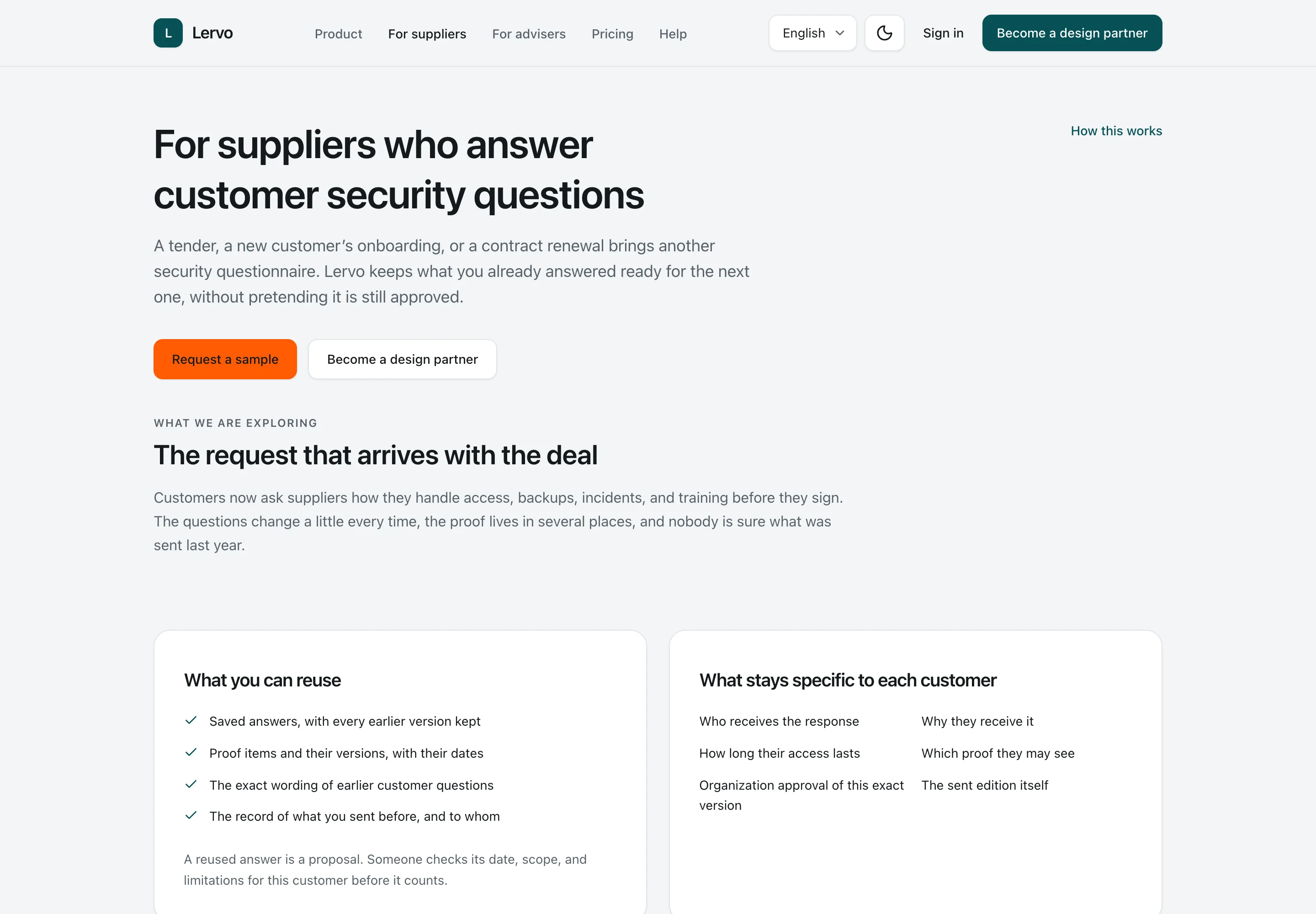
A customer assessing a supplier needs answers and supporting documents. The supplier’s team can collect them in the workspace, resolve missing information with colleagues and send an approved response. For the next request, it can reuse what still applies and check what has changed.

Document a company’s AI use.

If a customer asks how a company uses AI responsibly, the company can document which tools it uses, what data it shares and who checks the output. Policies, agreements or review records support those answers. The report records the company’s stated practices and supporting evidence. The recipient assesses them against their own requirements.

EU AI Act references

For EU AI Act questions, useful starting points are AI literacy (Article 4) and transparency for certain AI systems (Article 50). Which duties apply depends on your role, the system and how you use it. Your report records the answers and supporting evidence; it does not establish legal compliance.

Keep the company and its consultant working from the same record.

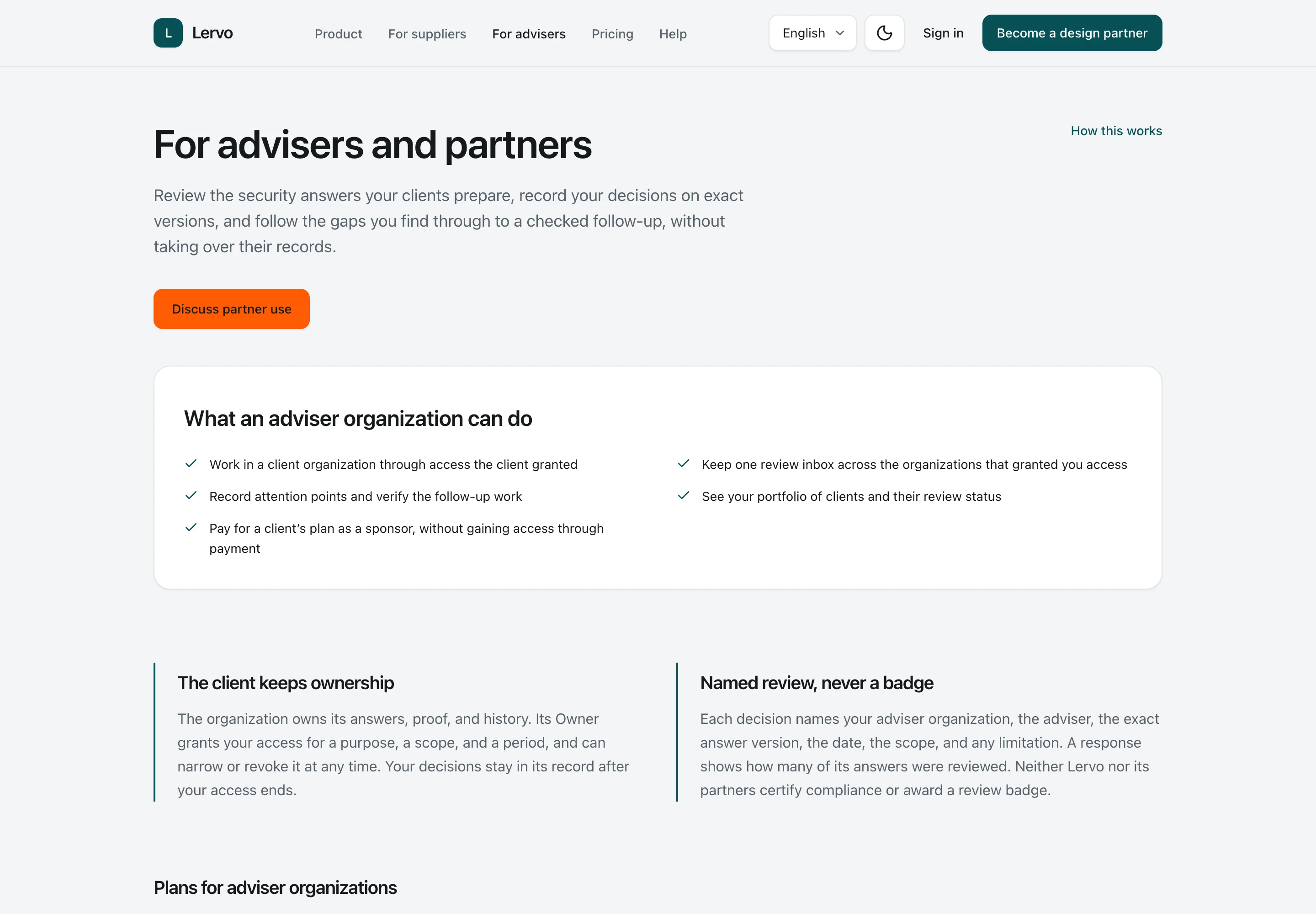
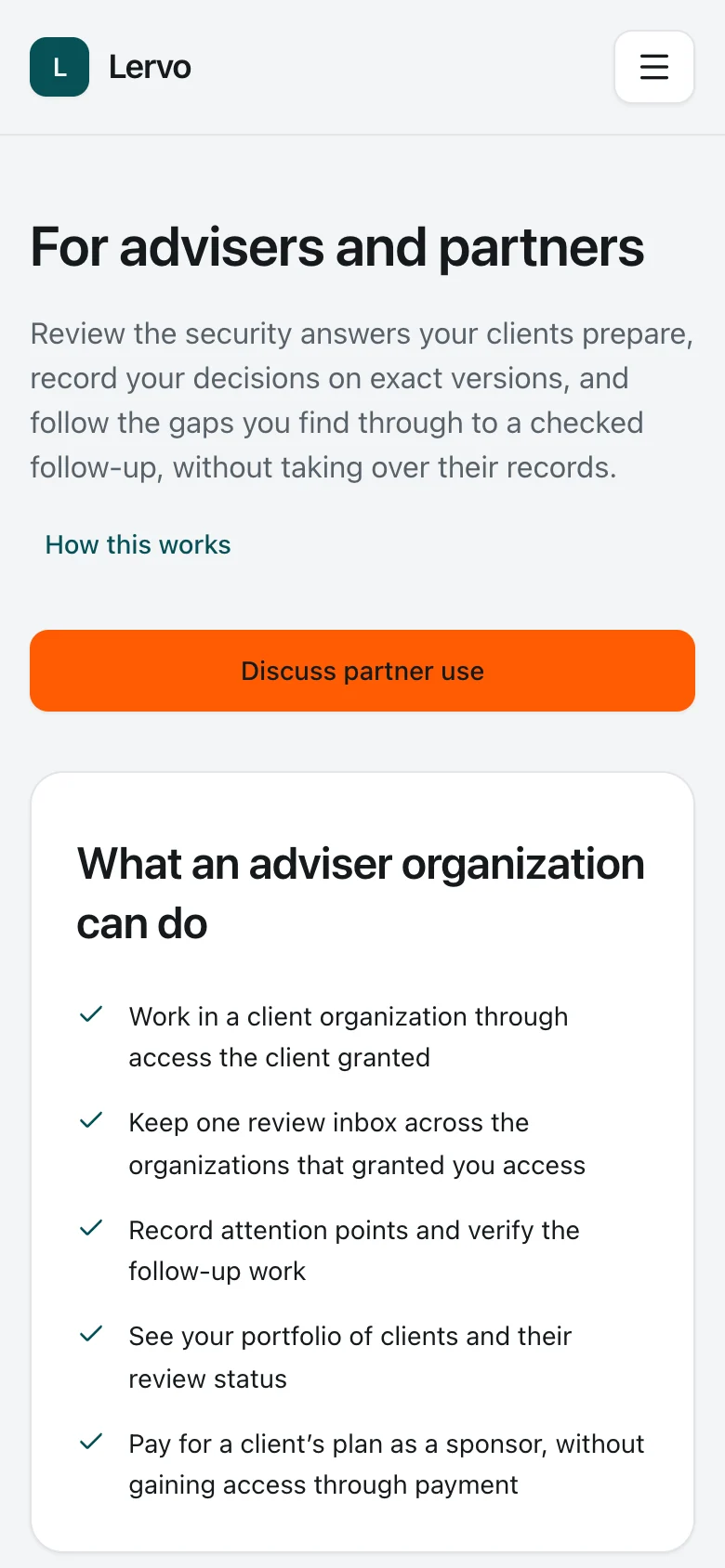
An invited adviser can review a company’s answers and evidence, flag gaps and record what they reviewed. The company owns the record and approves what it shares. Each recorded review identifies the answer and evidence versions reviewed, its scope and its limitations.

Send a report they can keep.

The company issues a PDF report of the approved version, with a list of supporting evidence, the approver’s name and any recorded adviser review. It shares the report through a controlled link with a named recipient. Customers and supply-chain partners can keep that report. Public verification shows who issued it, its reference and its status. The recipient assesses its answers and evidence. Later changes in the workspace do not change the issued report.

From questionnaire to approved report.

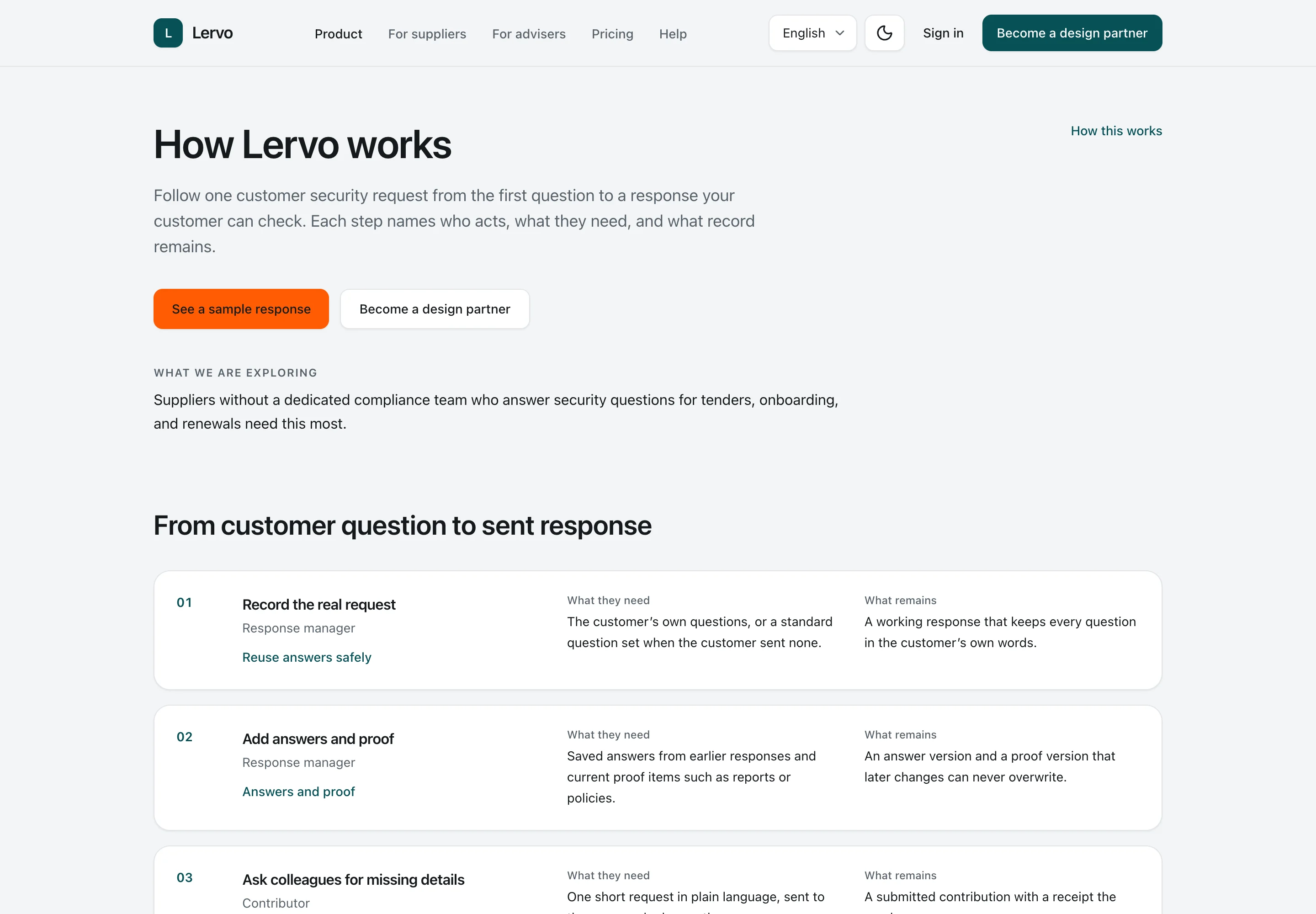
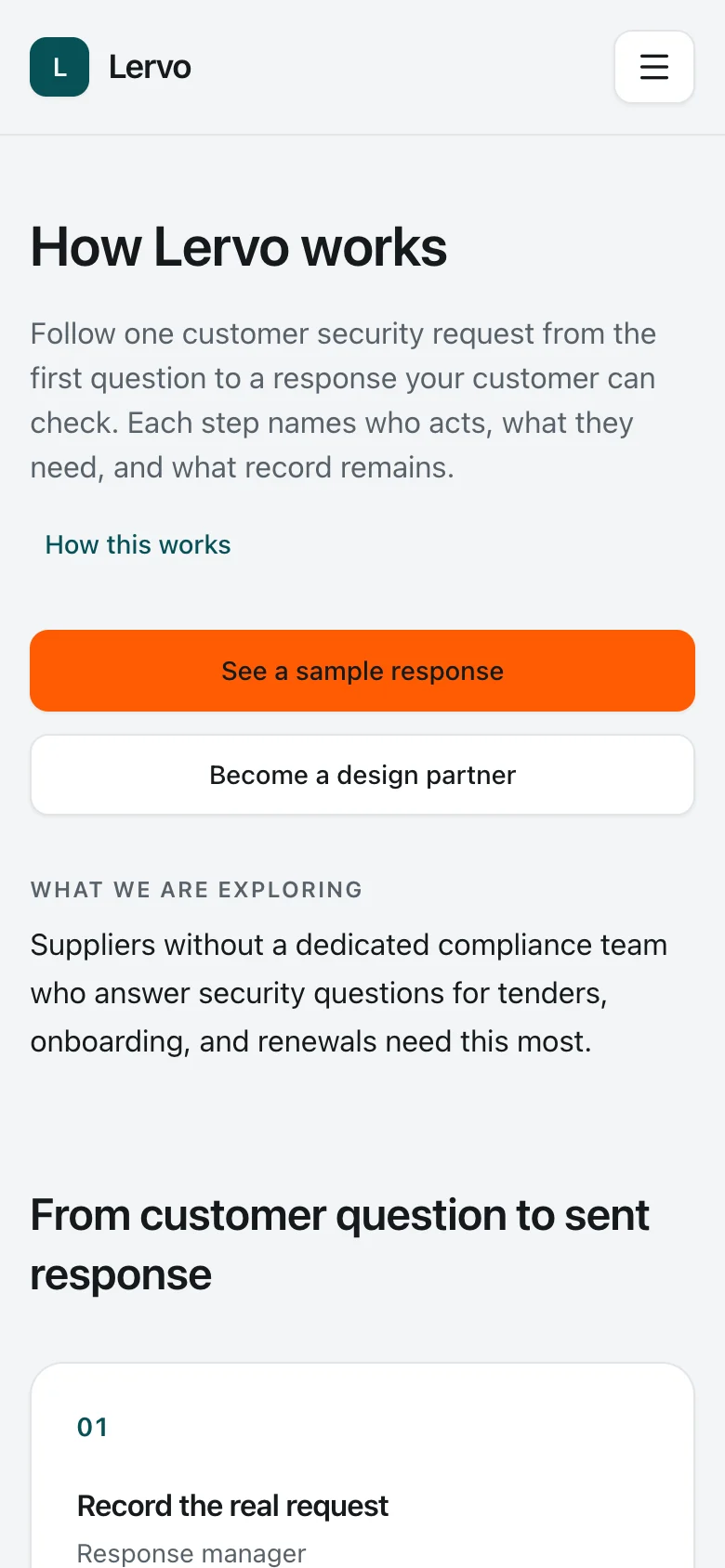
A company records a customer questionnaire or starts with a prepared set of questions. The person preparing the response selects answers from the library, checks their versions and supporting evidence, and asks colleagues for missing information.

The company’s named approver reviews the fixed version prepared for approval. Approval and issuing are separate actions. The customer receives the issued report through a link limited to the intended recipient and permitted files, with a one-time code.

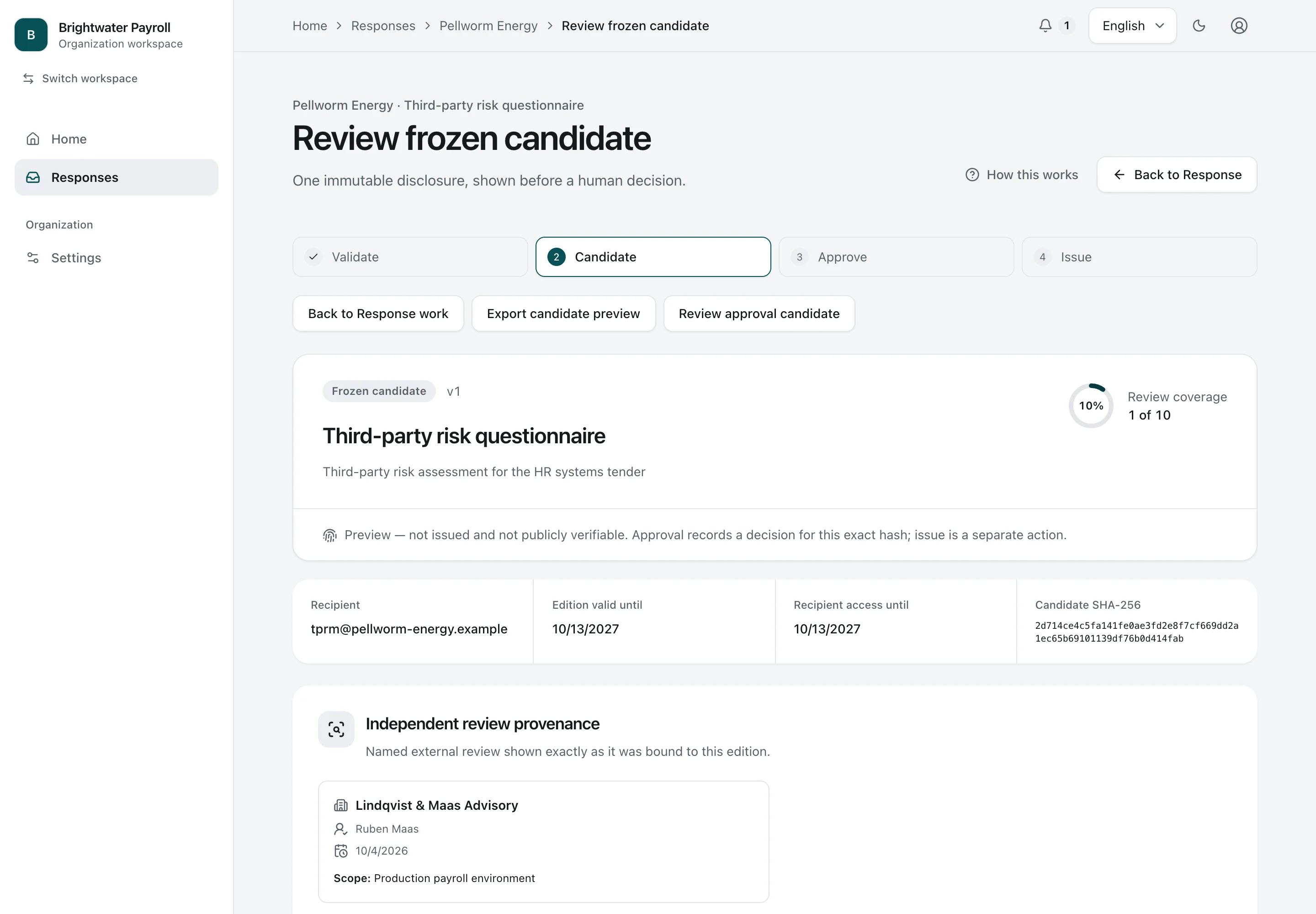
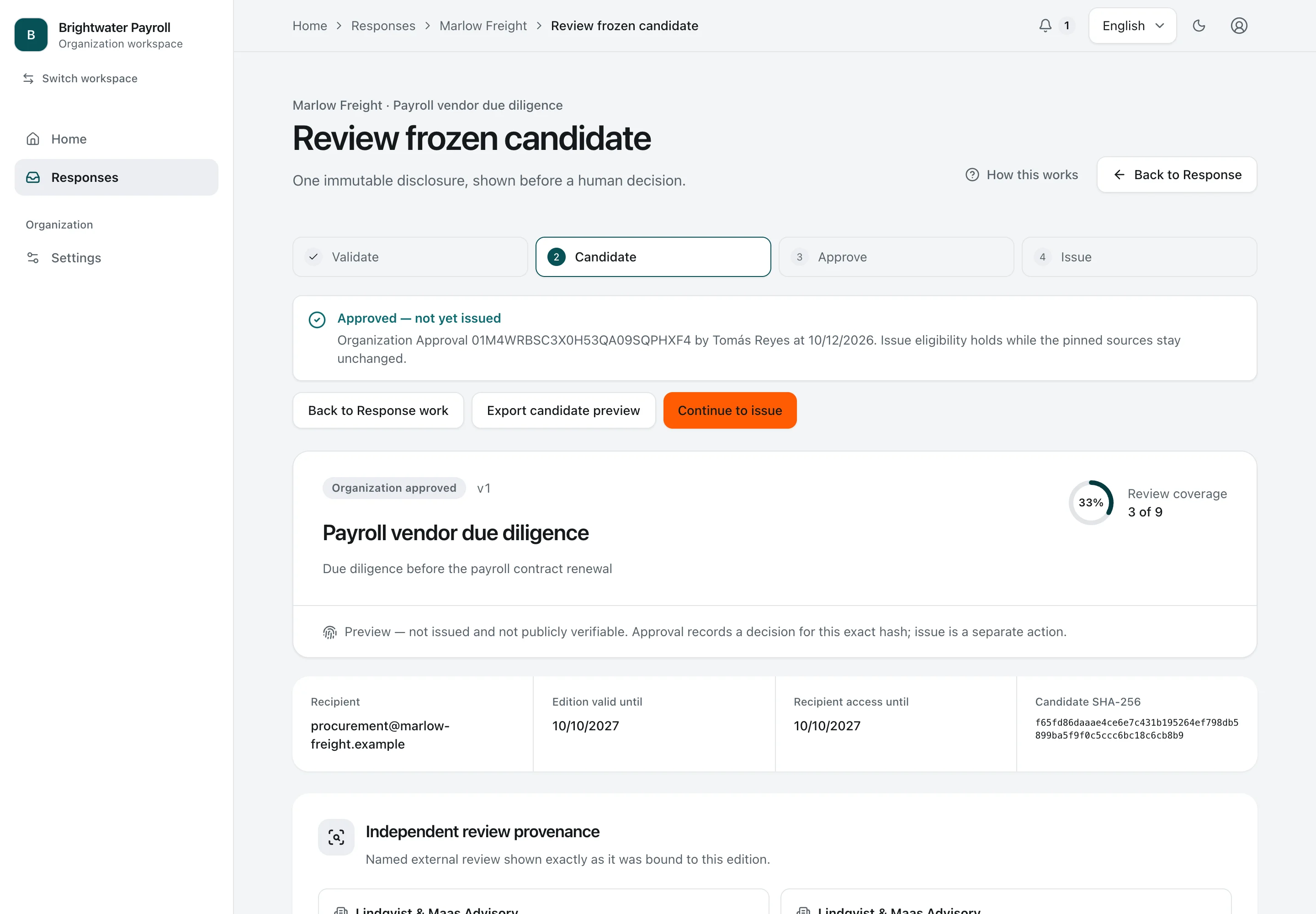
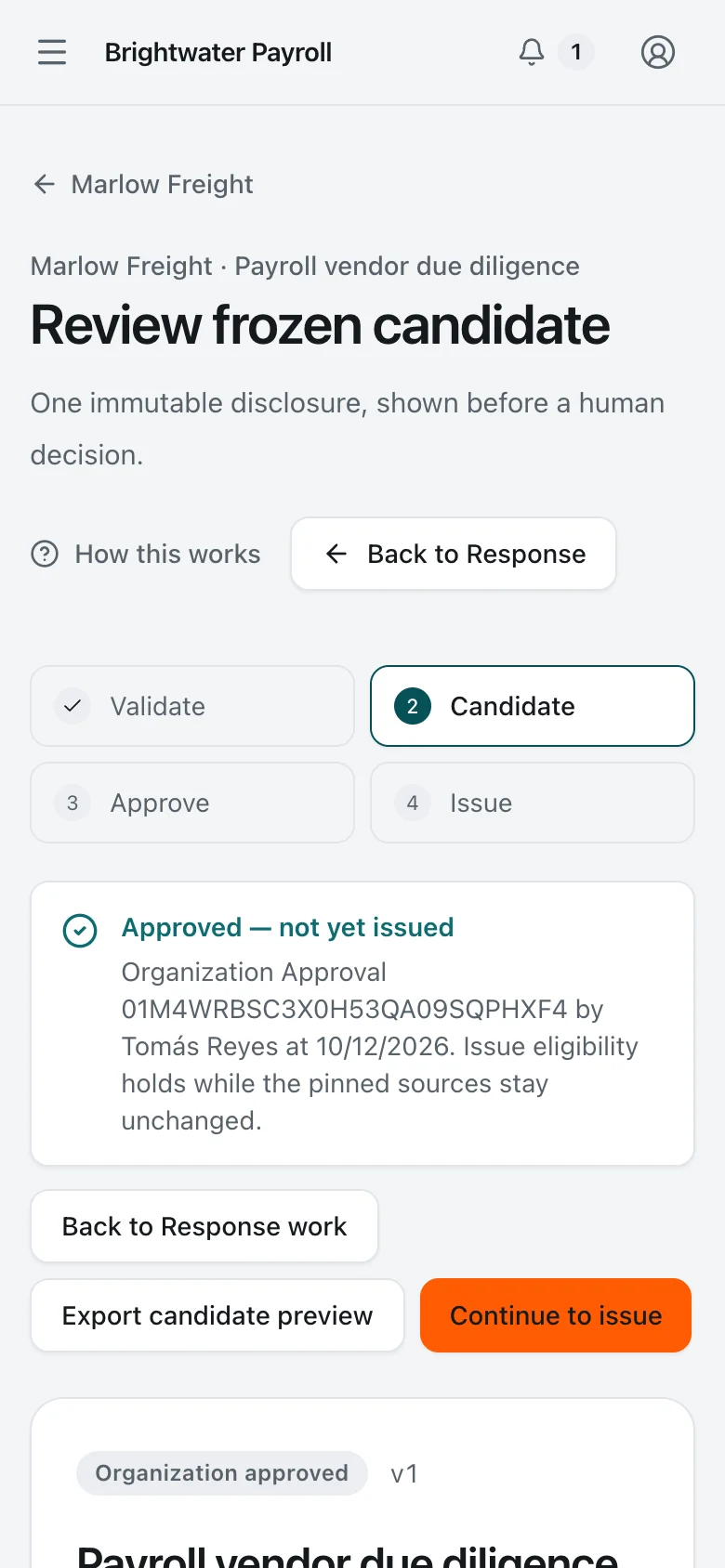
Candidate awaiting approval. The company’s approver reviews the fixed version awaiting approval, including its recipient, validity, content identifier and every answer. Approval requires a fresh identity check.
Organization Approver Desktop Light and dark

Candidate awaiting approval

The company’s approver reviews the fixed version awaiting approval, including its recipient, validity, content identifier and every answer. Approval requires a fresh identity check.

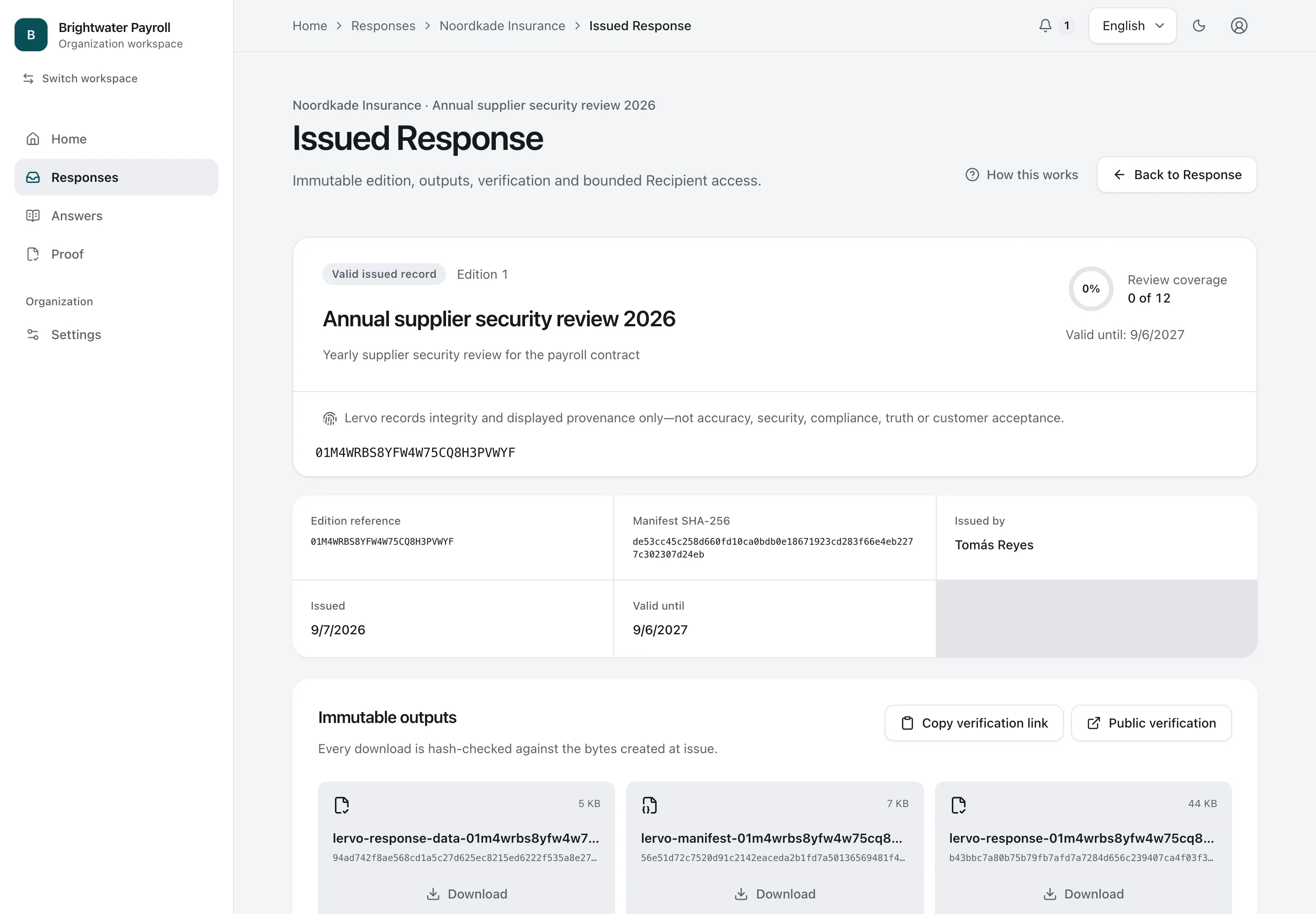
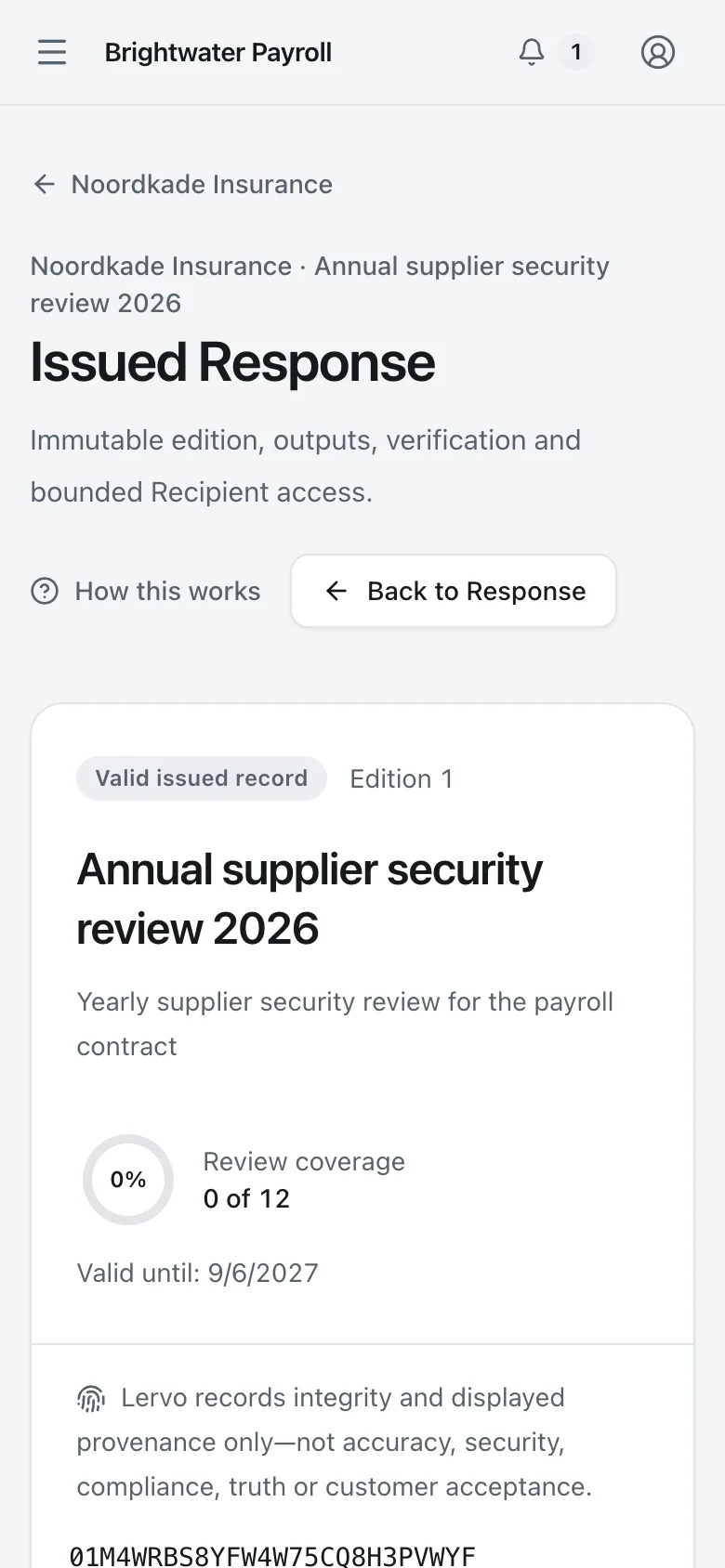
Issued edition. The issued report keeps a fixed record of its reference, issuer, validity and exact output files, with a link to its public verification page.
Security Lead Desktop Light and dark

Issued edition

The issued report keeps a fixed record of its reference, issuer, validity and exact output files, with a link to its public verification page.

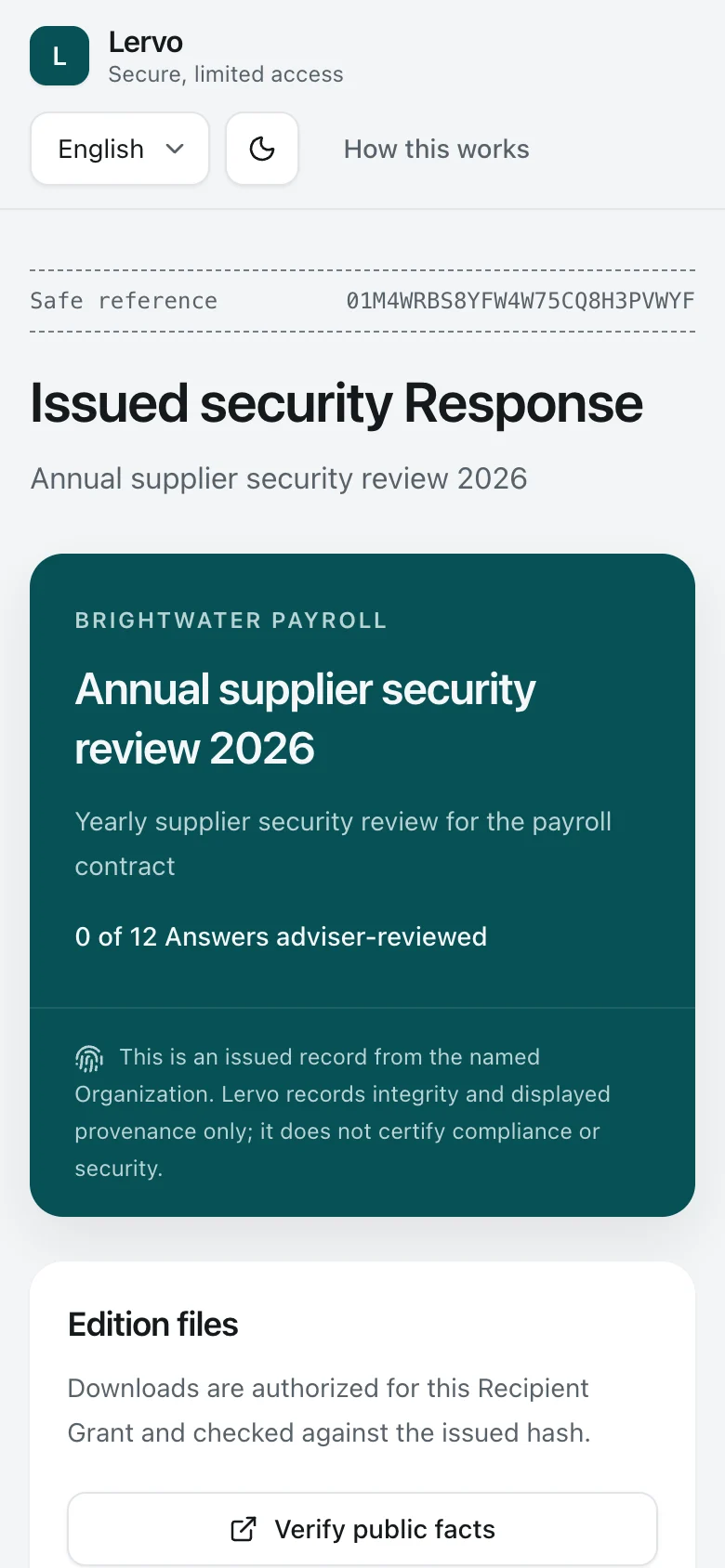
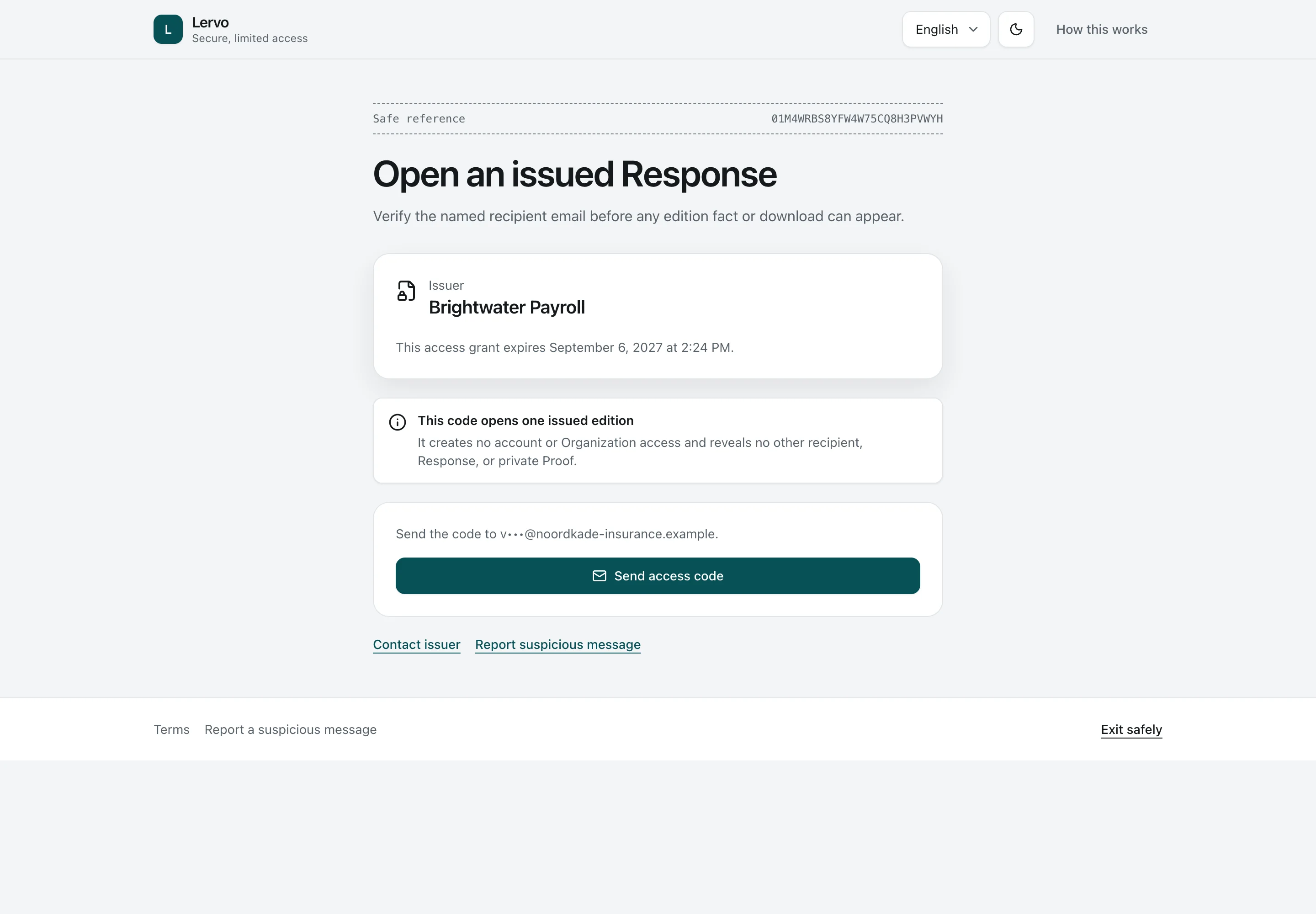
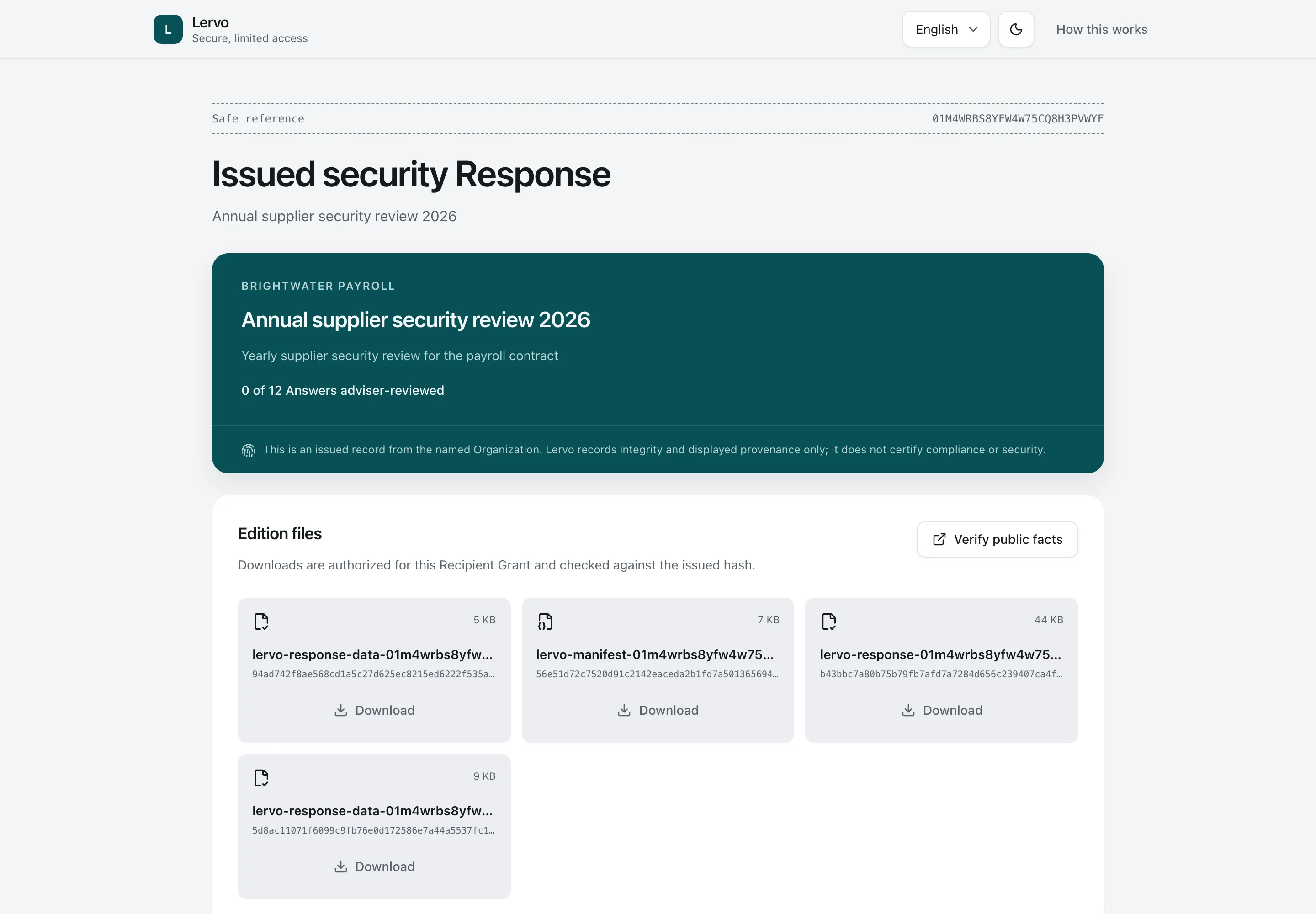
Recipient view. After a one-time code, the customer's contact downloads the frozen edition files, without an account, and can check them against the public verification page.
Recipient Phone Light and dark

Recipient view

After a one-time code, the customer's contact downloads the frozen edition files, without an account, and can check them against the public verification page.

These screens show different fictional customer requests at the approval, issuing and recipient-access stages.

Preparing answers, reviewing them, approving what the company shares and paying for the plan require different permissions. One person may hold more than one role.

What the report establishes
The workspace records the company’s answers, supporting evidence and what a named person authorised it to share. It does not assess how secure the company is, determine which laws apply or give legal advice. An invited adviser performs any independent review.
Customer billing in the demonstration
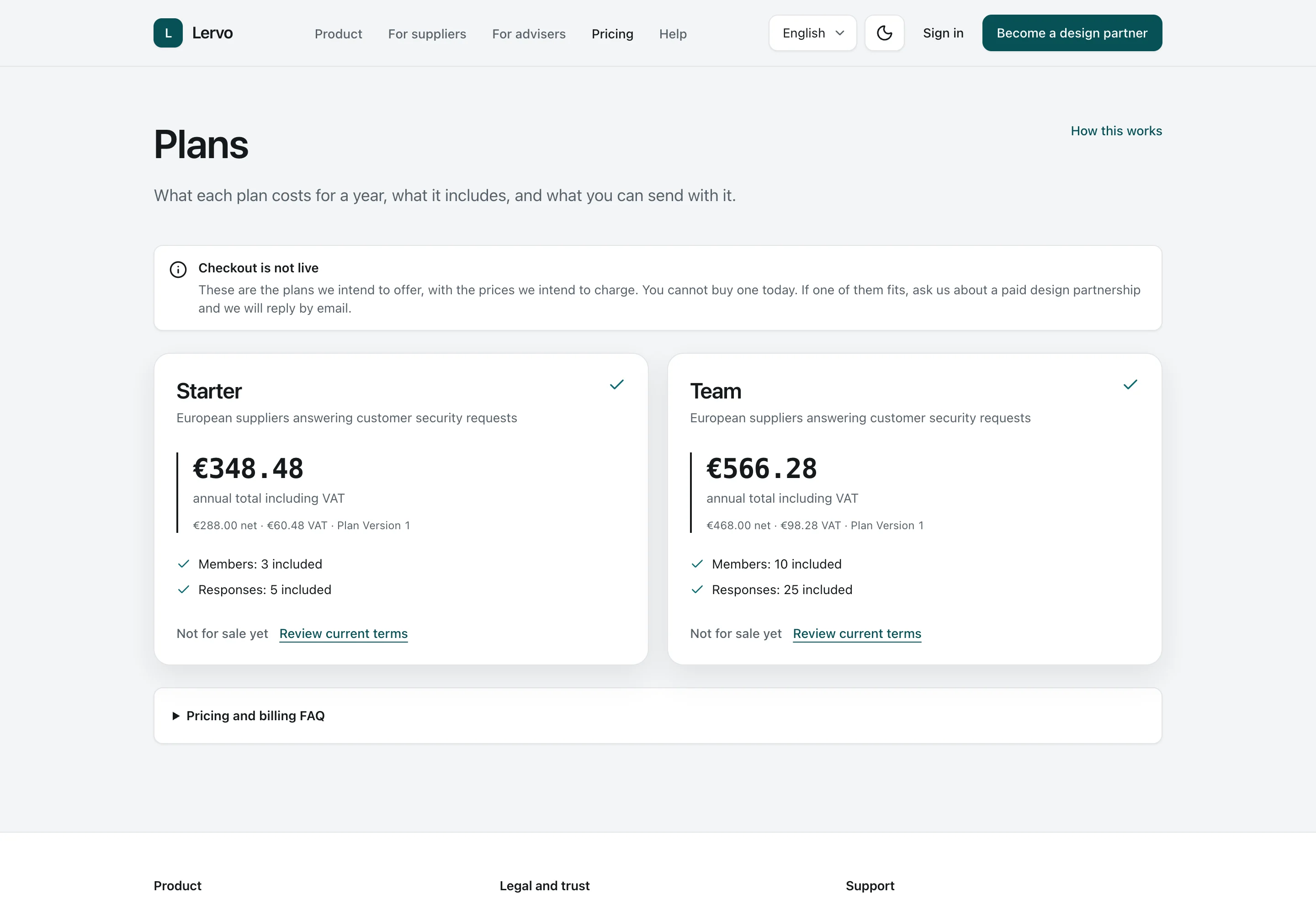
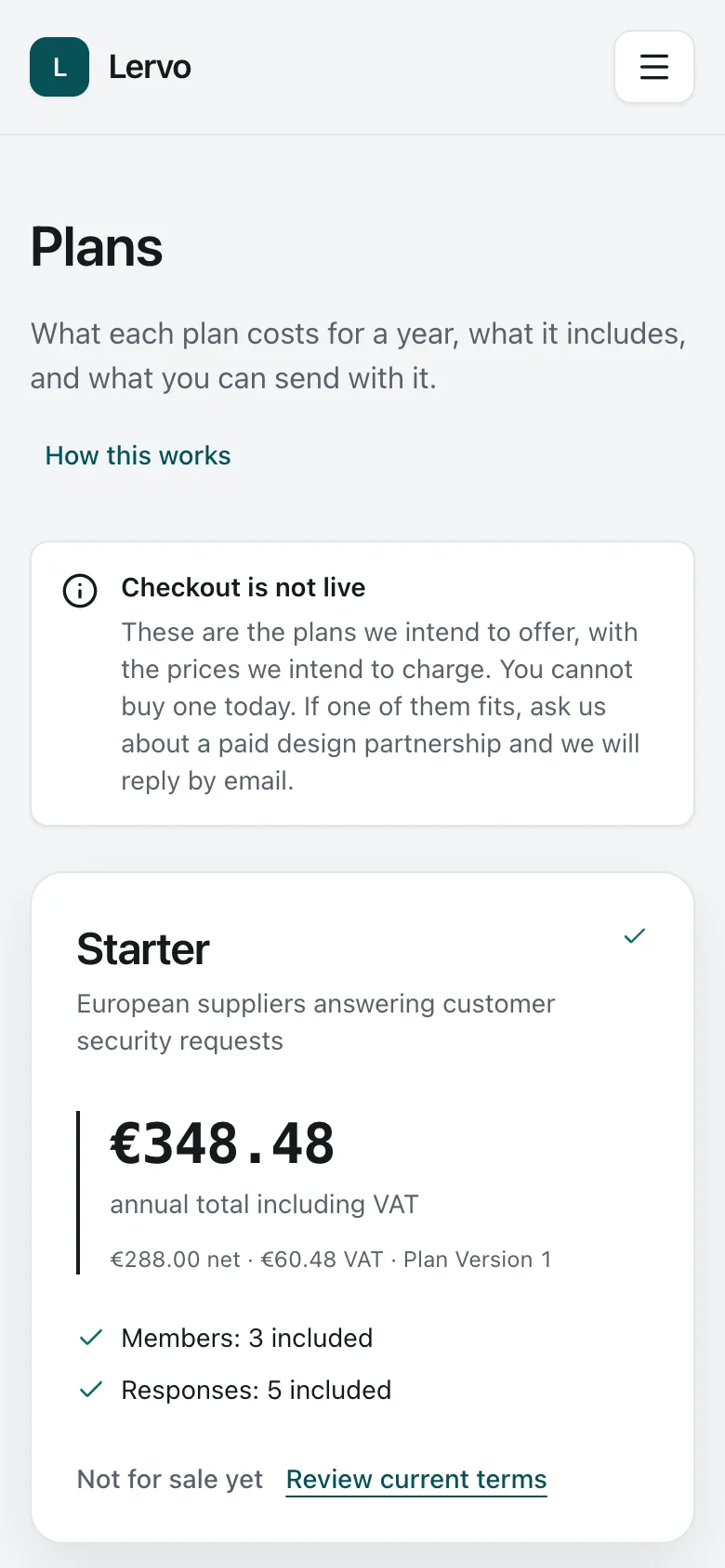
In the product demonstration, each company has its own plan and owns its records. An advisory firm can pay for a client’s plan. Payment gives no access, membership or approval authority. The amounts shown are fictional.

Explore the detailed product walkthrough

How one company handles six customer questionnaires.

Brightwater Payroll B.V. supplies payroll software. Its team is answering six customer requests at different stages. Follow Maren, Daan, Tomás and the people they ask for help.

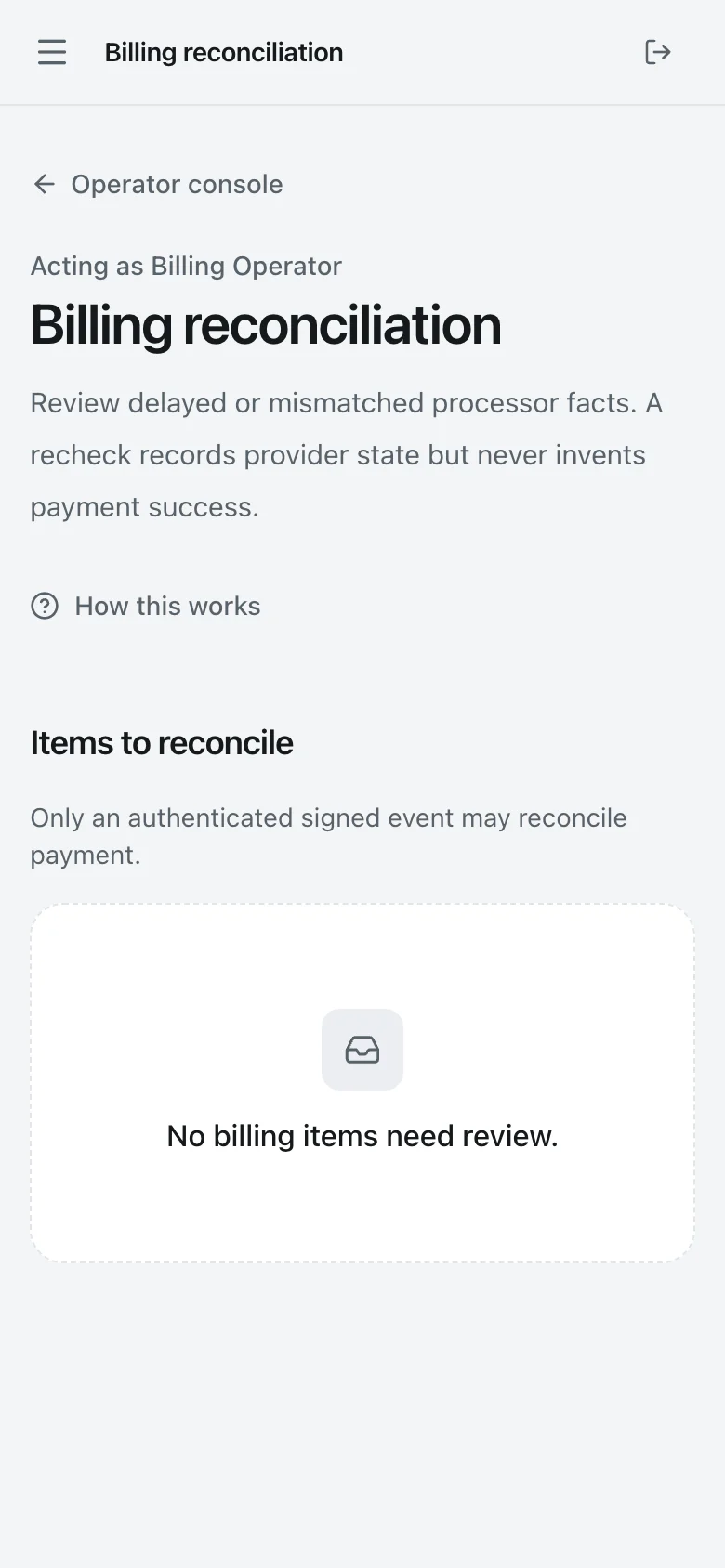
Compare the six example requests
  1. Just started

    Rijnmond Logistics

    33 Readiness score

    4 of 12 drafted · 4 of 12 settled · 4 of 12 supporting evidence current

  2. Collecting

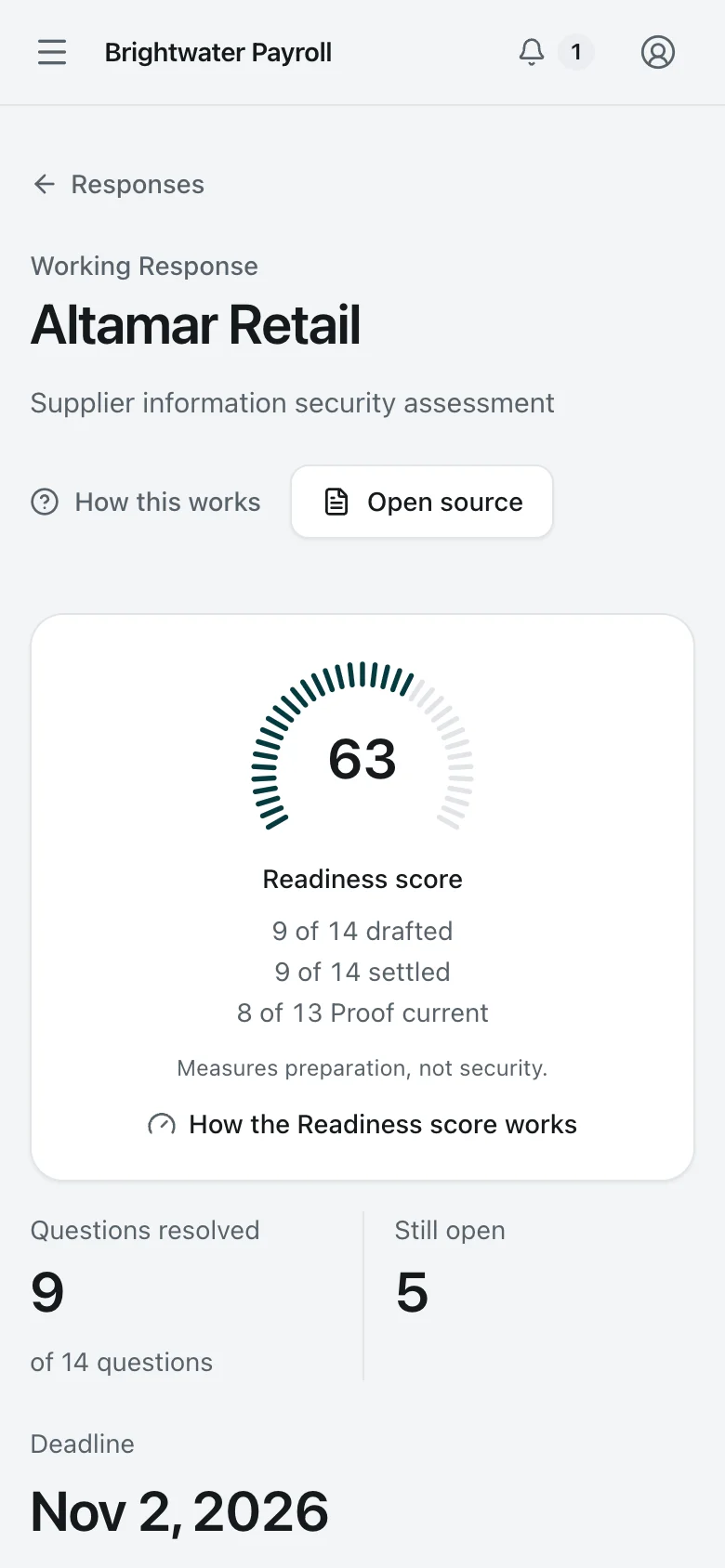
    Altamar Retail

    63 Readiness score

    9 of 14 drafted · 9 of 14 settled · 8 of 13 supporting evidence current

  3. Under Adviser review

    Veldhoven Health Group

    78 Readiness score

    9 of 11 drafted · 9 of 11 settled · 7 of 11 supporting evidence current

  4. Awaiting approval

    Pellworm Energy

    100 Readiness score

    10 of 10 drafted · 10 of 10 settled · 10 of 10 supporting evidence current

  5. Approved, not yet issued

    Marlow Freight

    100 Readiness score

    9 of 9 drafted · 9 of 9 settled · 8 of 8 supporting evidence current

  6. Issued and verifiable

    Noordkade Insurance

    Public referenceSee how report verification works ↓

    The frozen edition has its own reference and public verification.

The Readiness score measures preparation, not security. Its counts explain what is missing. It never decides approval or issue and never appears on anything the customer receives. An invited adviser can see the score only when their access covers the whole working response and allows them to review its answers.

1

Start a customer response from the answer library

A new questionnaire arrives. Maren records the customer’s questions, then checks each proposed answer, where it applies and its supporting evidence.

  1. 1. Home

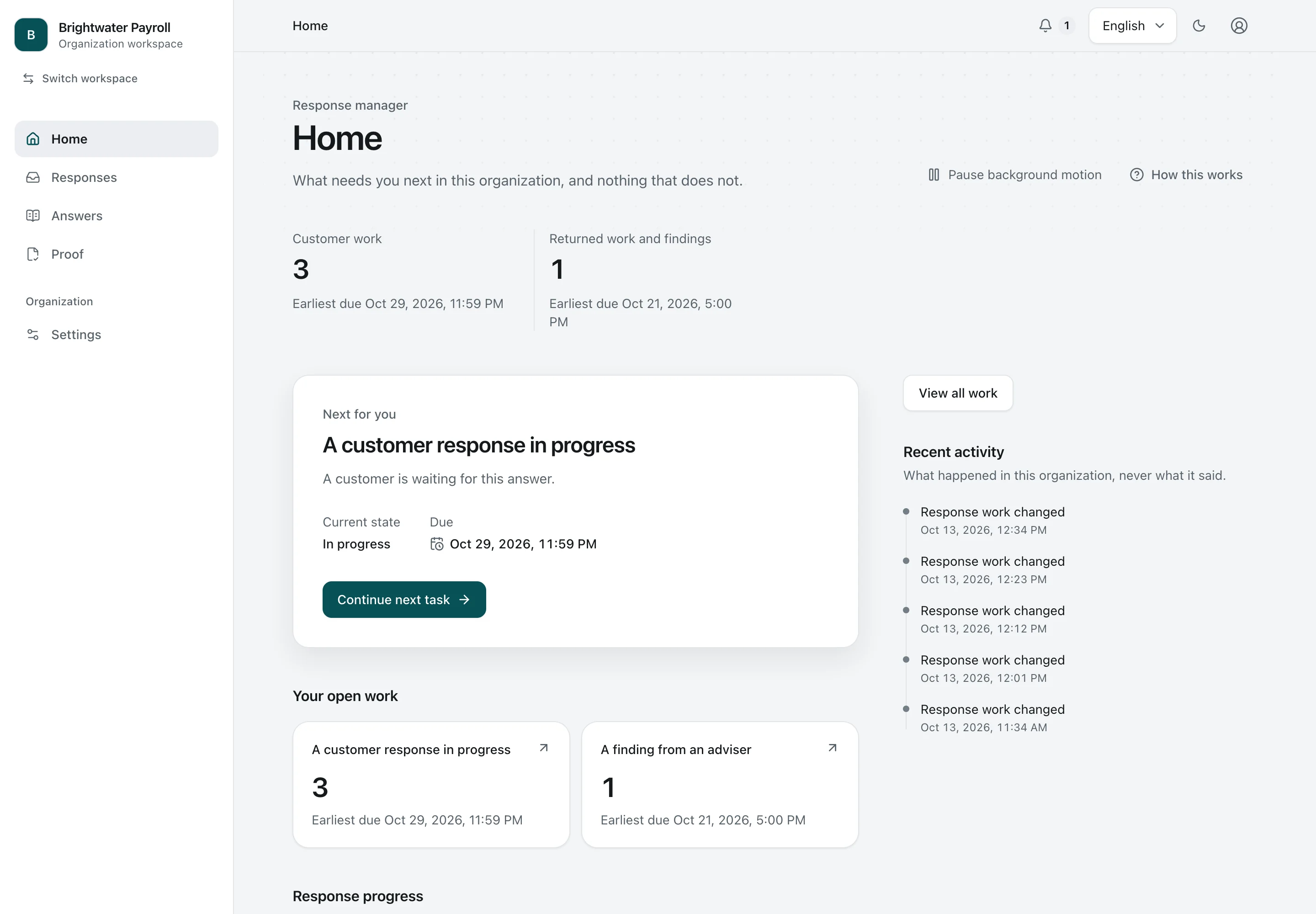
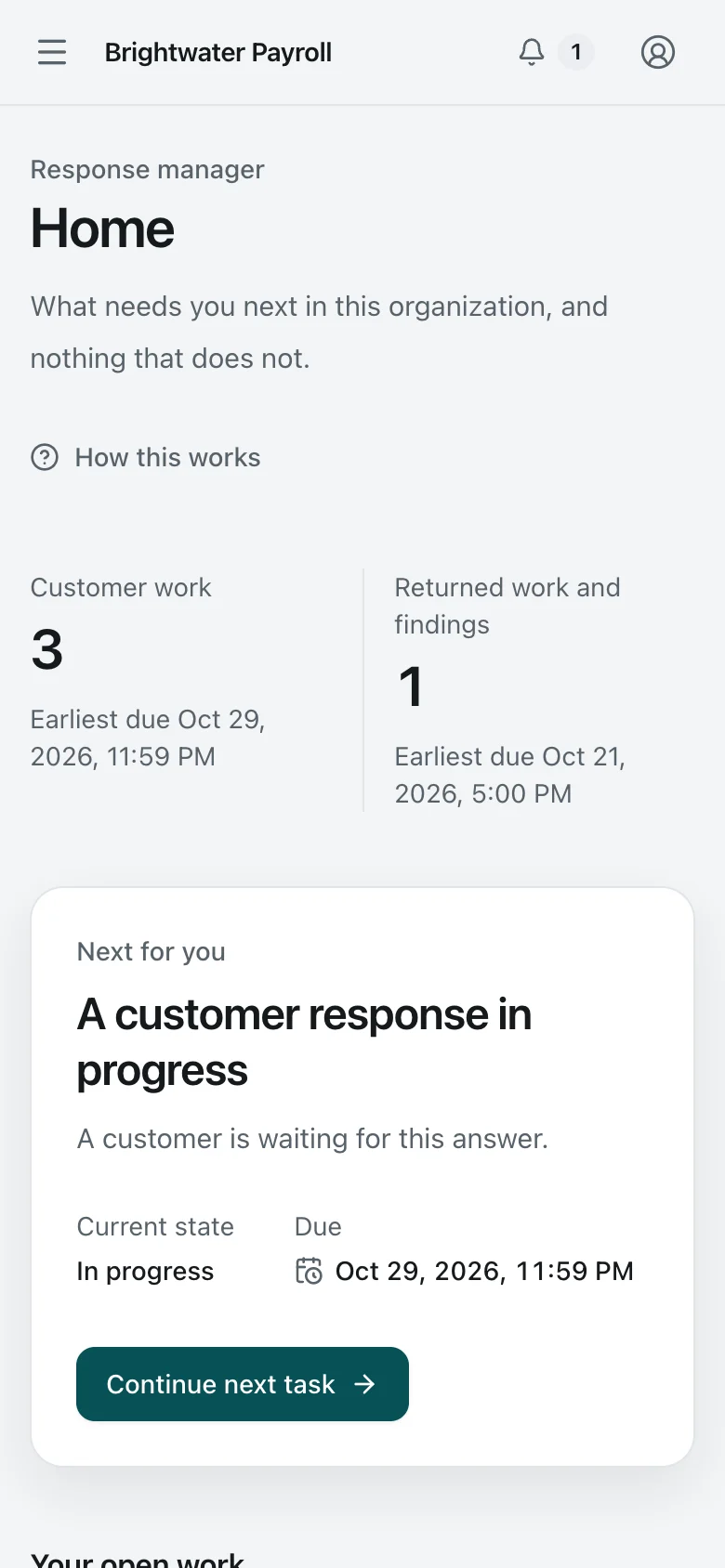
    Home. The Security Lead's home: the one task that needs them next, open work by kind, and recent activity that never shows what an Answer says.
    Security Lead Desktop Light and dark

    Home

    The Security Lead's home: the one task that needs them next, open work by kind, and recent activity that never shows what an Answer says.

    Home. The Security Lead's home: the one task that needs them next, open work by kind, and recent activity that never shows what an Answer says.
    Security Lead Phone Light and dark

    Home

    The Security Lead's home: the one task that needs them next, open work by kind, and recent activity that never shows what an Answer says.

  2. 2. Responses

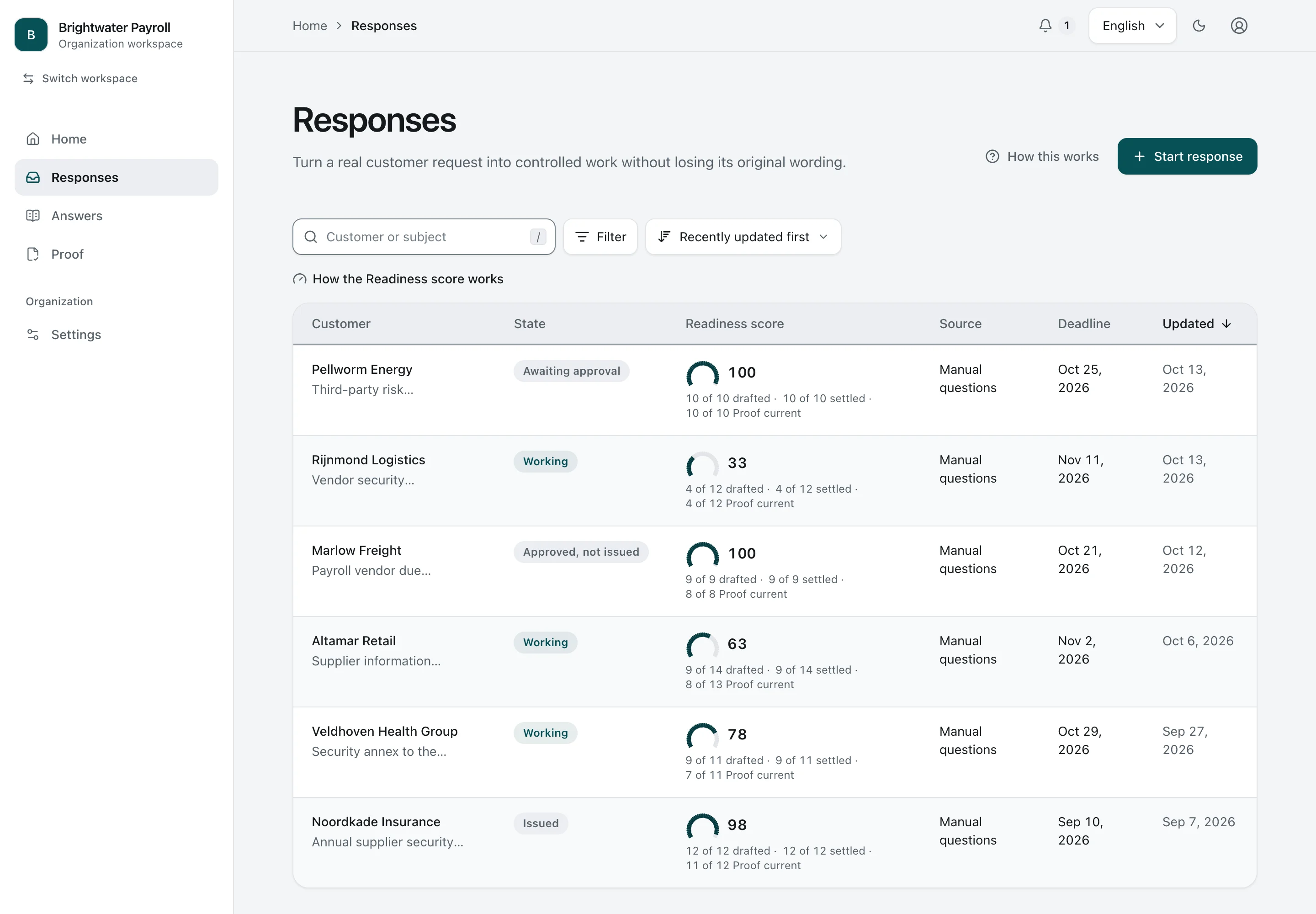
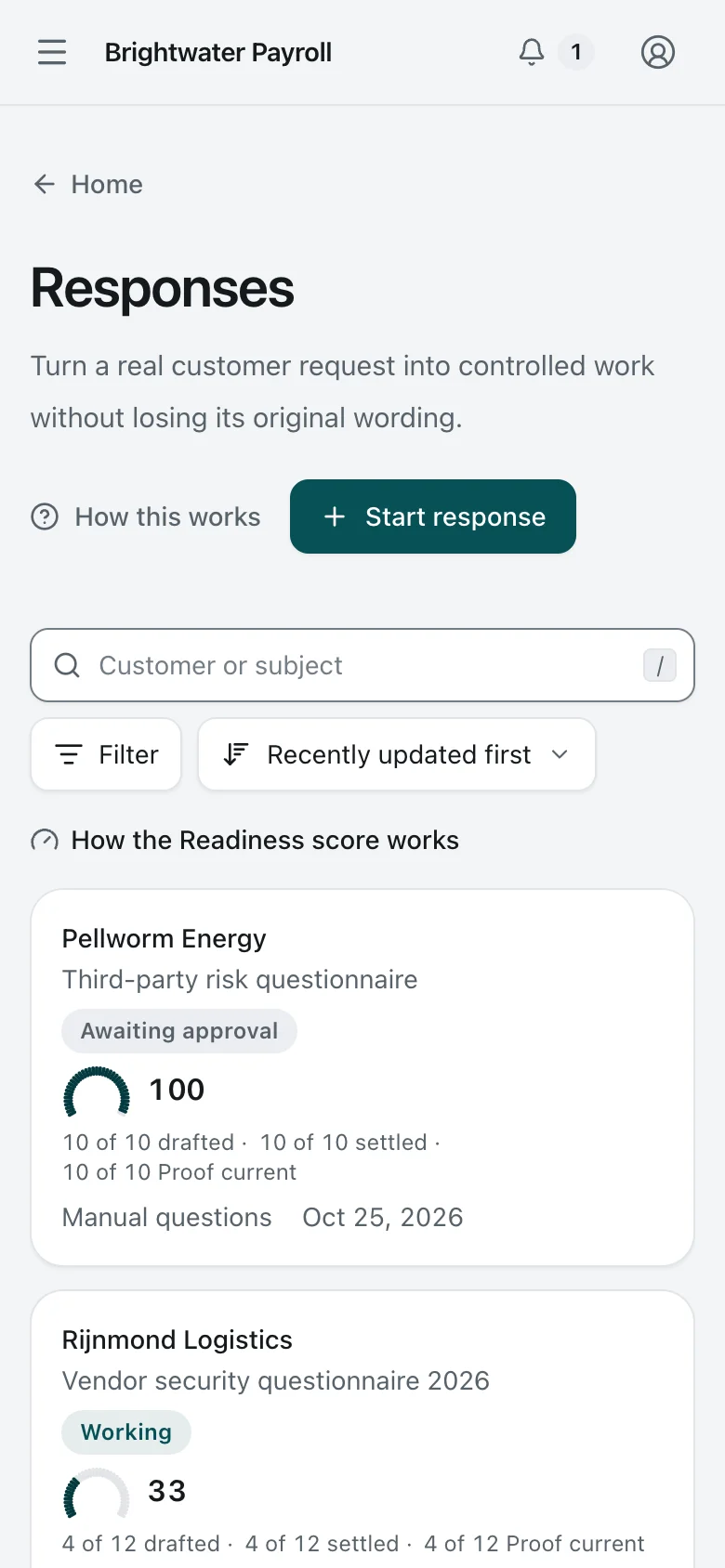
    Responses. The Security Lead sees every customer Response in one list, with its state, deadline, and Readiness score. No approval or issue ever depends on the score.
    Security Lead Desktop Light and dark

    Responses

    The Security Lead sees every customer Response in one list, with its state, deadline, and Readiness score. No approval or issue ever depends on the score.

    Responses. The Security Lead sees every customer Response in one list, with its state, deadline, and Readiness score. No approval or issue ever depends on the score.
    Security Lead Phone Light and dark

    Responses

    The Security Lead sees every customer Response in one list, with its state, deadline, and Readiness score. No approval or issue ever depends on the score.

  3. 3. Response just started

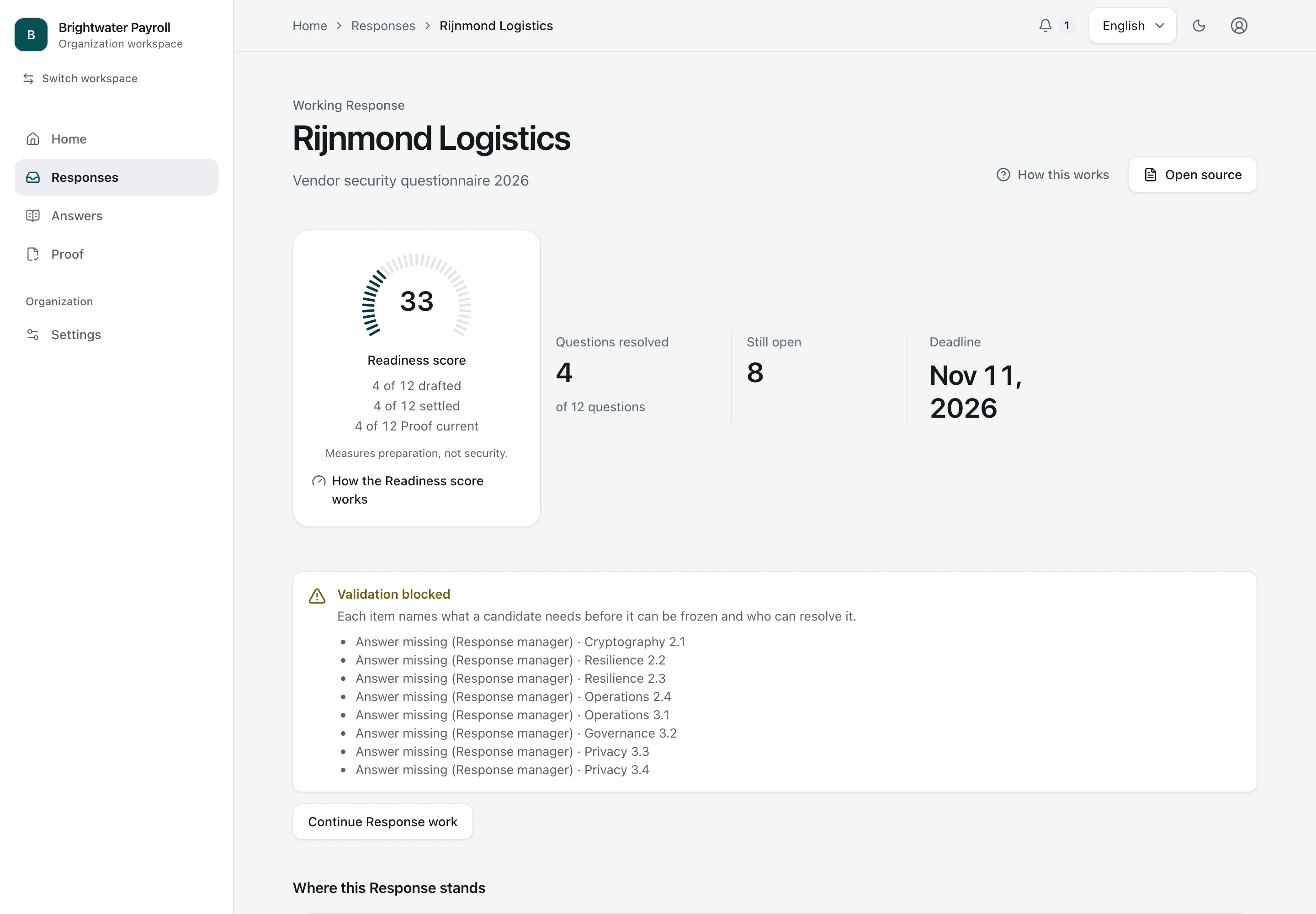
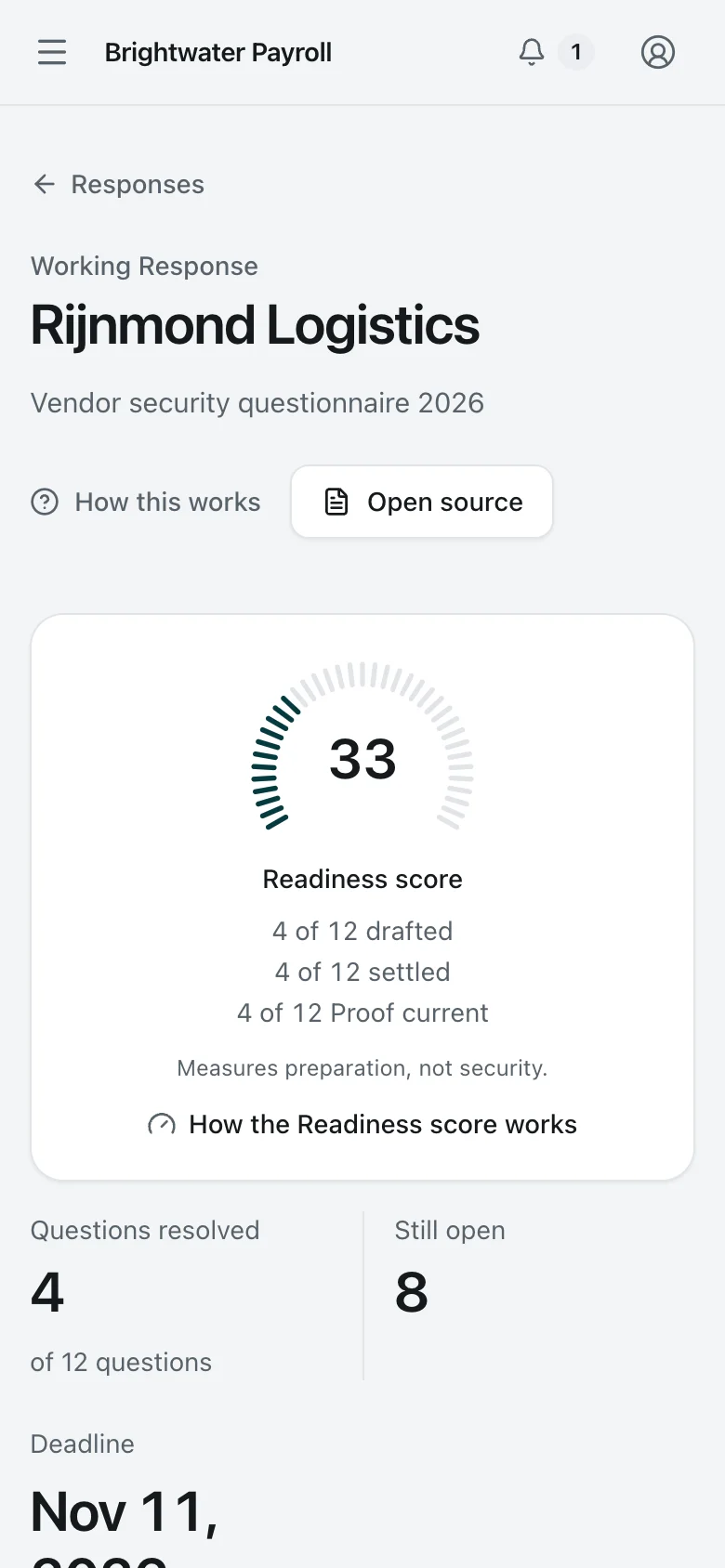
    Response just started. A new questionnaire from a prospective customer, a day after it arrived: four of twelve questions answered from the library so far, and a Readiness score of 33 that shows exactly what is missing.
    Security Lead Desktop Light and dark

    Response just started

    A new questionnaire from a prospective customer, a day after it arrived: four of twelve questions answered from the library so far, and a Readiness score of 33 that shows exactly what is missing.

    Response just started. A new questionnaire from a prospective customer, a day after it arrived: four of twelve questions answered from the library so far, and a Readiness score of 33 that shows exactly what is missing.
    Security Lead Phone Light and dark

    Response just started

    A new questionnaire from a prospective customer, a day after it arrived: four of twelve questions answered from the library so far, and a Readiness score of 33 that shows exactly what is missing.

  4. 4. One question

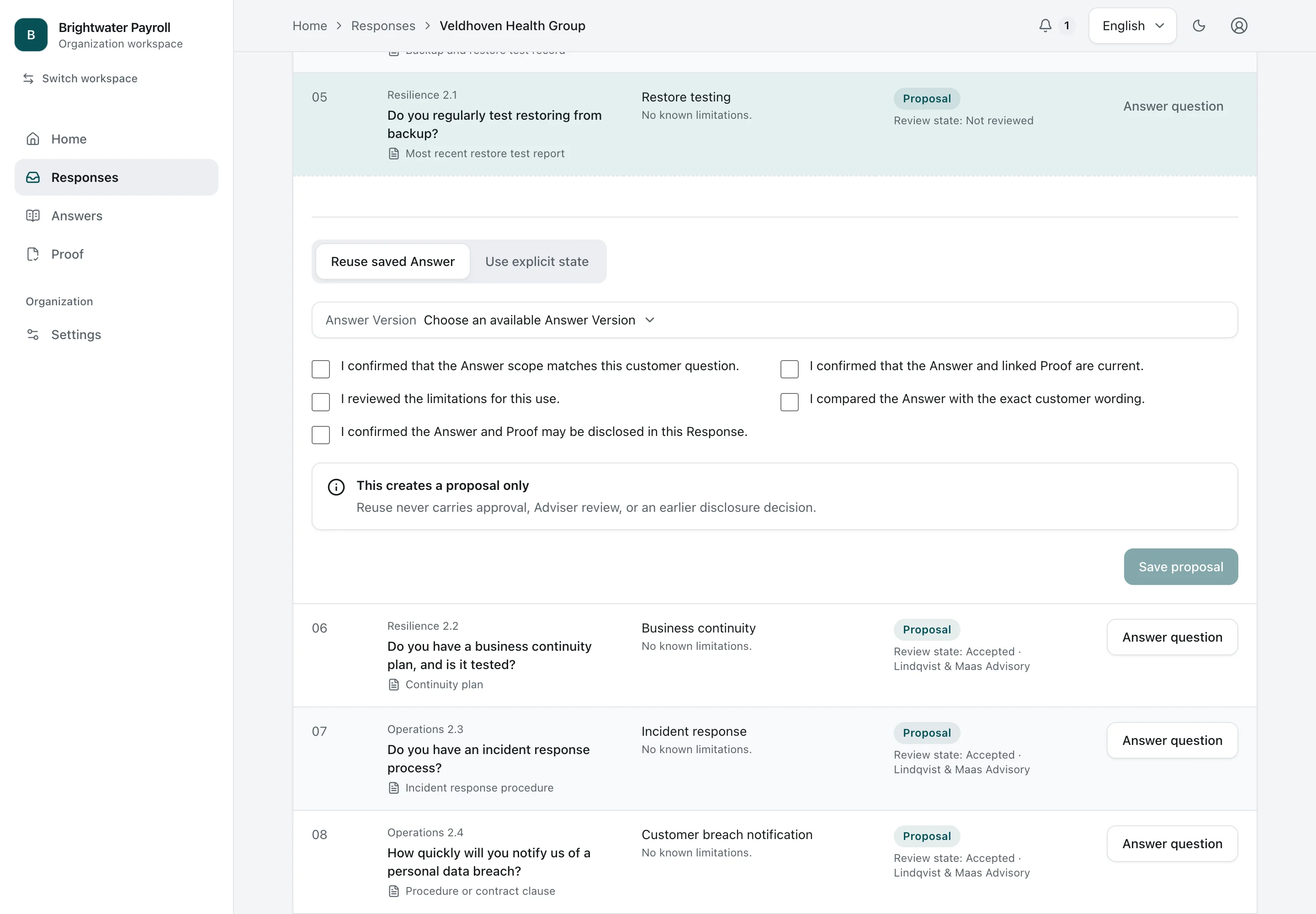
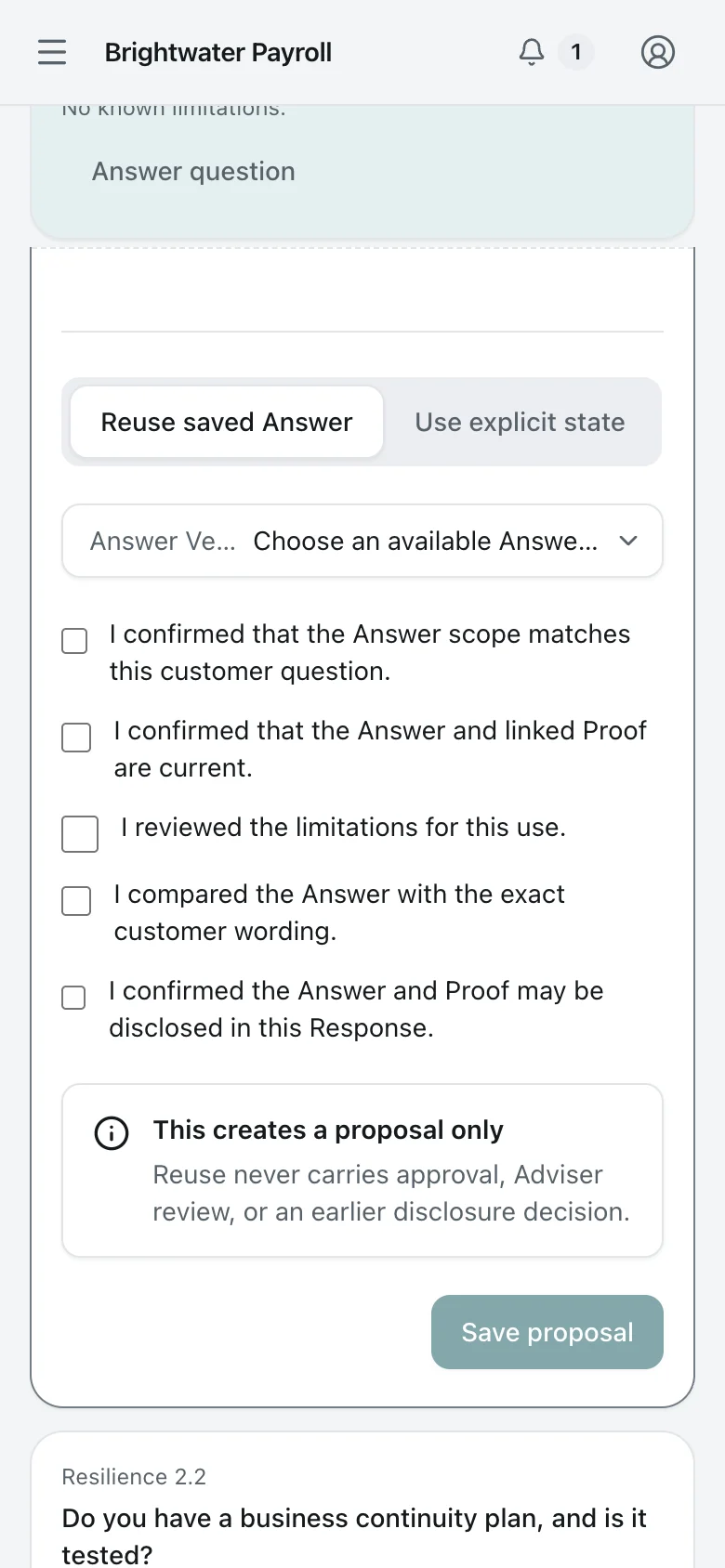
    One question. The Security Lead proposes a library answer and checks where it applies, whether it is current, its limitations, its wording and what may be shared with this customer.
    Security Lead Desktop Light and dark

    One question

    The Security Lead proposes a library answer and checks where it applies, whether it is current, its limitations, its wording and what may be shared with this customer.

    One question. The Security Lead proposes a library answer and checks where it applies, whether it is current, its limitations, its wording and what may be shared with this customer.
    Security Lead Phone Light and dark

    One question

    The Security Lead proposes a library answer and checks where it applies, whether it is current, its limitations, its wording and what may be shared with this customer.

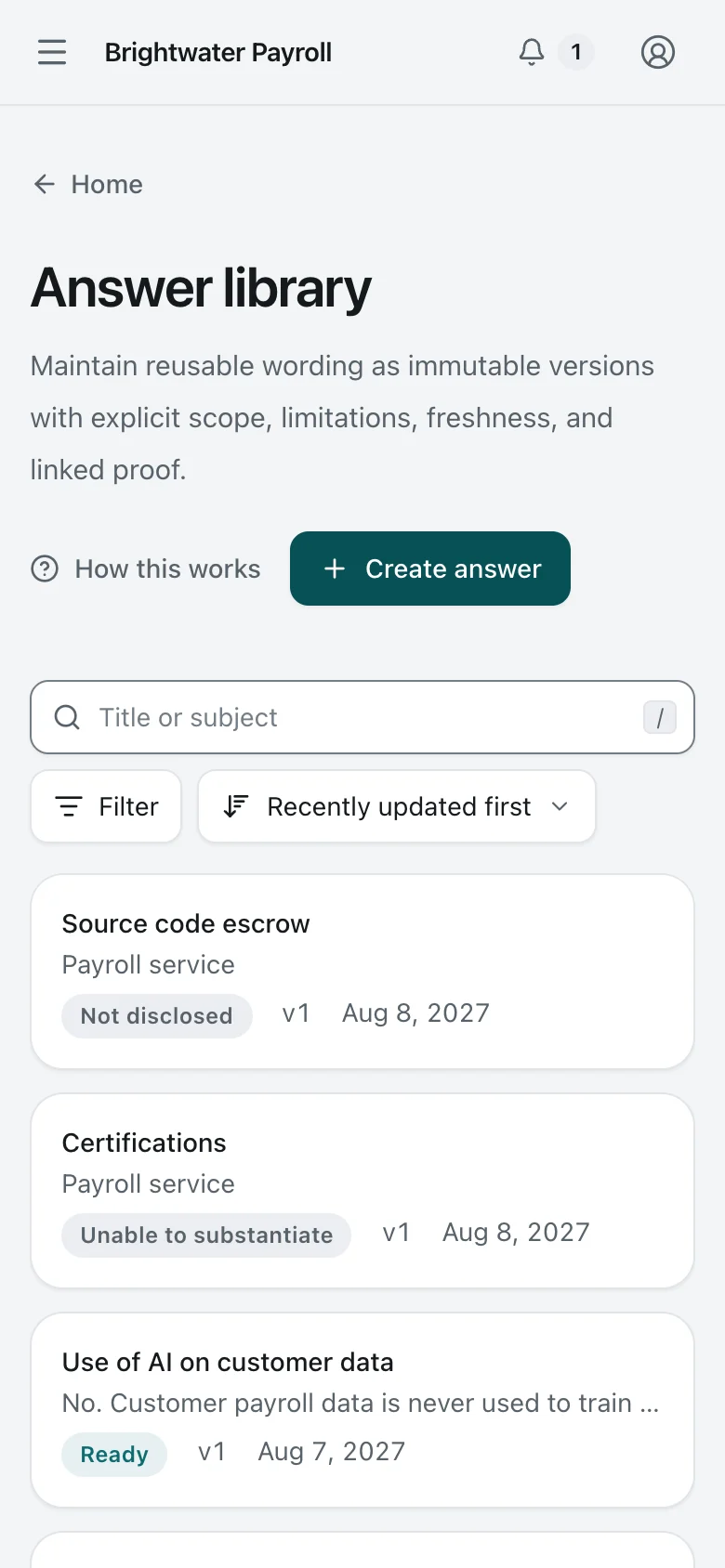
  5. 5. Answer Library

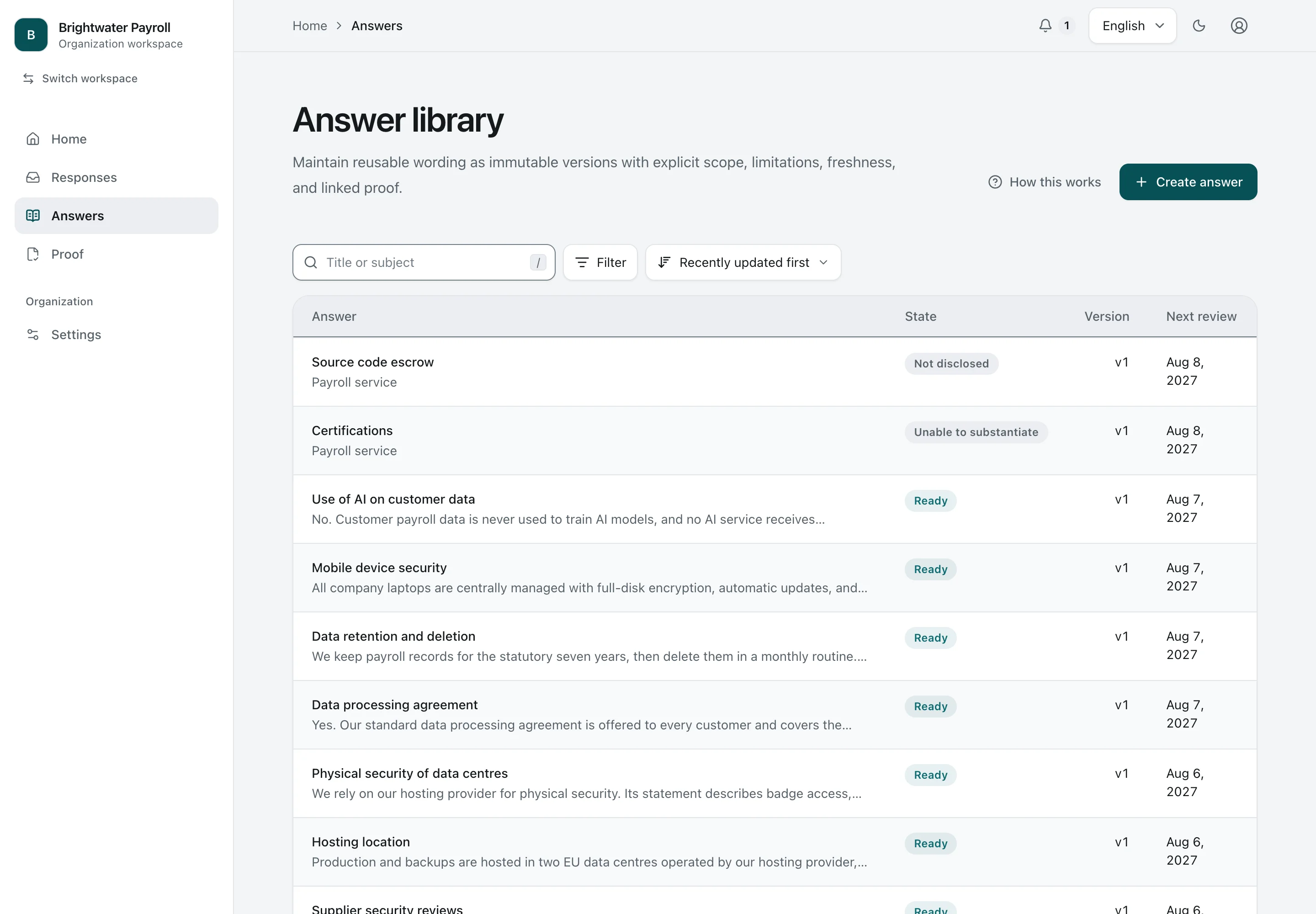
    Answer Library. The Answer Library holds the Organization's reusable Answers, each versioned, owned, and dated for its next review.
    Security Lead Desktop Light and dark

    Answer Library

    The Answer Library holds the Organization's reusable Answers, each versioned, owned, and dated for its next review.

    Answer Library. The Answer Library holds the Organization's reusable Answers, each versioned, owned, and dated for its next review.
    Security Lead Phone Light and dark

    Answer Library

    The Answer Library holds the Organization's reusable Answers, each versioned, owned, and dated for its next review.

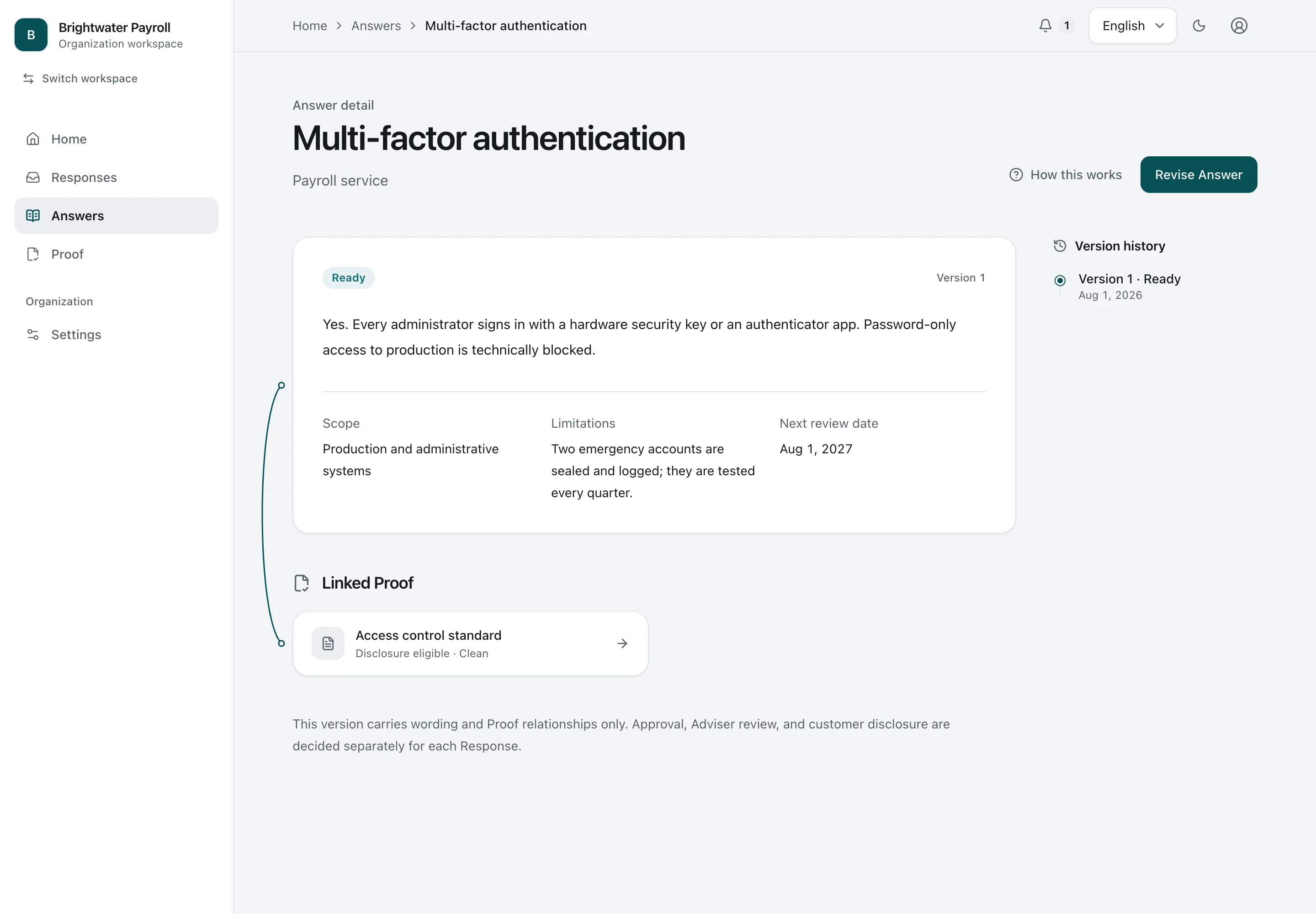
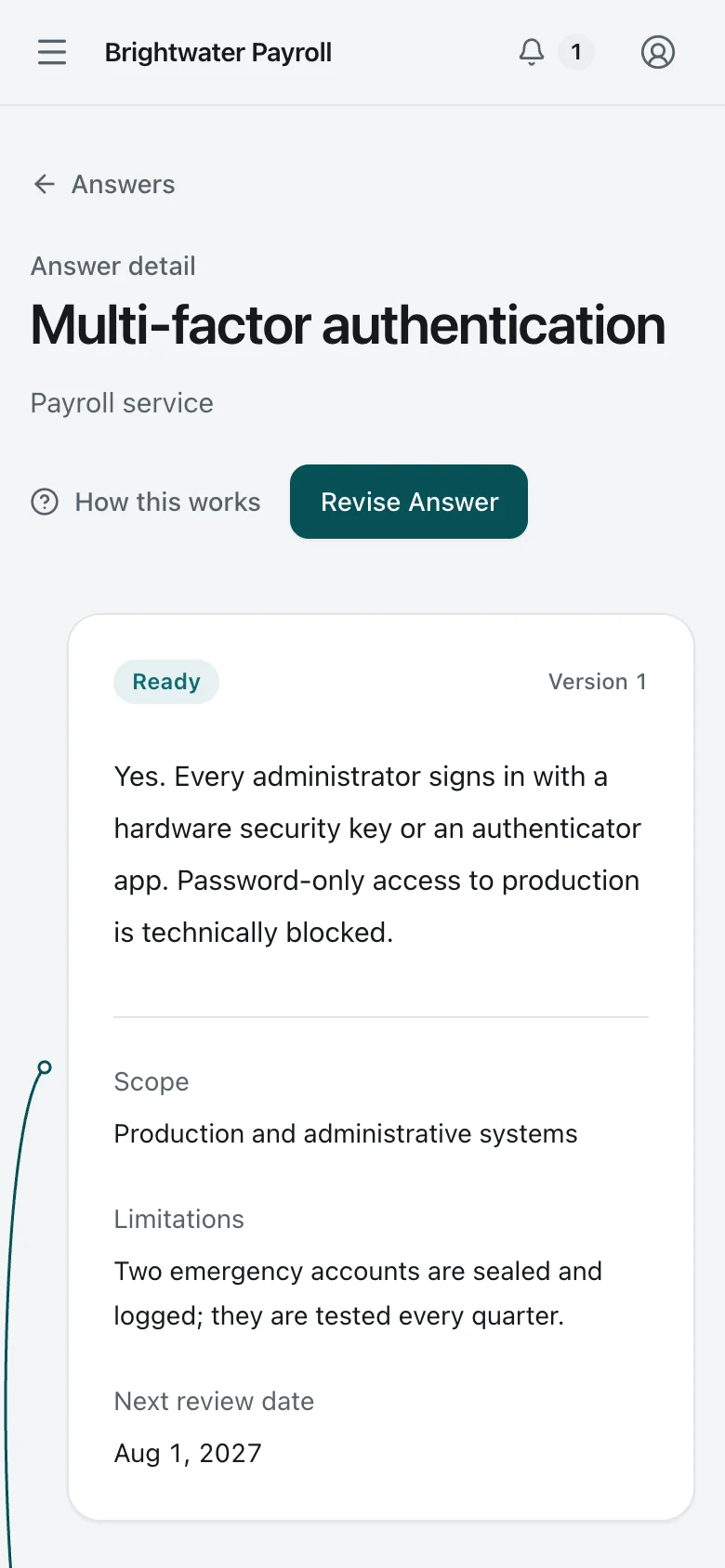
  6. 6. One Answer

    One Answer. One Answer with its scope, stated limitation, linked Proof, and version history.
    Security Lead Desktop Light and dark

    One Answer

    One Answer with its scope, stated limitation, linked Proof, and version history.

    One Answer. One Answer with its scope, stated limitation, linked Proof, and version history.
    Security Lead Phone Light and dark

    One Answer

    One Answer with its scope, stated limitation, linked Proof, and version history.

2

Collecting the missing facts

Altamar’s request still has five open questions. Maren sends one to Jonas. He answers on his phone, without joining Brightwater’s workspace.

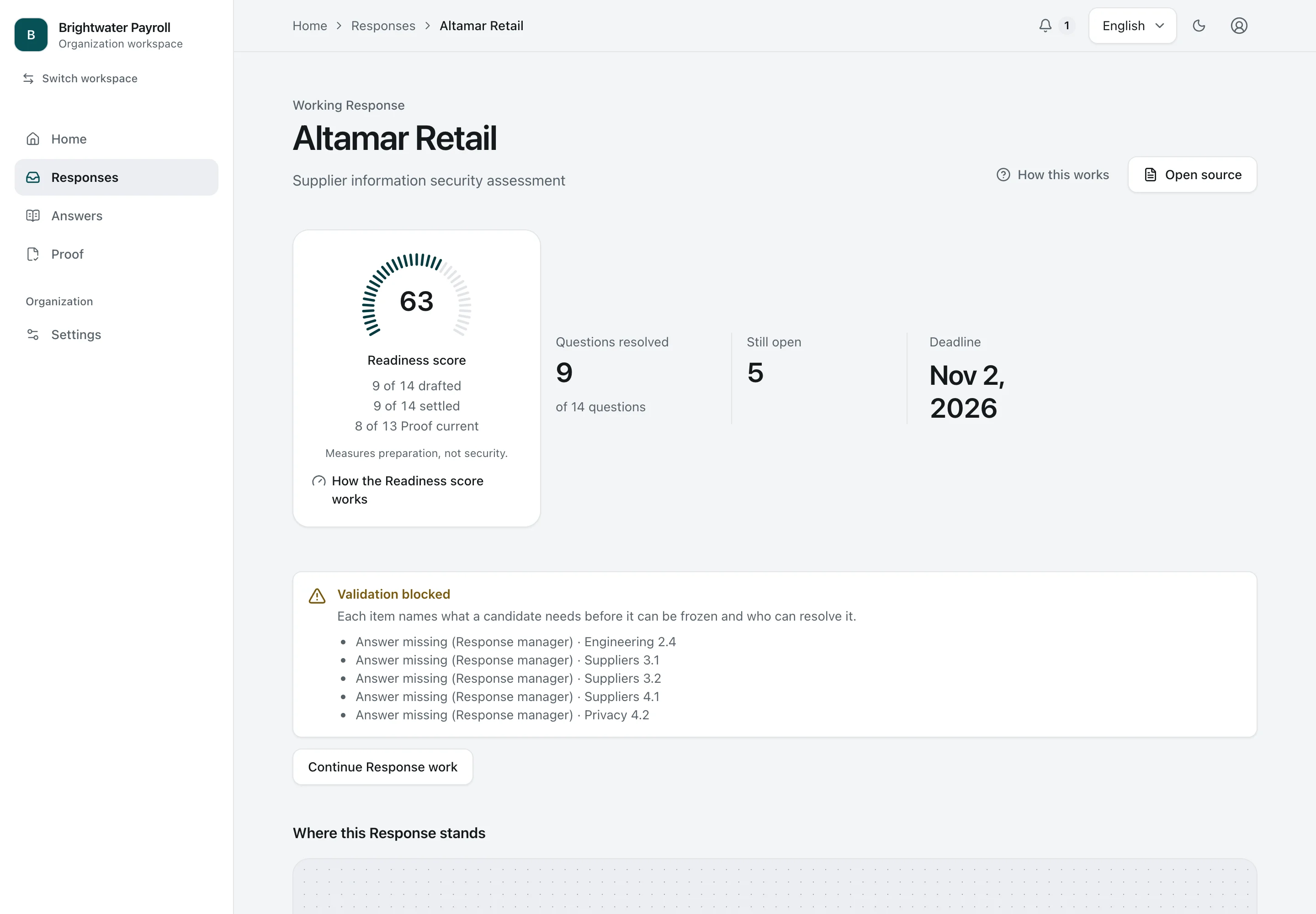
  1. 1. Response collecting input

    Response collecting input. A Response two weeks before its deadline: nine of fourteen questions settled from the library, and validation names exactly which five are still missing.
    Security Lead Desktop Light and dark

    Response collecting input

    A Response two weeks before its deadline: nine of fourteen questions settled from the library, and validation names exactly which five are still missing.

    Response collecting input. A Response two weeks before its deadline: nine of fourteen questions settled from the library, and validation names exactly which five are still missing.
    Security Lead Phone Light and dark

    Response collecting input

    A Response two weeks before its deadline: nine of fourteen questions settled from the library, and validation names exactly which five are still missing.

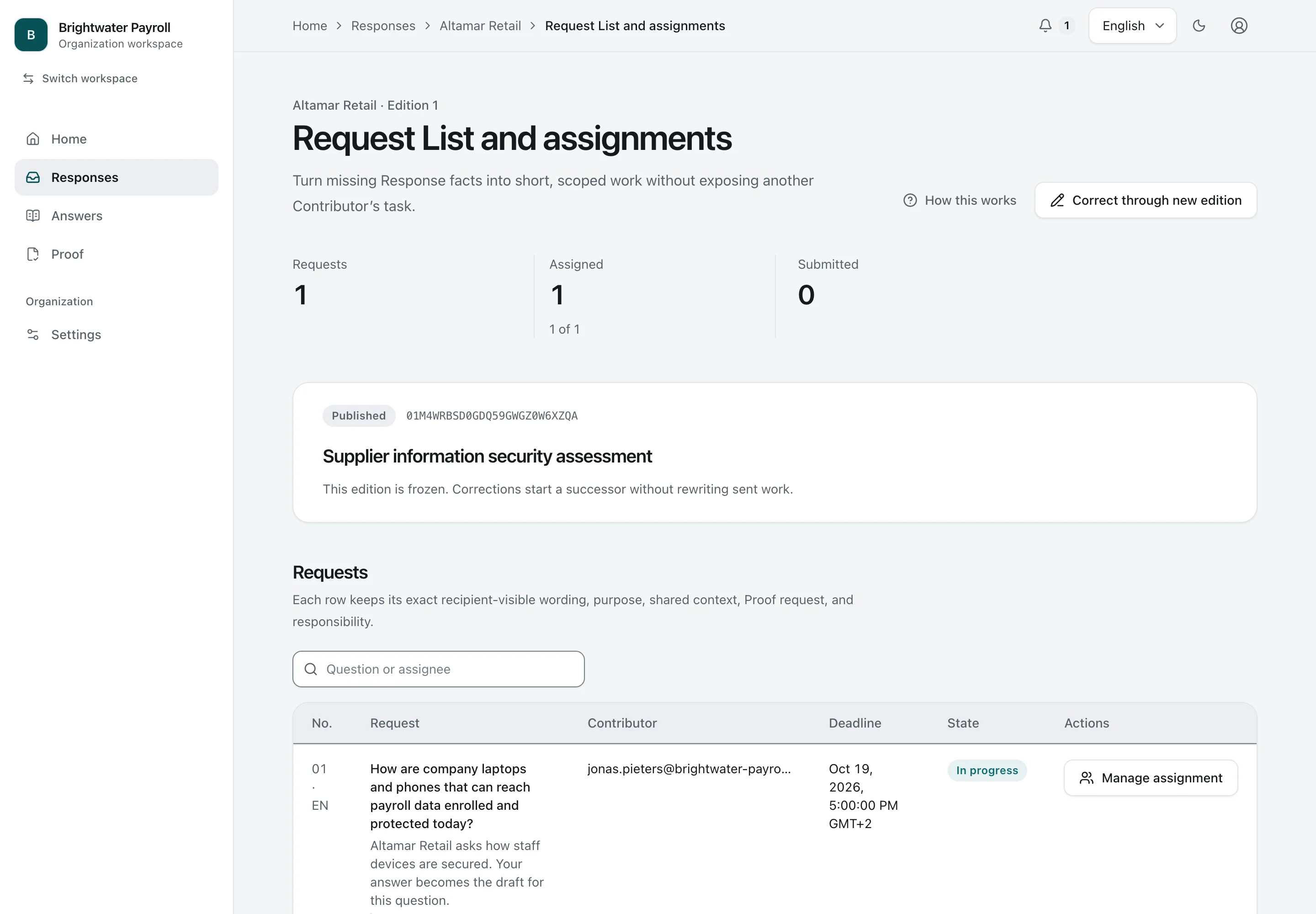
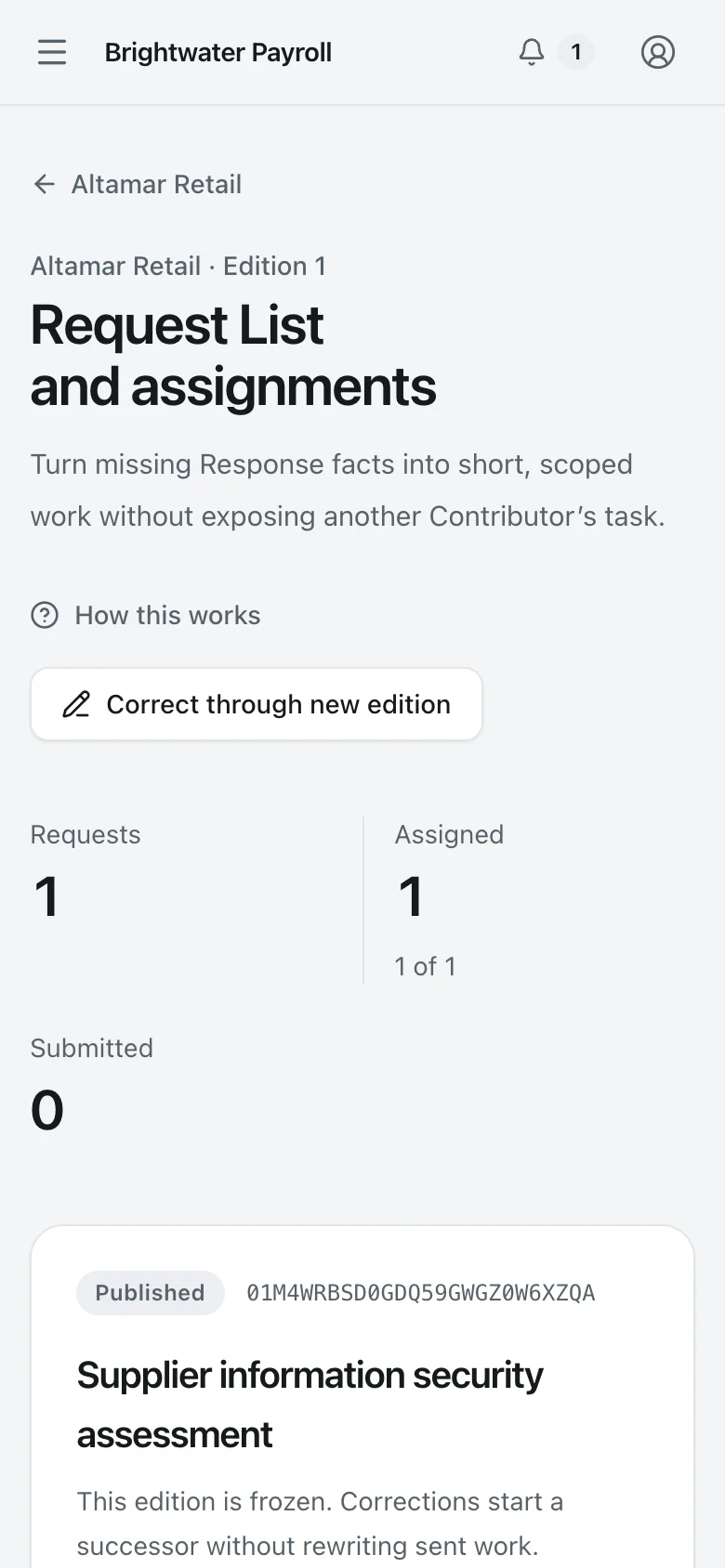
  2. 2. Request List

    Request List. The Request List sends one question to a colleague with its purpose, the Proof expected, and a due date. The colleague needs no account.
    Security Lead Desktop Light and dark

    Request List

    The Request List sends one question to a colleague with its purpose, the Proof expected, and a due date. The colleague needs no account.

    Request List. The Request List sends one question to a colleague with its purpose, the Proof expected, and a due date. The colleague needs no account.
    Security Lead Phone Light and dark

    Request List

    The Request List sends one question to a colleague with its purpose, the Proof expected, and a due date. The colleague needs no account.

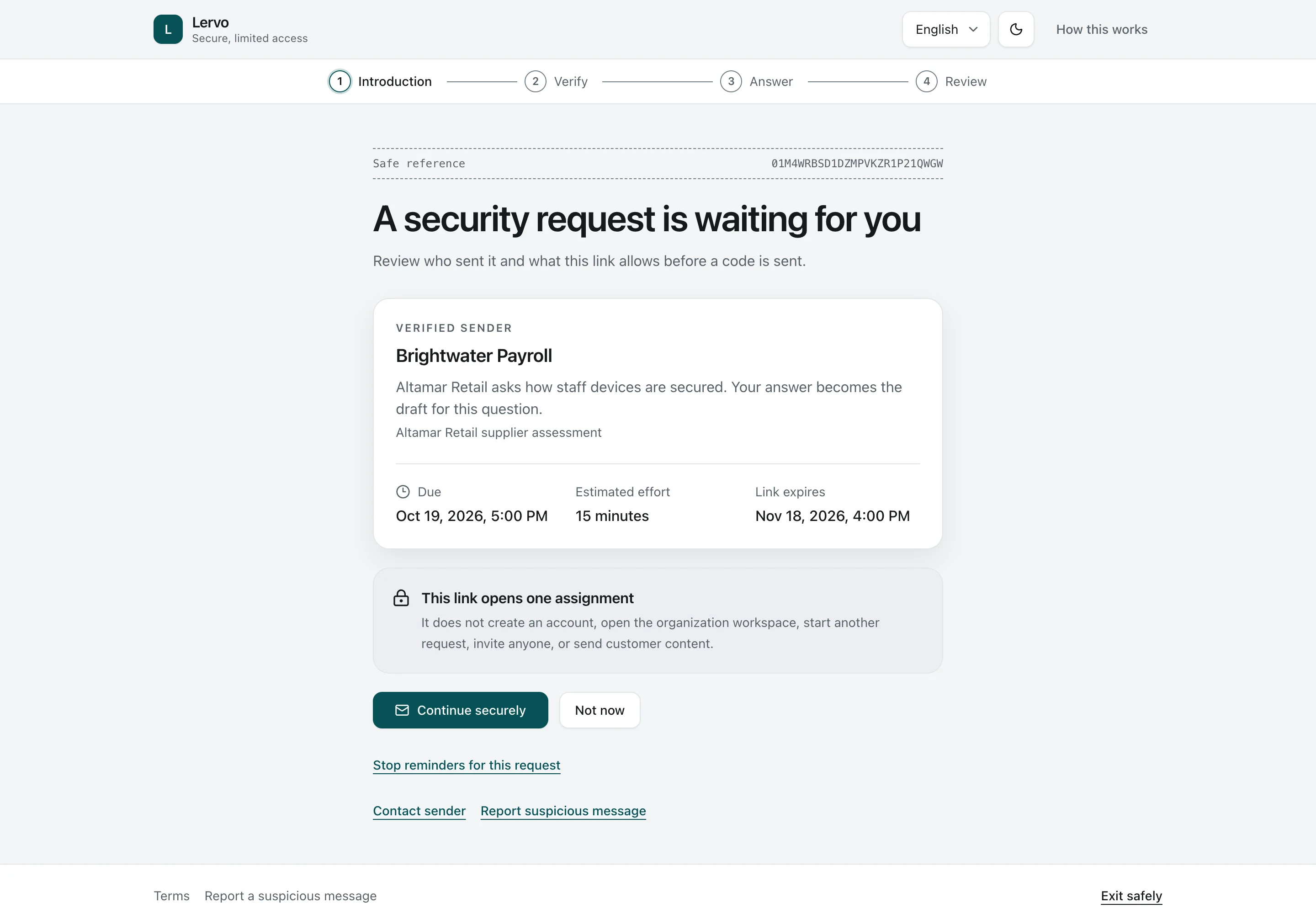
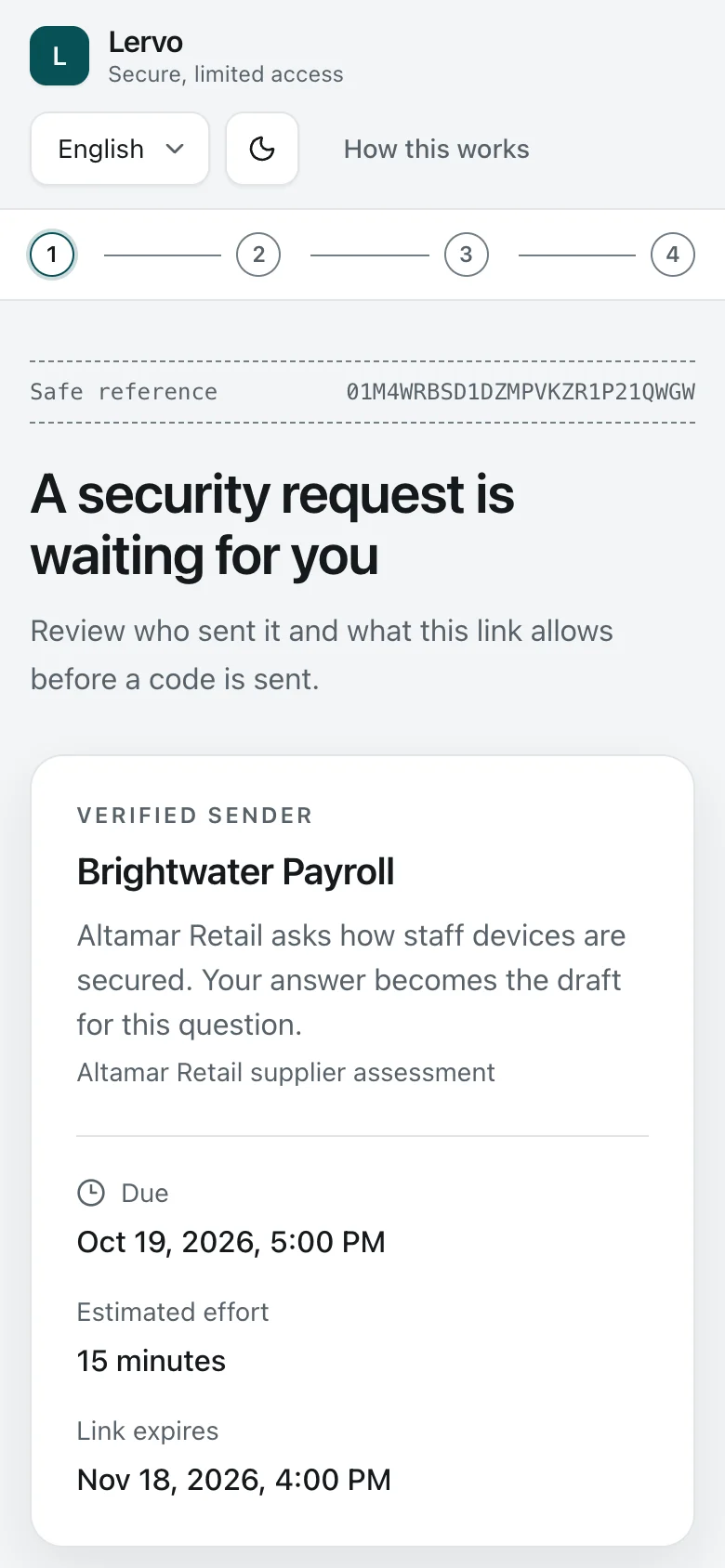
  3. 3. Request introduction

    Request introduction. A colleague opens the link from their Request email. They see who asked, why, and by when, before confirming their address.
    Contributor Desktop Light and dark

    Request introduction

    A colleague opens the link from their Request email. They see who asked, why, and by when, before confirming their address.

    Request introduction. A colleague opens the link from their Request email. They see who asked, why, and by when, before confirming their address.
    Contributor Phone Light and dark

    Request introduction

    A colleague opens the link from their Request email. They see who asked, why, and by when, before confirming their address.

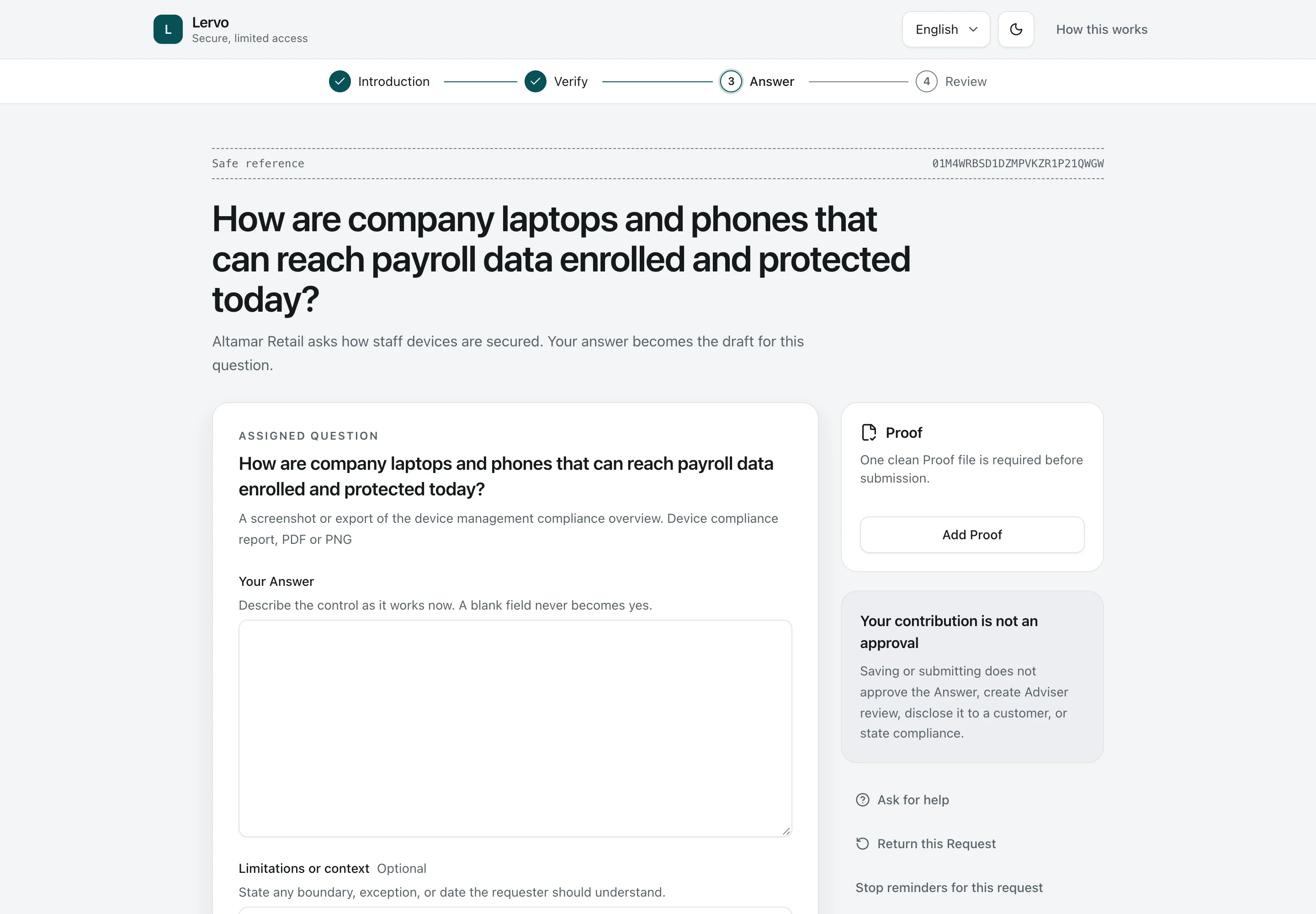
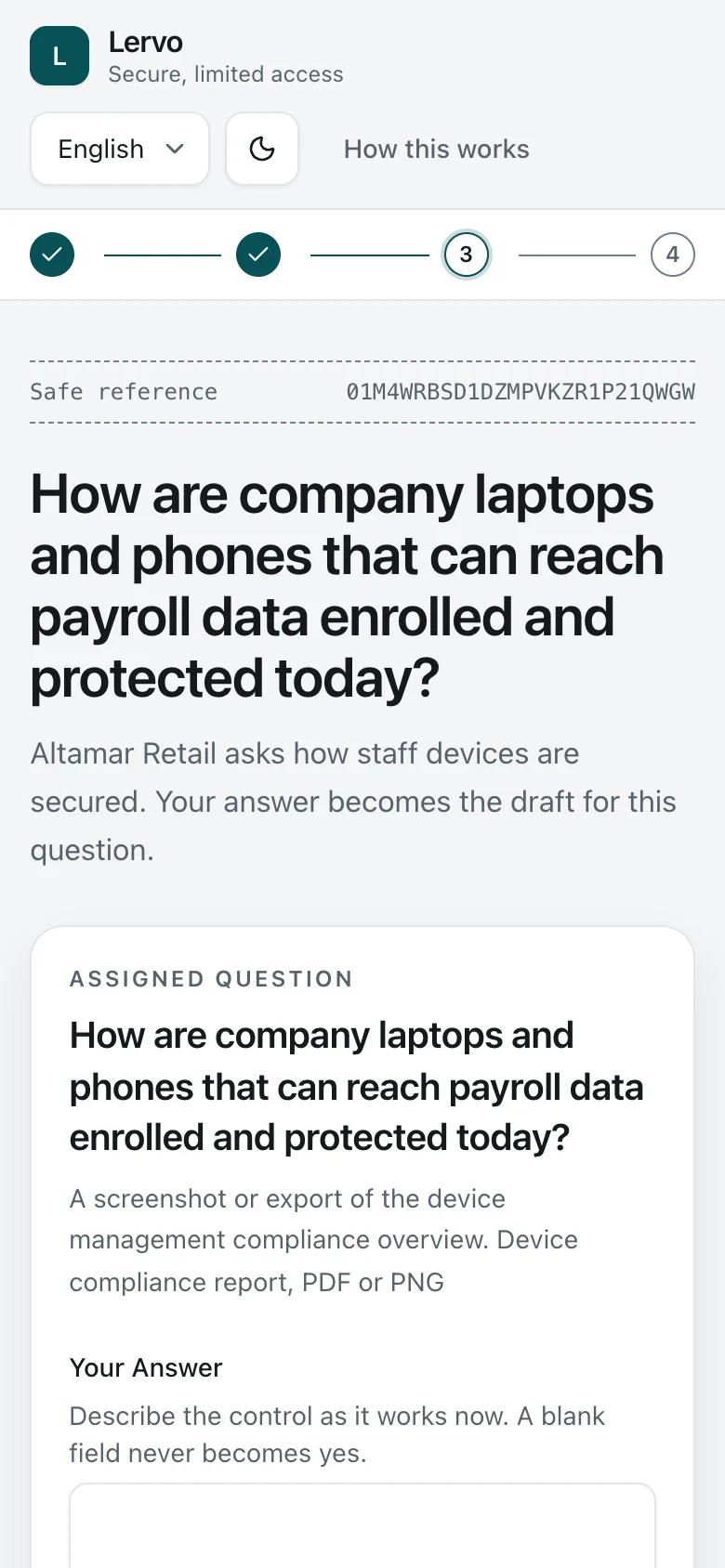
  4. 4. Answering the Request

    Answering the Request. After a one-time code, the Contributor answers the one question and attaches Proof on a phone or laptop. They see nothing else of the Organization.
    Contributor Desktop Light and dark

    Answering the Request

    After a one-time code, the Contributor answers the one question and attaches Proof on a phone or laptop. They see nothing else of the Organization.

    Answering the Request. After a one-time code, the Contributor answers the one question and attaches Proof on a phone or laptop. They see nothing else of the Organization.
    Contributor Phone Light and dark

    Answering the Request

    After a one-time code, the Contributor answers the one question and attaches Proof on a phone or laptop. They see nothing else of the Organization.

3

Approve, issue, verify

Pellworm’s proposed report waits for Tomás’s approval. Marlow’s has approval but has not been issued. Noordkade’s customer can open the issued report and check its reference.

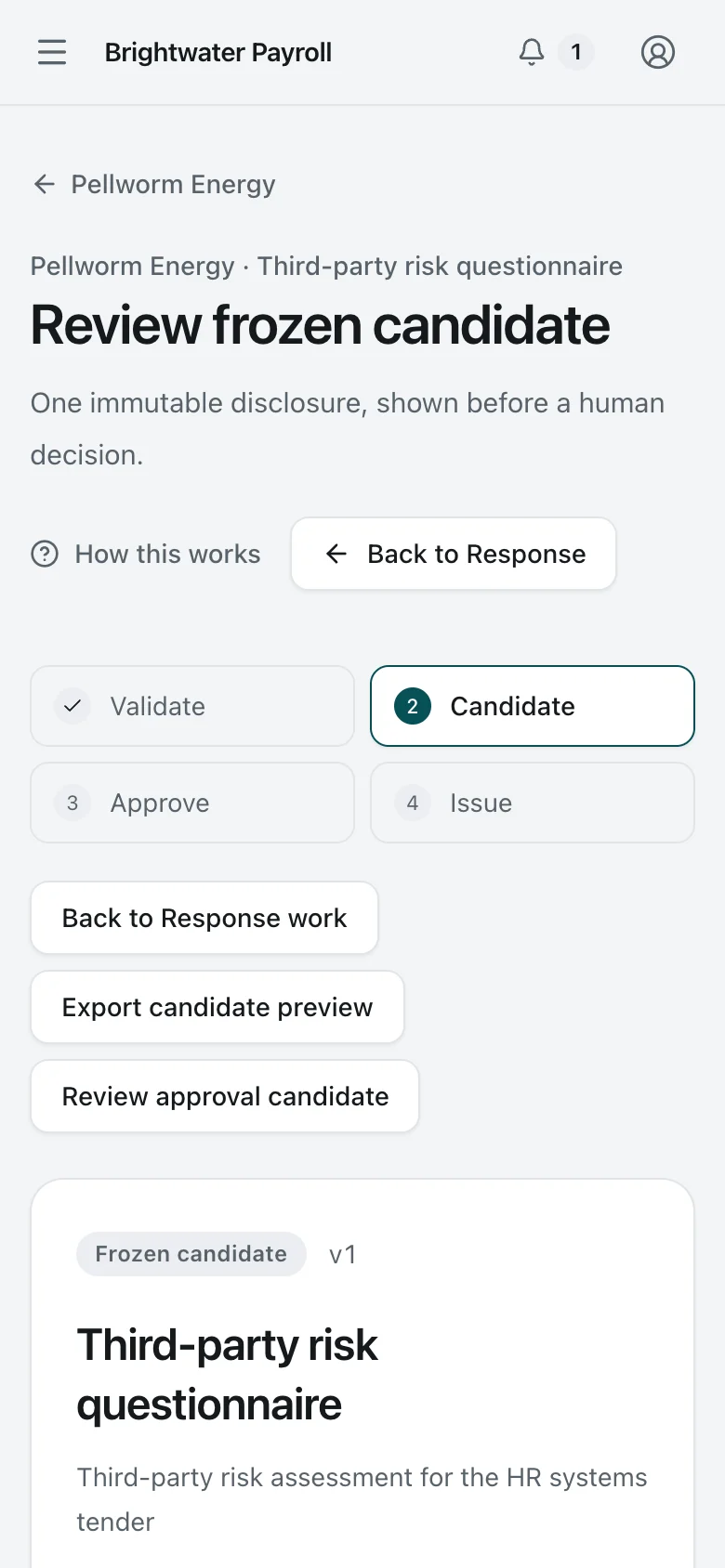
  1. 1. Candidate awaiting approval

    Candidate awaiting approval. The company’s approver reviews the fixed version awaiting approval, including its recipient, validity, content identifier and every answer. Approval requires a fresh identity check.
    Organization Approver Desktop Light and dark

    Candidate awaiting approval

    The company’s approver reviews the fixed version awaiting approval, including its recipient, validity, content identifier and every answer. Approval requires a fresh identity check.

    Candidate awaiting approval. The company’s approver reviews the fixed version awaiting approval, including its recipient, validity, content identifier and every answer. Approval requires a fresh identity check.
    Organization Approver Phone Light and dark

    Candidate awaiting approval

    The company’s approver reviews the fixed version awaiting approval, including its recipient, validity, content identifier and every answer. Approval requires a fresh identity check.

  2. 2. Approved, ready to issue

    Approved, ready to issue. An approved candidate, not yet issued. Approval and issue are separate, named actions, and the approval remains valid only while the answers and evidence used for that approval remain unchanged.
    Organization Approver Desktop Light and dark

    Approved, ready to issue

    An approved candidate, not yet issued. Approval and issue are separate, named actions, and the approval remains valid only while the answers and evidence used for that approval remain unchanged.

    Approved, ready to issue. An approved candidate, not yet issued. Approval and issue are separate, named actions, and the approval remains valid only while the answers and evidence used for that approval remain unchanged.
    Organization Approver Phone Light and dark

    Approved, ready to issue

    An approved candidate, not yet issued. Approval and issue are separate, named actions, and the approval remains valid only while the answers and evidence used for that approval remain unchanged.

  3. 3. Issued edition

    Issued edition. The issued report keeps a fixed record of its reference, issuer, validity and exact output files, with a link to its public verification page.
    Security Lead Desktop Light and dark

    Issued edition

    The issued report keeps a fixed record of its reference, issuer, validity and exact output files, with a link to its public verification page.

    Issued edition. The issued report keeps a fixed record of its reference, issuer, validity and exact output files, with a link to its public verification page.
    Security Lead Phone Light and dark

    Issued edition

    The issued report keeps a fixed record of its reference, issuer, validity and exact output files, with a link to its public verification page.

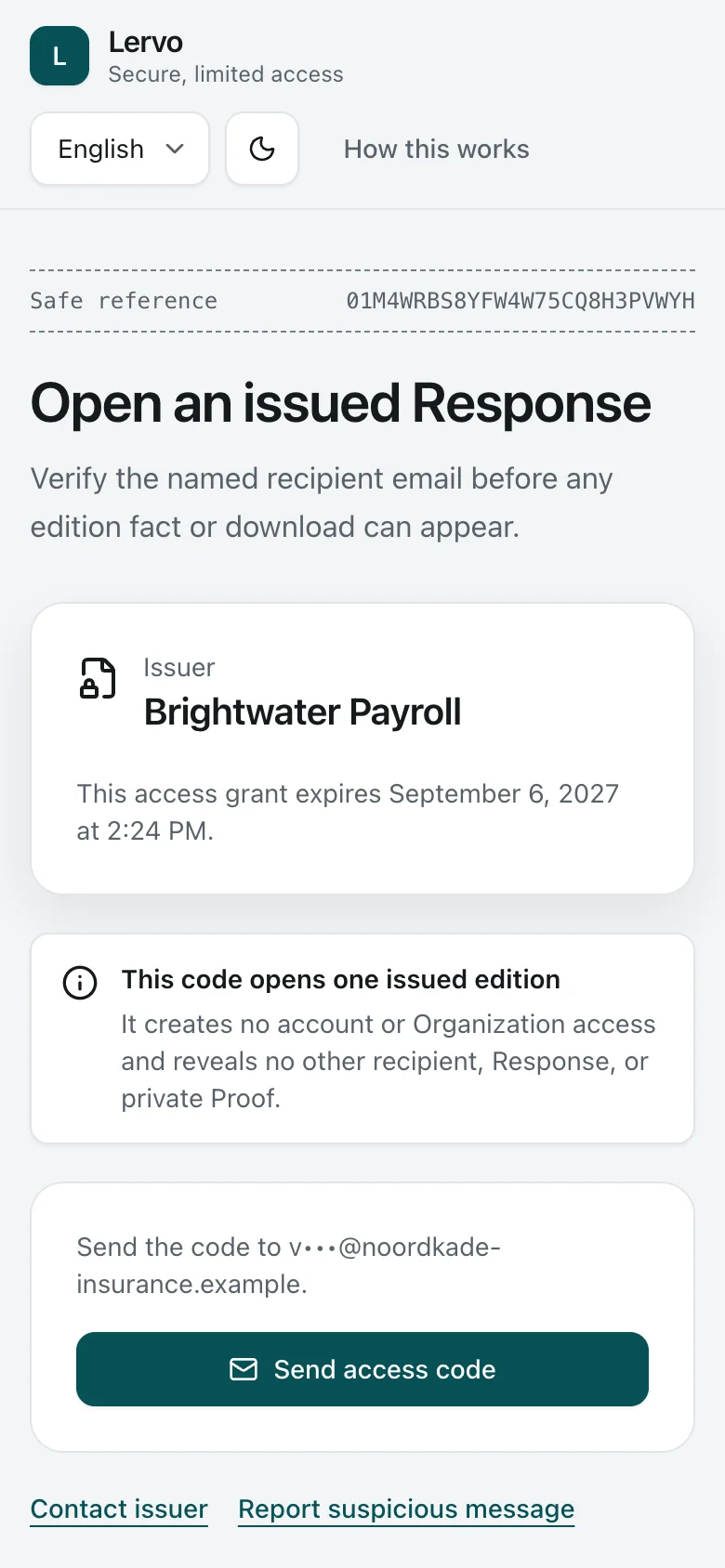
  4. 4. Recipient introduction

    Recipient introduction. The customer's contact opens the link from the issue email and confirms their address with a one-time code.
    Recipient Desktop Light and dark

    Recipient introduction

    The customer's contact opens the link from the issue email and confirms their address with a one-time code.

    Recipient introduction. The customer's contact opens the link from the issue email and confirms their address with a one-time code.
    Recipient Phone Light and dark

    Recipient introduction

    The customer's contact opens the link from the issue email and confirms their address with a one-time code.

  5. 5. Recipient view

    Recipient view. After a one-time code, the customer's contact downloads the frozen edition files, without an account, and can check them against the public verification page.
    Recipient Desktop Light and dark

    Recipient view

    After a one-time code, the customer's contact downloads the frozen edition files, without an account, and can check them against the public verification page.

    Recipient view. After a one-time code, the customer's contact downloads the frozen edition files, without an account, and can check them against the public verification page.
    Recipient Phone Light and dark

    Recipient view

    After a one-time code, the customer's contact downloads the frozen edition files, without an account, and can check them against the public verification page.

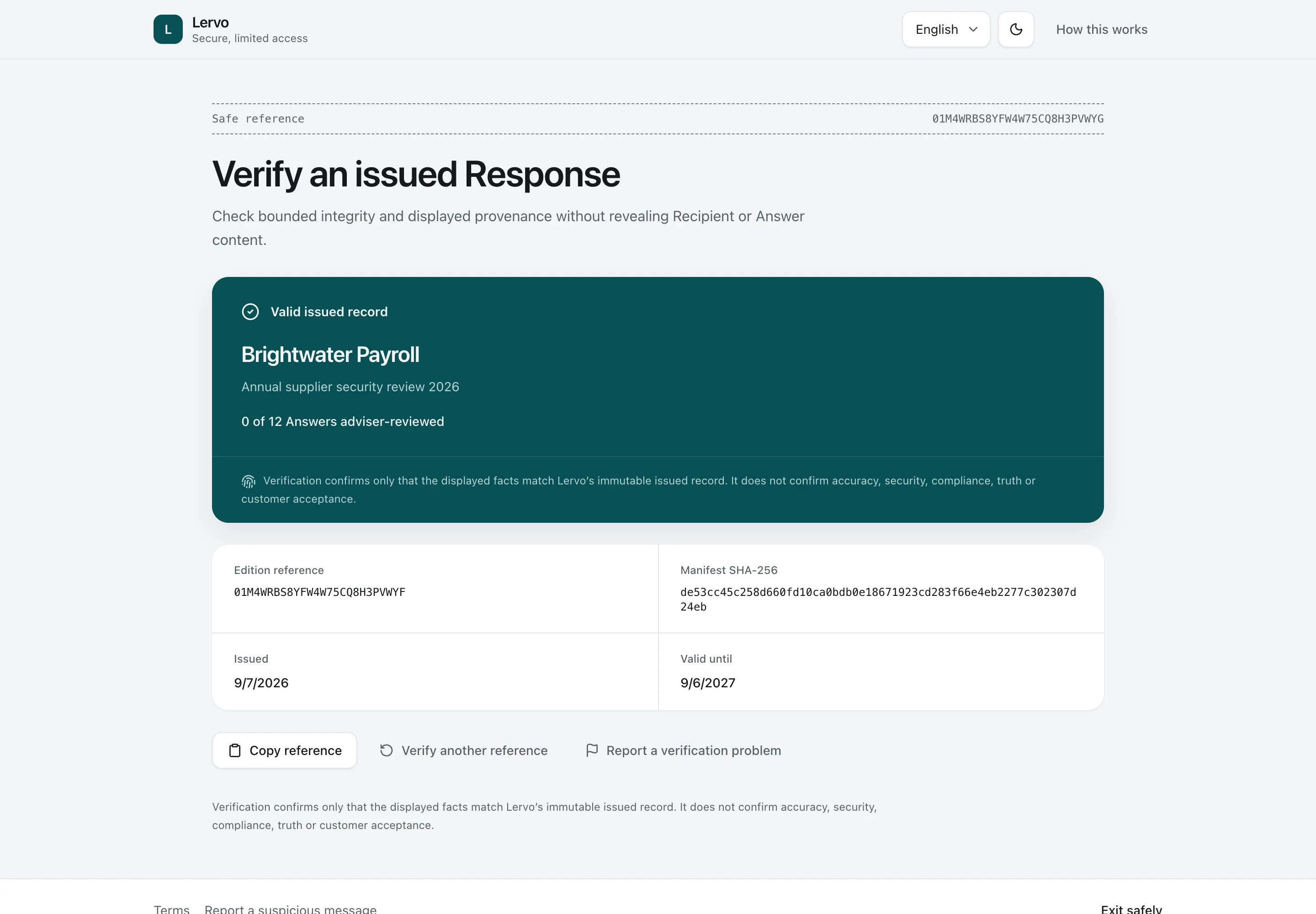
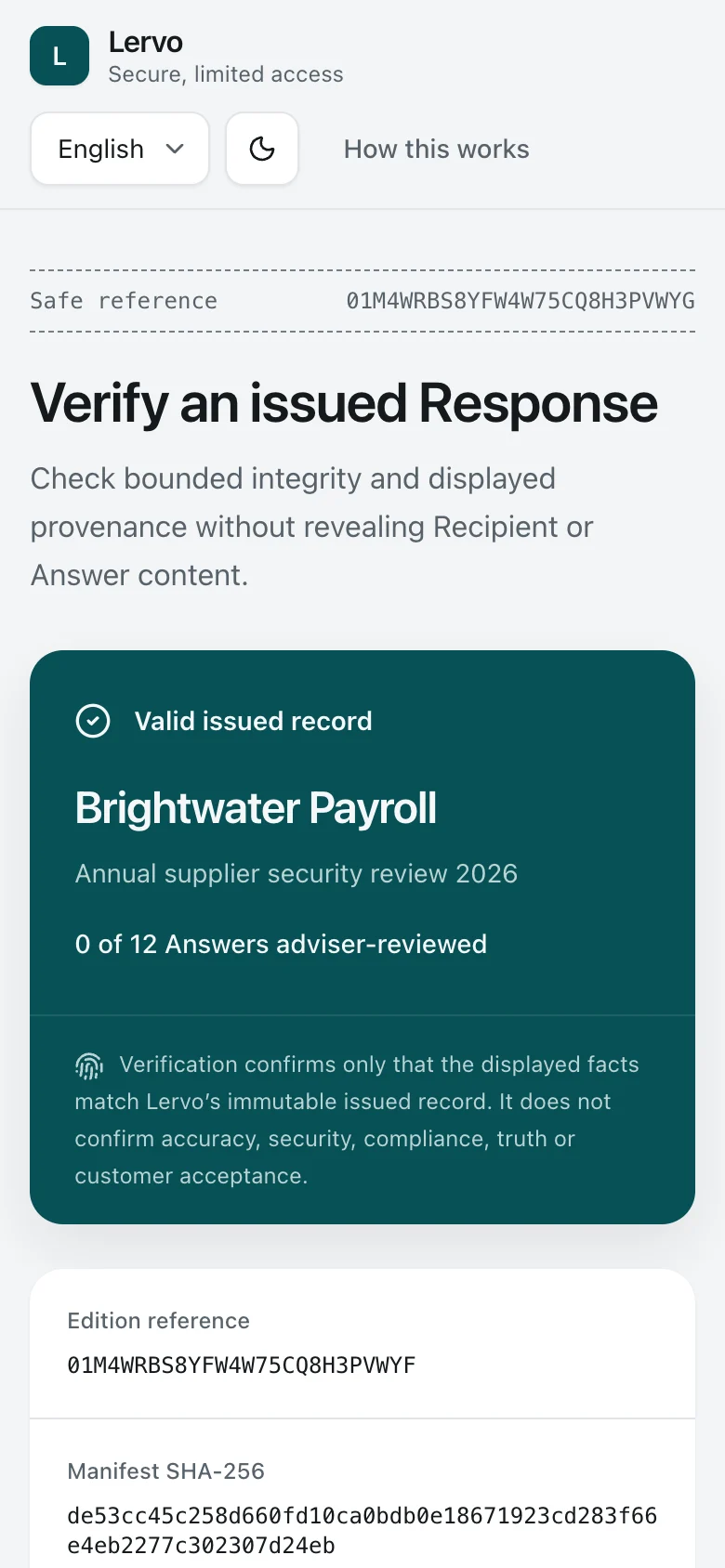
  6. 6. Public verification

    Public verification. Anyone holding the verification reference can confirm that the edition exists, who issued it, and that it was not withdrawn, without seeing its content.
    Verification Holder Desktop Light and dark

    Public verification

    Anyone holding the verification reference can confirm that the edition exists, who issued it, and that it was not withdrawn, without seeing its content.

    Public verification. Anyone holding the verification reference can confirm that the edition exists, who issued it, and that it was not withdrawn, without seeing its content.
    Verification Holder Phone Light and dark

    Public verification

    Anyone holding the verification reference can confirm that the edition exists, who issued it, and that it was not withdrawn, without seeing its content.

4

Independent review

Daan gives Lindqvist & Maas Advisory access to a specific customer response. Eva reviews specific answer versions and records what Brightwater must follow up.

Review is optional. Each decision identifies the specific answer and evidence versions reviewed. The report states how many of its answers an adviser reviewed. The adviser’s access can expire or be revoked.

  1. 1. Adviser access

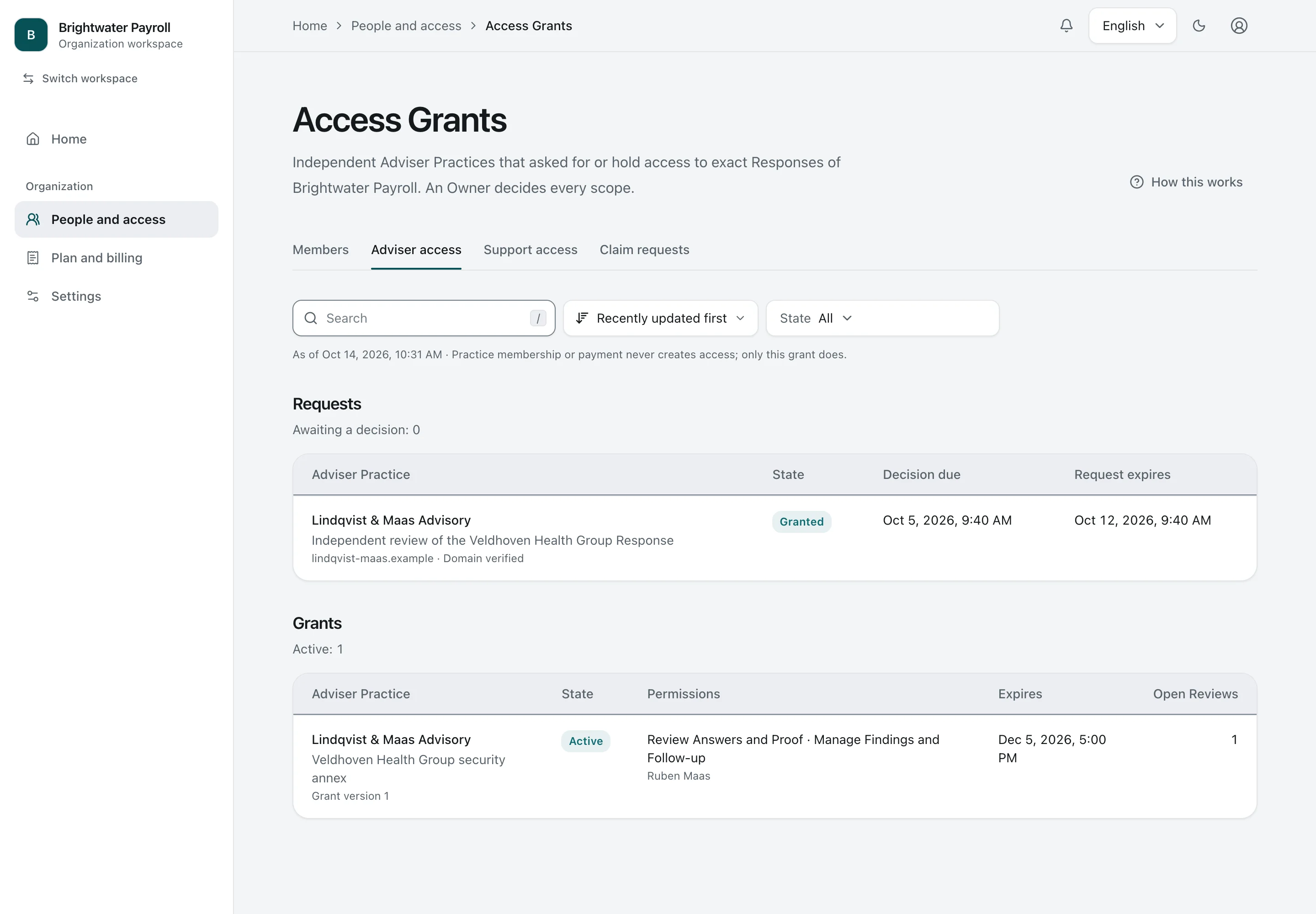
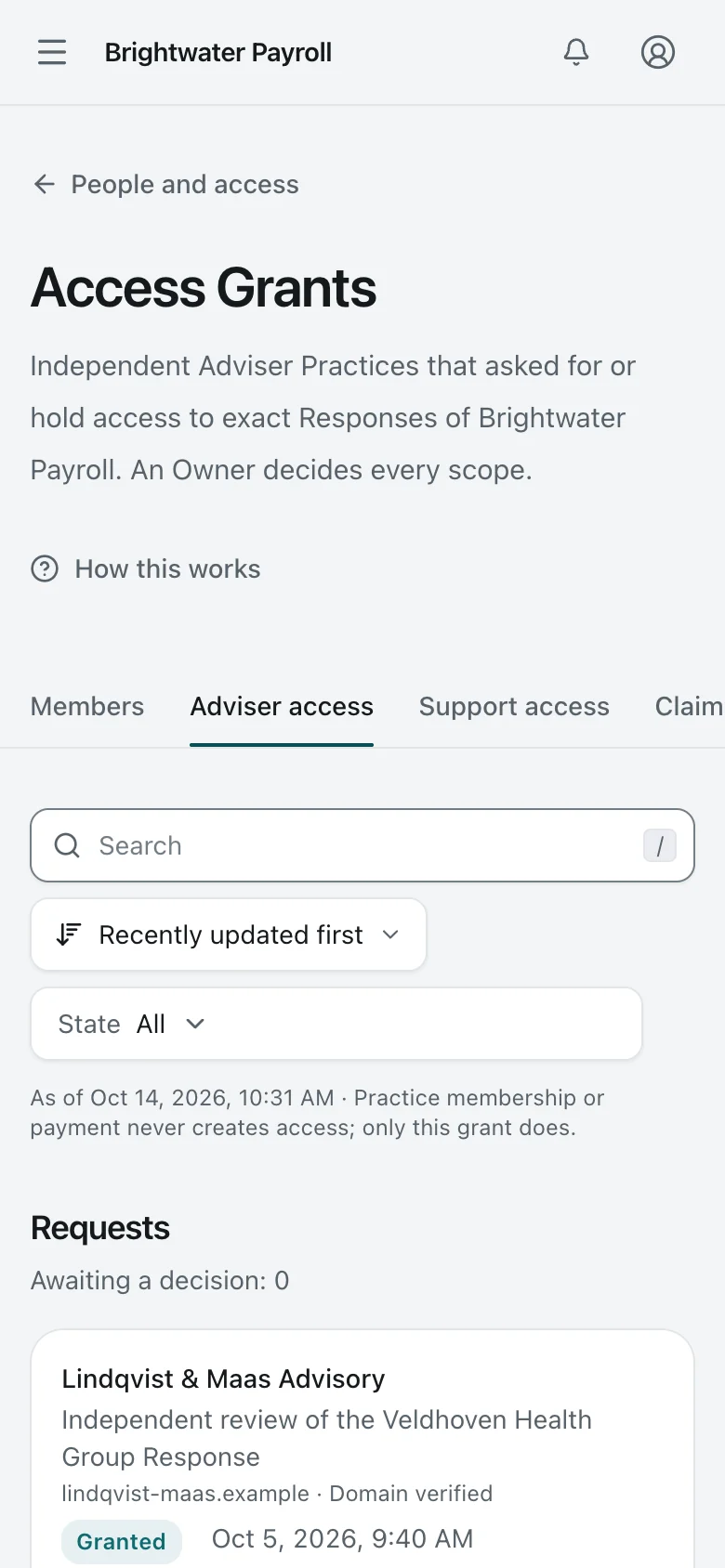
    Adviser access. Every Access Grant to an Adviser Practice, with its purpose, permissions, named Advisers, and expiry. The Owner decides every scope.
    Organization Owner Desktop Light and dark

    Adviser access

    Every Access Grant to an Adviser Practice, with its purpose, permissions, named Advisers, and expiry. The Owner decides every scope.

    Adviser access. Every Access Grant to an Adviser Practice, with its purpose, permissions, named Advisers, and expiry. The Owner decides every scope.
    Organization Owner Phone Light and dark

    Adviser access

    Every Access Grant to an Adviser Practice, with its purpose, permissions, named Advisers, and expiry. The Owner decides every scope.

  2. 2. Practice portfolio

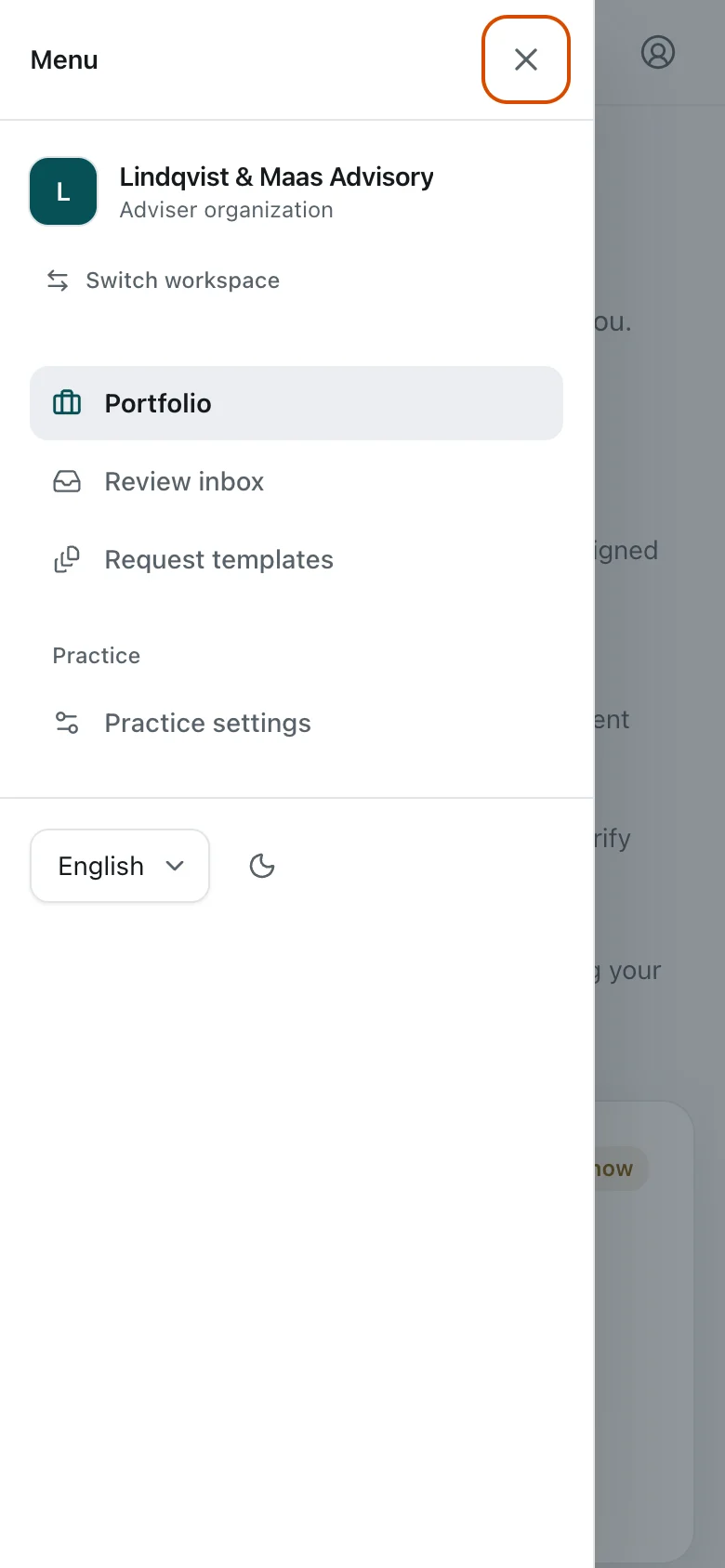
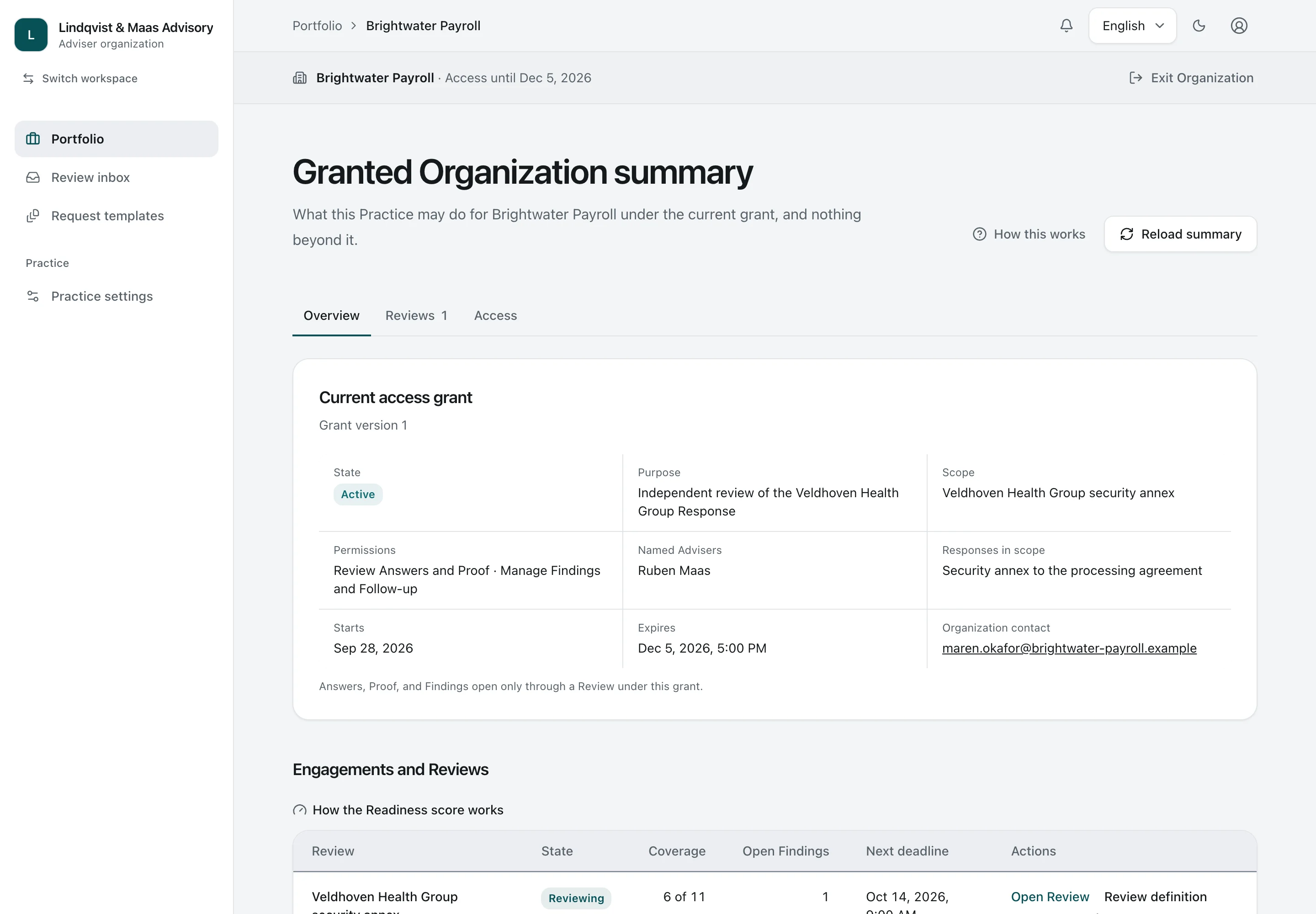
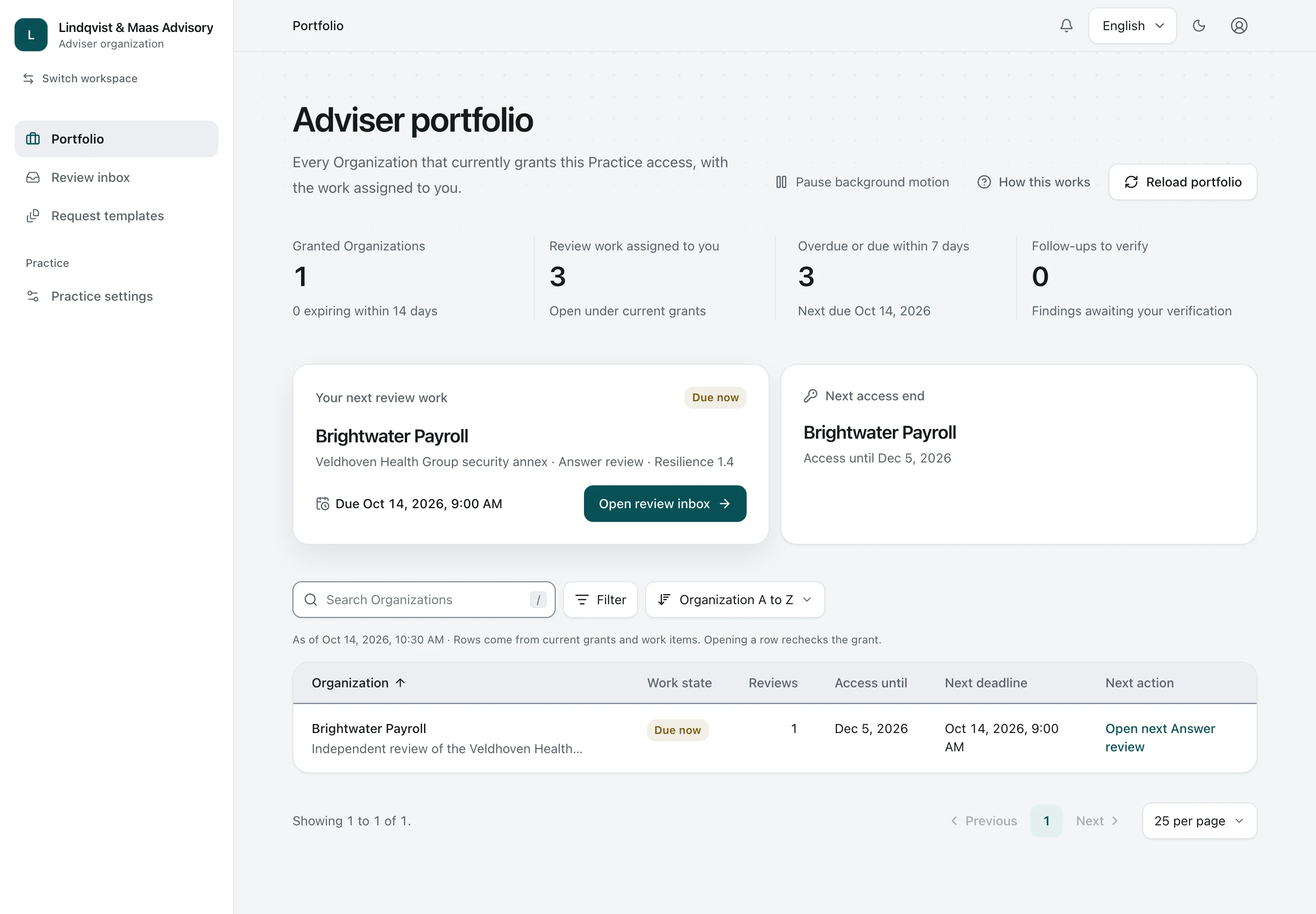
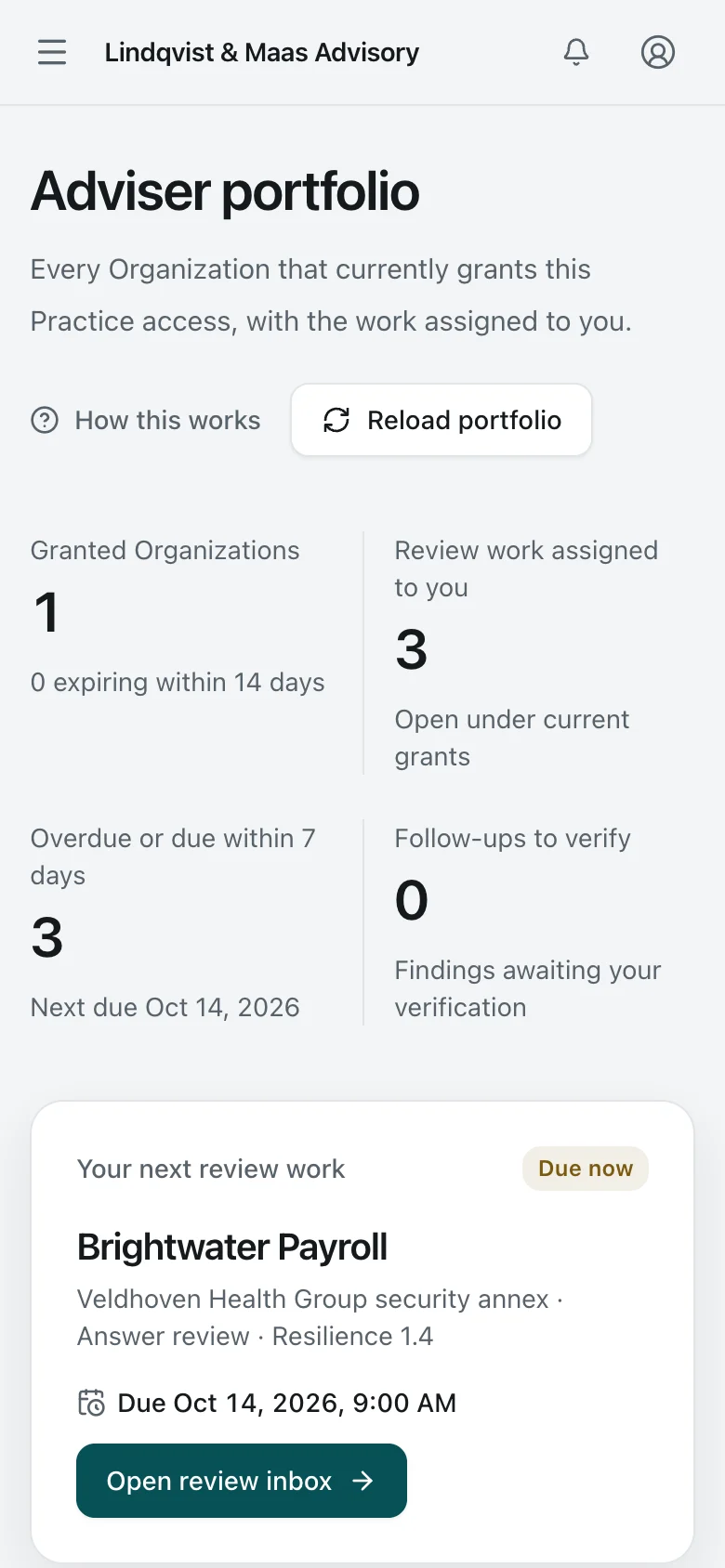
    Practice portfolio. An independent Adviser Practice sees the Organizations that granted it access, its open review work, and when each grant ends.
    Adviser Desktop Light and dark

    Practice portfolio

    An independent Adviser Practice sees the Organizations that granted it access, its open review work, and when each grant ends.

    Practice portfolio. An independent Adviser Practice sees the Organizations that granted it access, its open review work, and when each grant ends.
    Adviser Phone Light and dark

    Practice portfolio

    An independent Adviser Practice sees the Organizations that granted it access, its open review work, and when each grant ends.

  3. 3. Granted Response

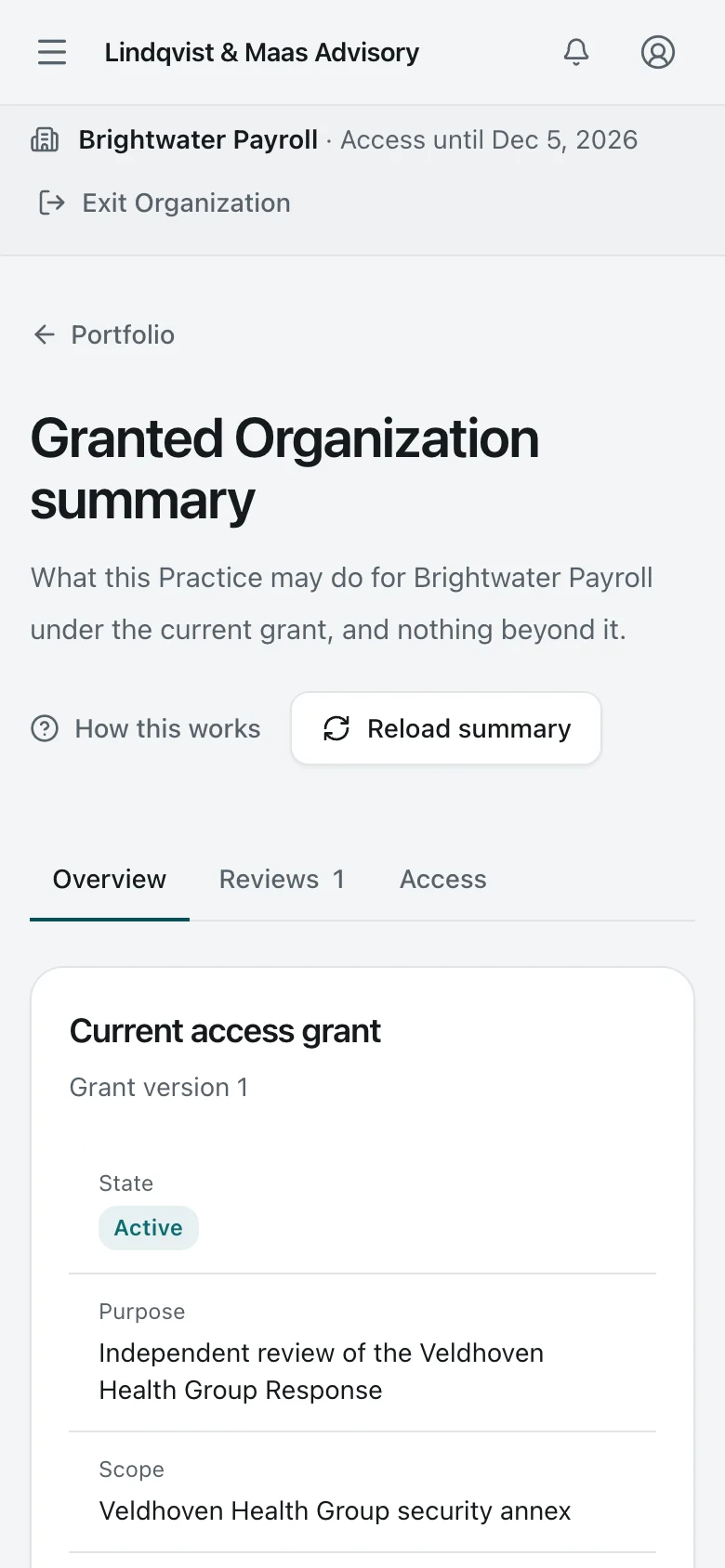
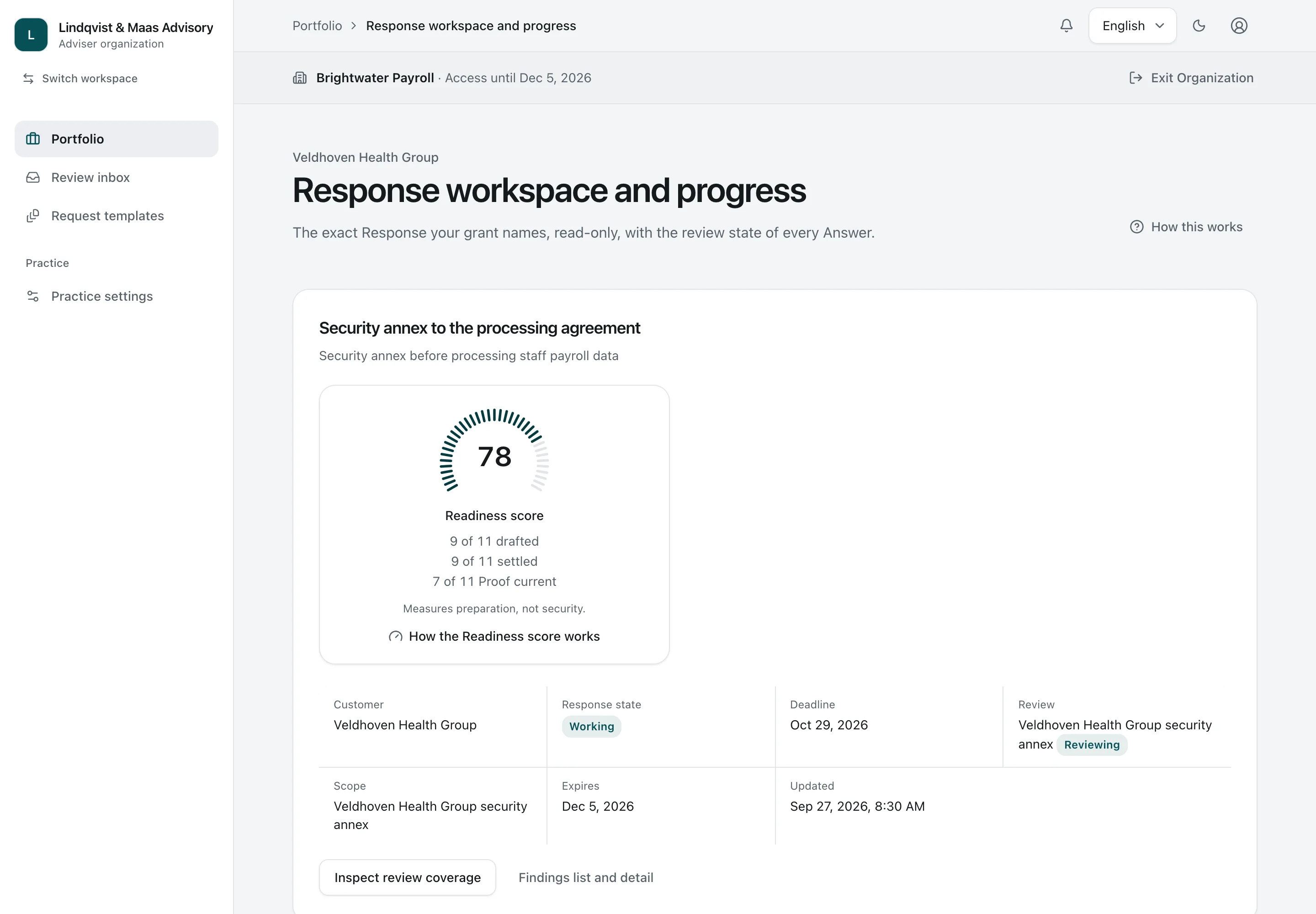
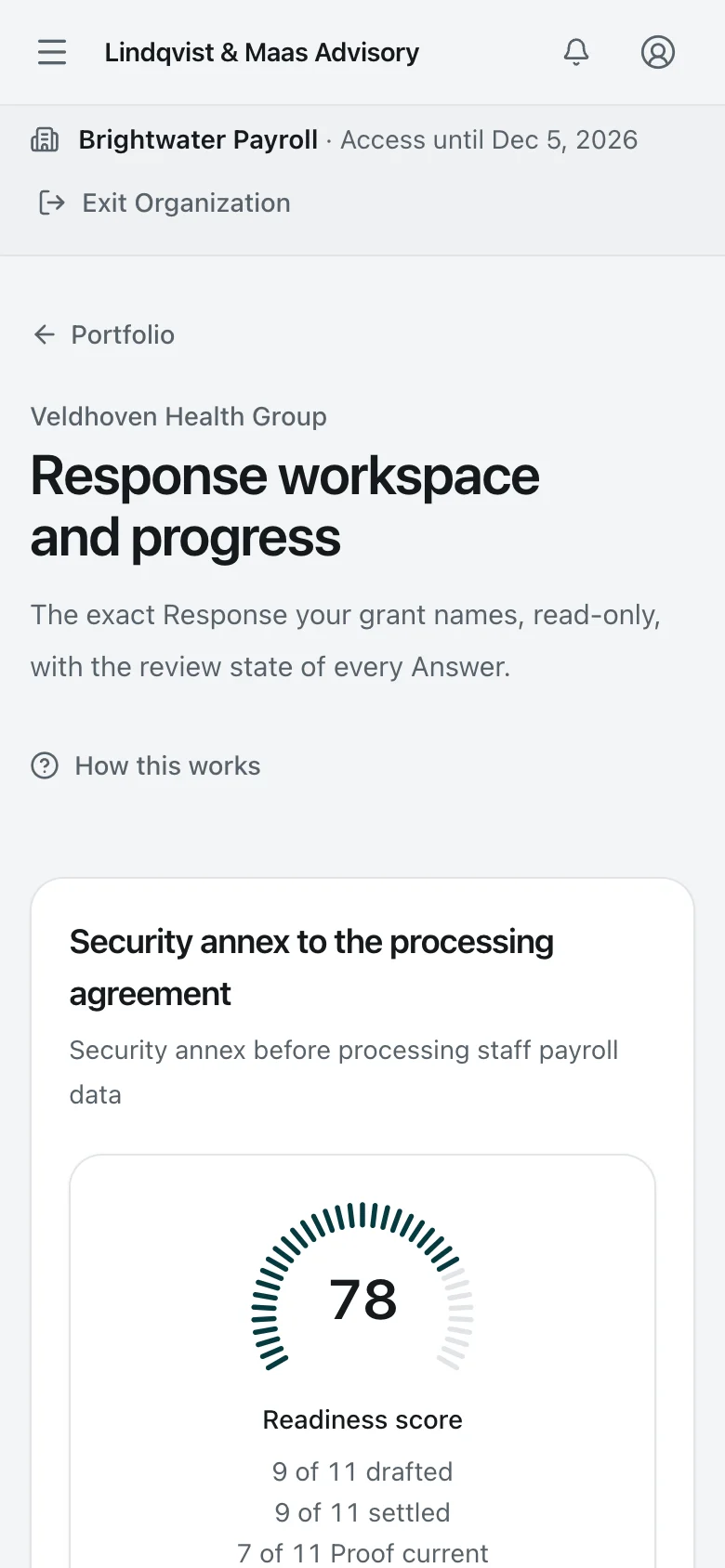
    Granted Response. The Adviser reads only the Response the grant names, read-only, with its Readiness score and a link to review coverage and Findings.
    Adviser Desktop Light and dark

    Granted Response

    The Adviser reads only the Response the grant names, read-only, with its Readiness score and a link to review coverage and Findings.

    Granted Response. The Adviser reads only the Response the grant names, read-only, with its Readiness score and a link to review coverage and Findings.
    Adviser Phone Light and dark

    Granted Response

    The Adviser reads only the Response the grant names, read-only, with its Readiness score and a link to review coverage and Findings.

  4. 4. Review inbox

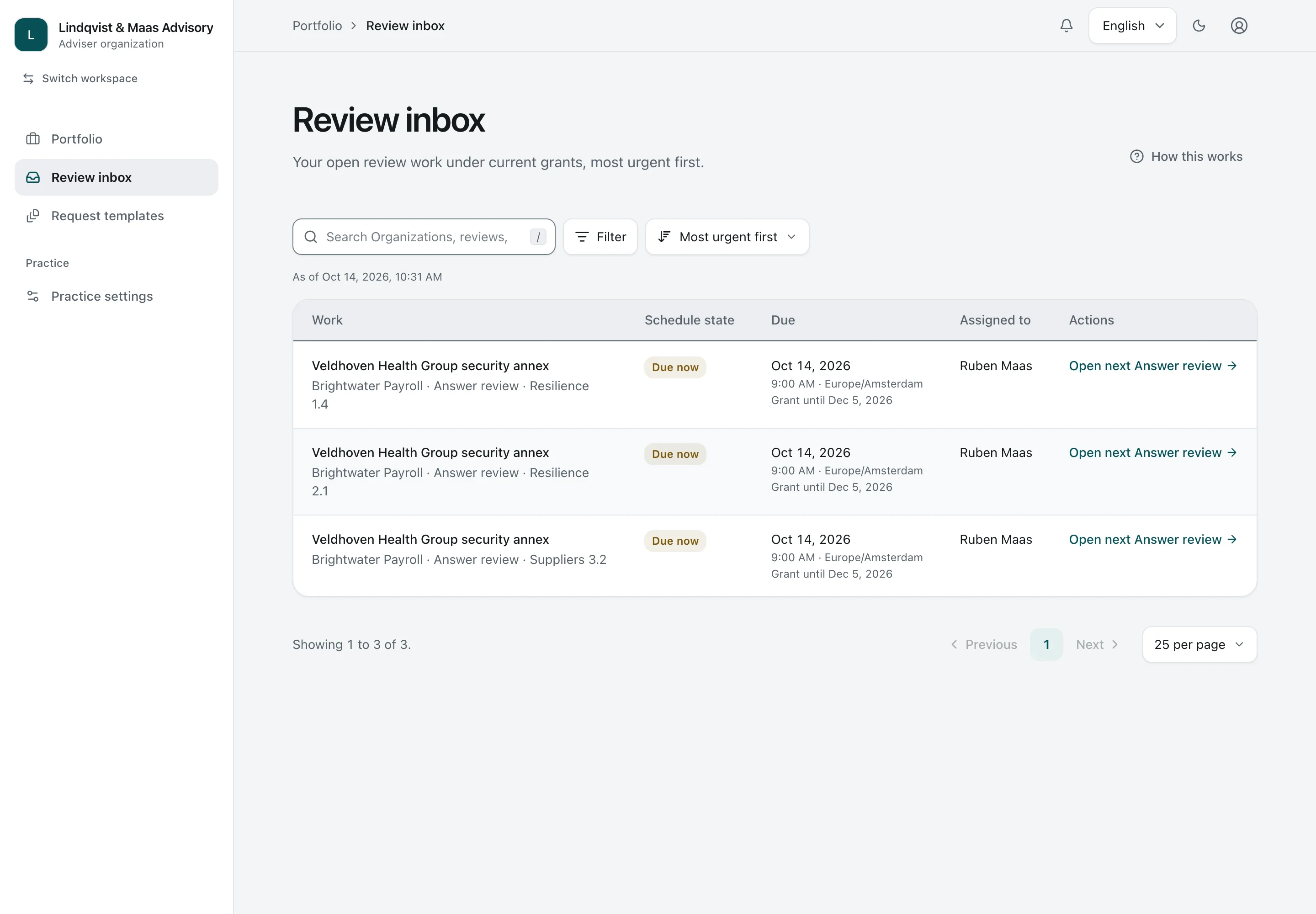
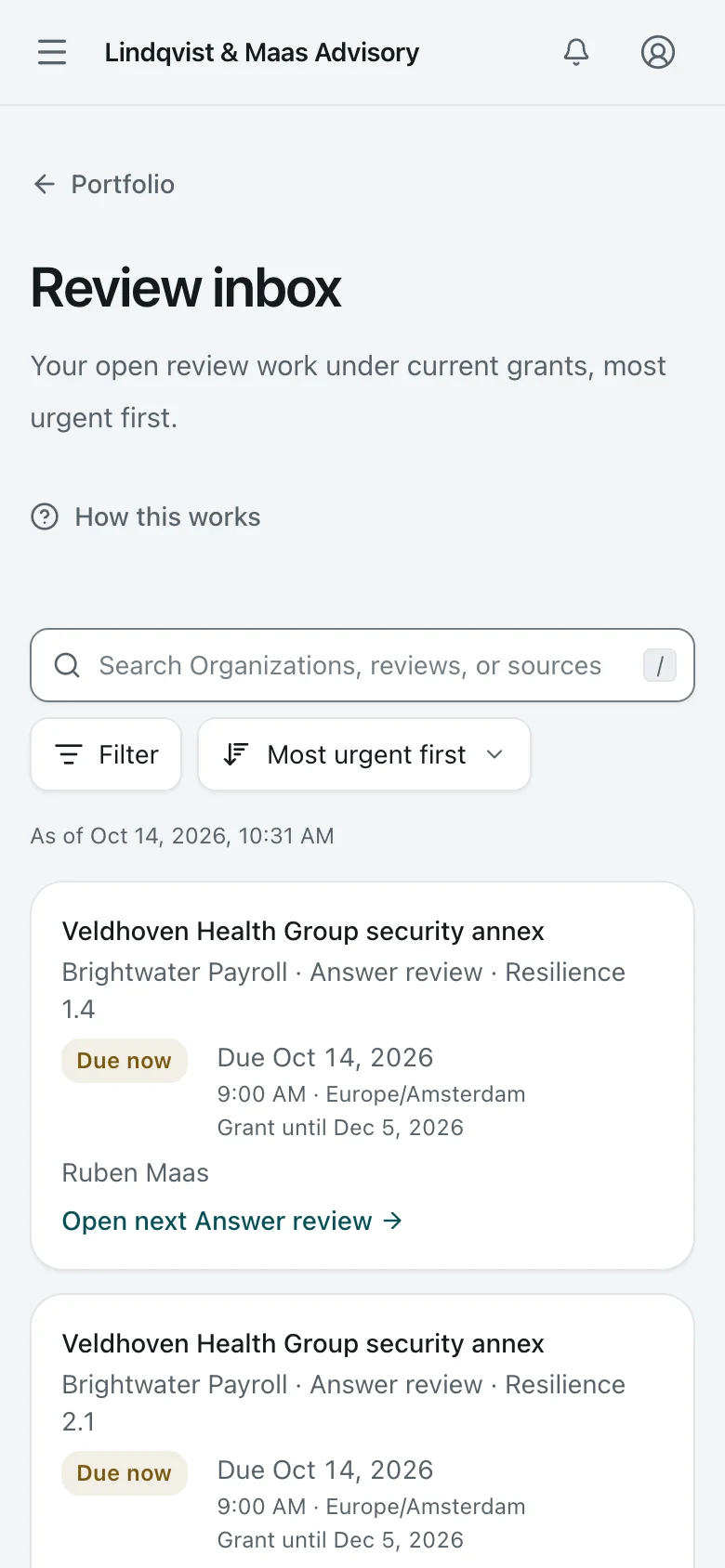
    Review inbox. The review inbox: each Answer awaiting the Adviser's decision, most urgent first, under its current grant.
    Adviser Desktop Light and dark

    Review inbox

    The review inbox: each Answer awaiting the Adviser's decision, most urgent first, under its current grant.

    Review inbox. The review inbox: each Answer awaiting the Adviser's decision, most urgent first, under its current grant.
    Adviser Phone Light and dark

    Review inbox

    The review inbox: each Answer awaiting the Adviser's decision, most urgent first, under its current grant.

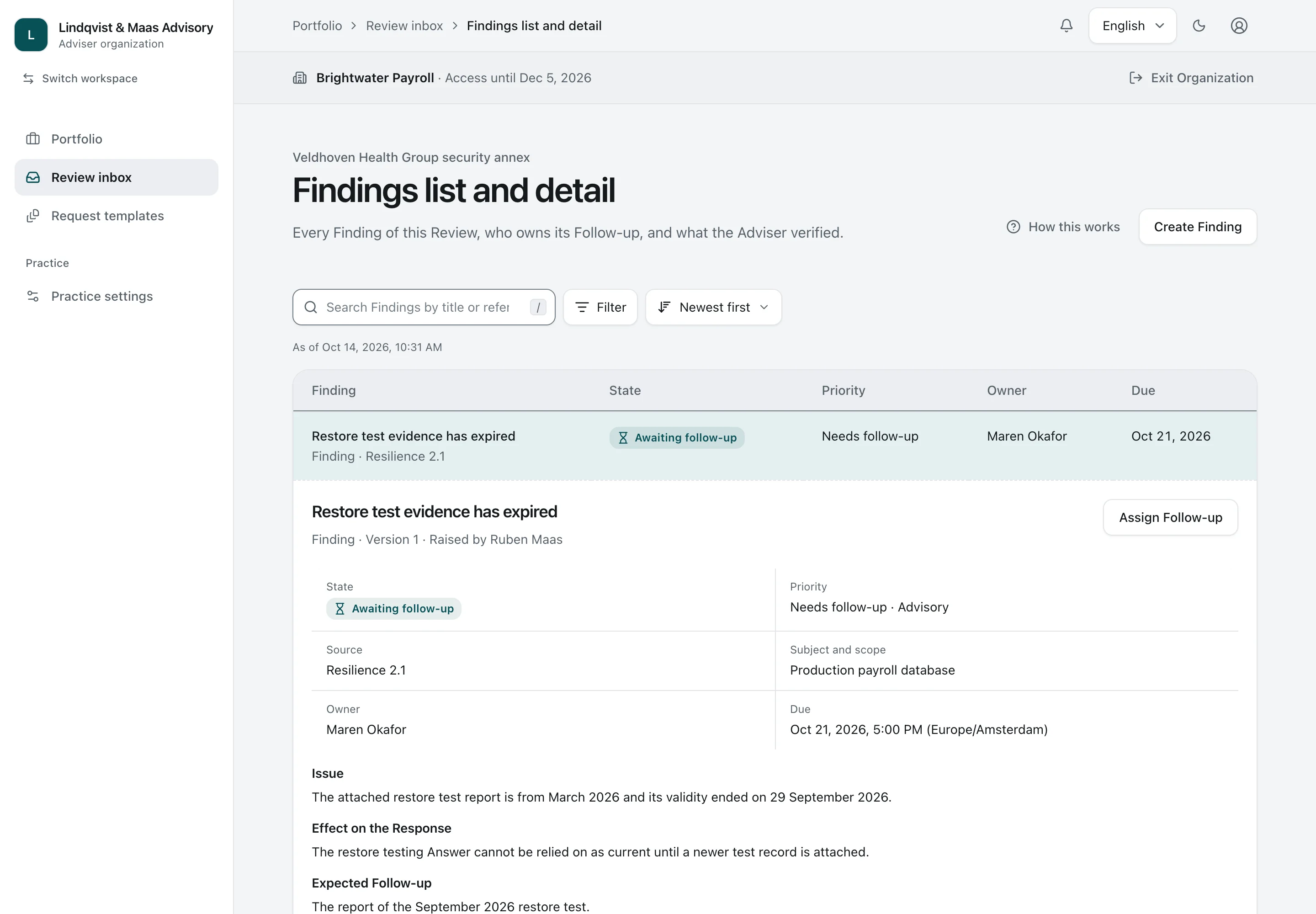
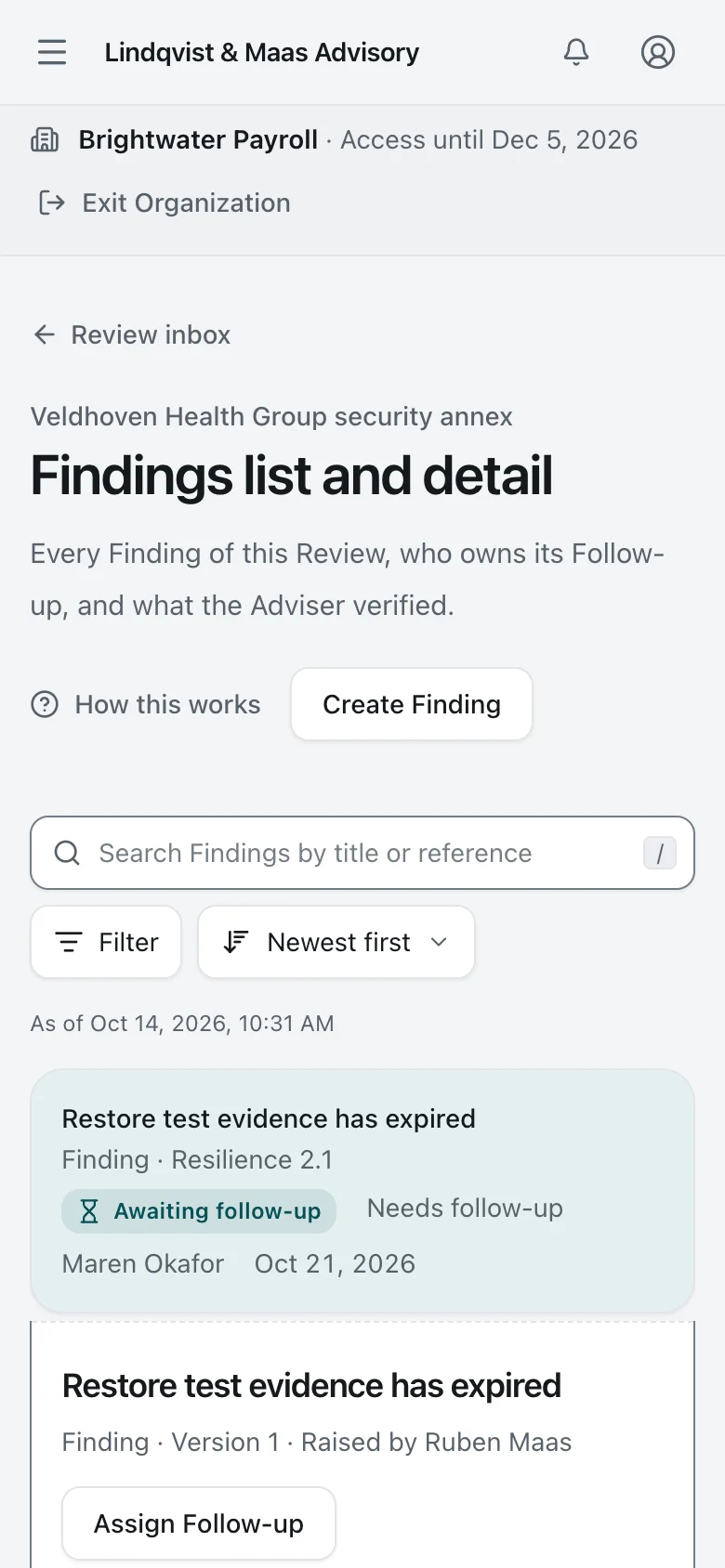
  5. 5. Findings

    Findings. The Adviser raises a Finding against one exact Answer, says what Proof would resolve it, and later verifies the follow-up.
    Adviser Desktop Light and dark

    Findings

    The Adviser raises a Finding against one exact Answer, says what Proof would resolve it, and later verifies the follow-up.

    Findings. The Adviser raises a Finding against one exact Answer, says what Proof would resolve it, and later verifies the follow-up.
    Adviser Phone Light and dark

    Findings

    The Adviser raises a Finding against one exact Answer, says what Proof would resolve it, and later verifies the follow-up.

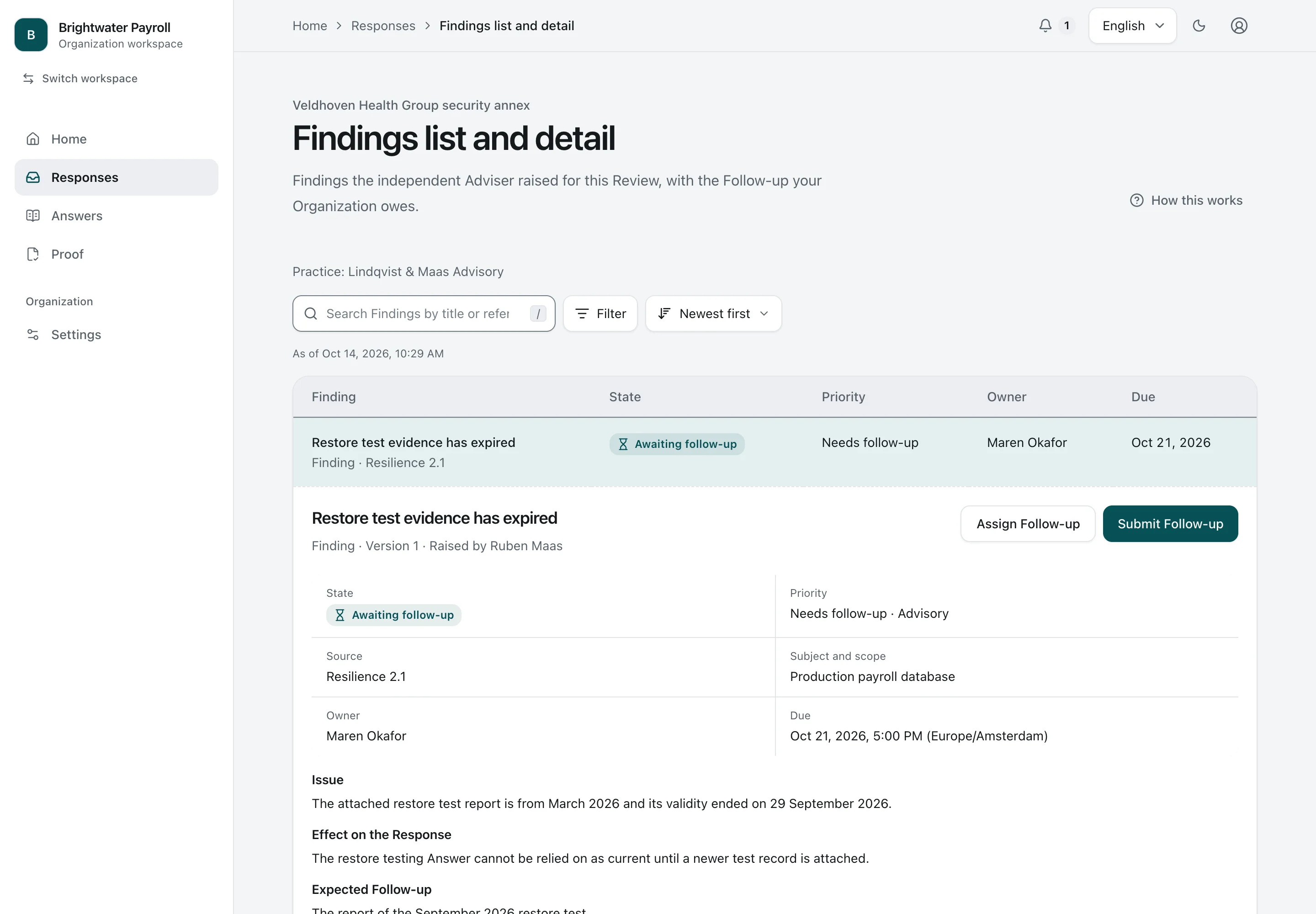
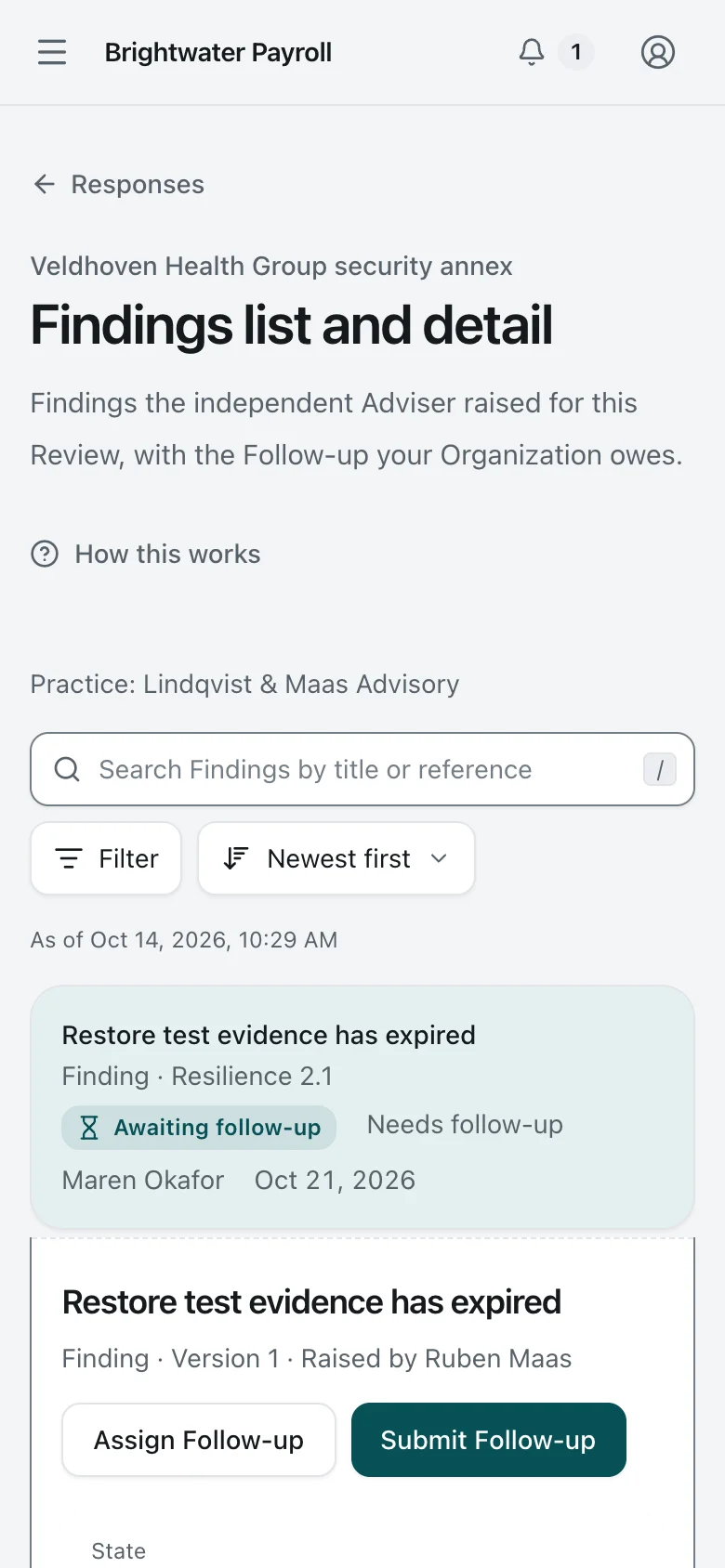
  6. 6. Adviser Finding

    Adviser Finding. A Finding from the independent Adviser arrives in the Organization's own workspace with an owner, a due date, and the Proof that would resolve it.
    Security Lead Desktop Light and dark

    Adviser Finding

    A Finding from the independent Adviser arrives in the Organization's own workspace with an owner, a due date, and the Proof that would resolve it.

    Adviser Finding. A Finding from the independent Adviser arrives in the Organization's own workspace with an owner, a due date, and the Proof that would resolve it.
    Security Lead Phone Light and dark

    Adviser Finding

    A Finding from the independent Adviser arrives in the Organization's own workspace with an owner, a due date, and the Proof that would resolve it.

5

When facts change

A restore test report expires in September. Veldhoven’s working response shows the gap. The issued Noordkade report keeps the facts and files it contained when issued.

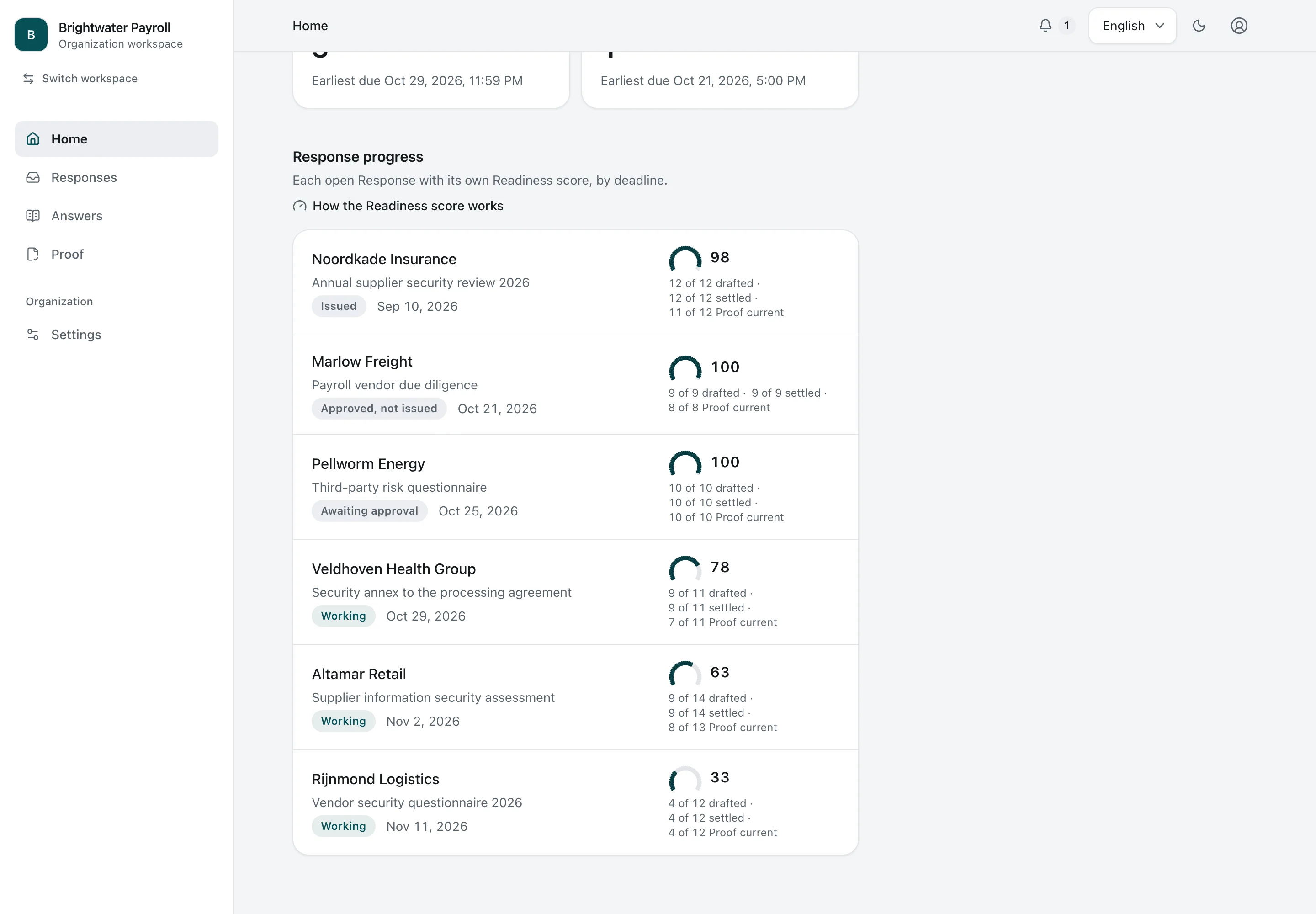
Noordkade’s working response now scores 98 because a supporting file expired. Its issued report remains unchanged. Updating the library never rewrites what the customer received.

  1. 1. Response progress

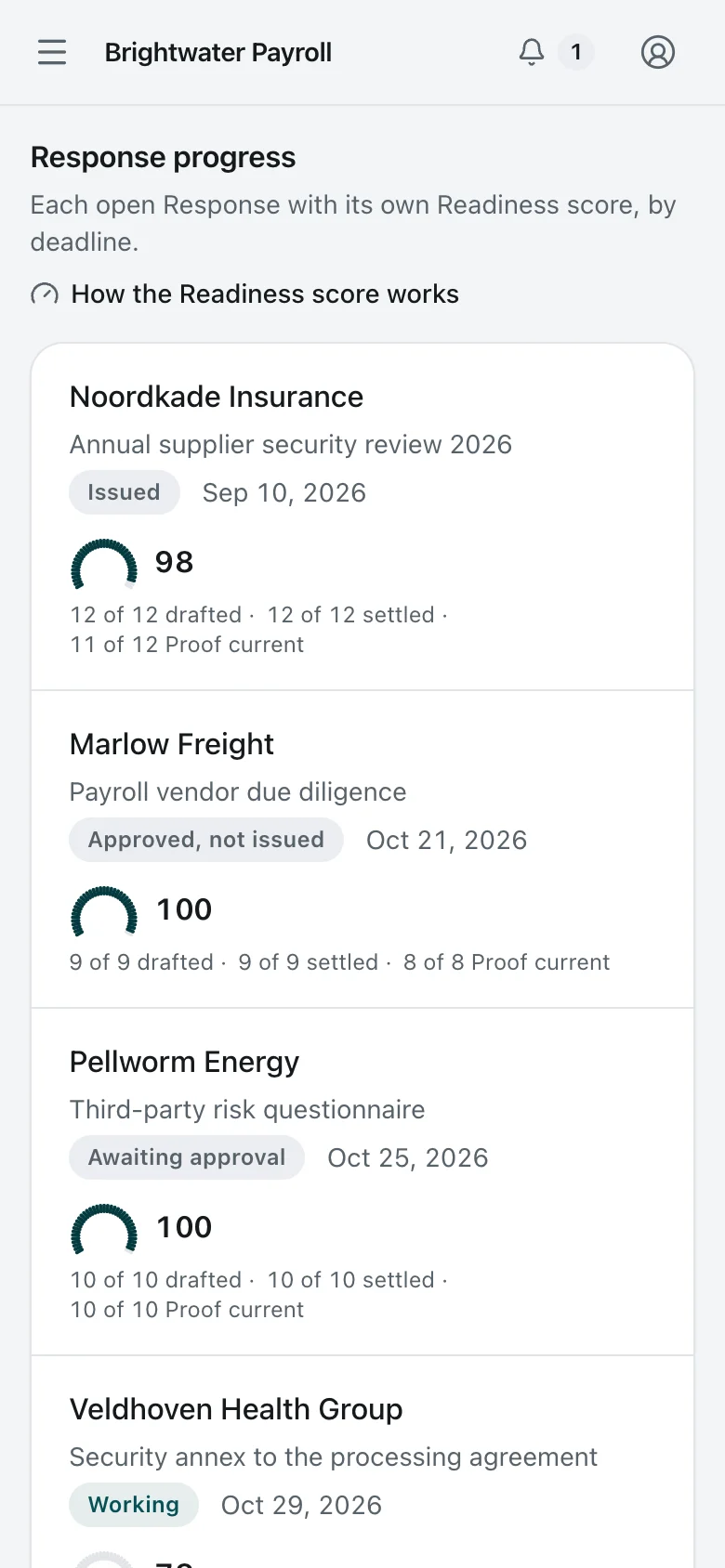
    Response progress. Further down the home, open Responses are listed by deadline, each with its own Readiness score and the counts behind it. The working response now scores 98 because a supporting file has expired. The issued report remains unchanged.
    Security Lead Desktop Light and dark

    Response progress

    Further down the home, open Responses are listed by deadline, each with its own Readiness score and the counts behind it. The working response now scores 98 because a supporting file has expired. The issued report remains unchanged.

    Response progress. Further down the home, open Responses are listed by deadline, each with its own Readiness score and the counts behind it. The working response now scores 98 because a supporting file has expired. The issued report remains unchanged.
    Security Lead Phone Light and dark

    Response progress

    Further down the home, open Responses are listed by deadline, each with its own Readiness score and the counts behind it. The working response now scores 98 because a supporting file has expired. The issued report remains unchanged.

  2. 2. Response under Adviser review

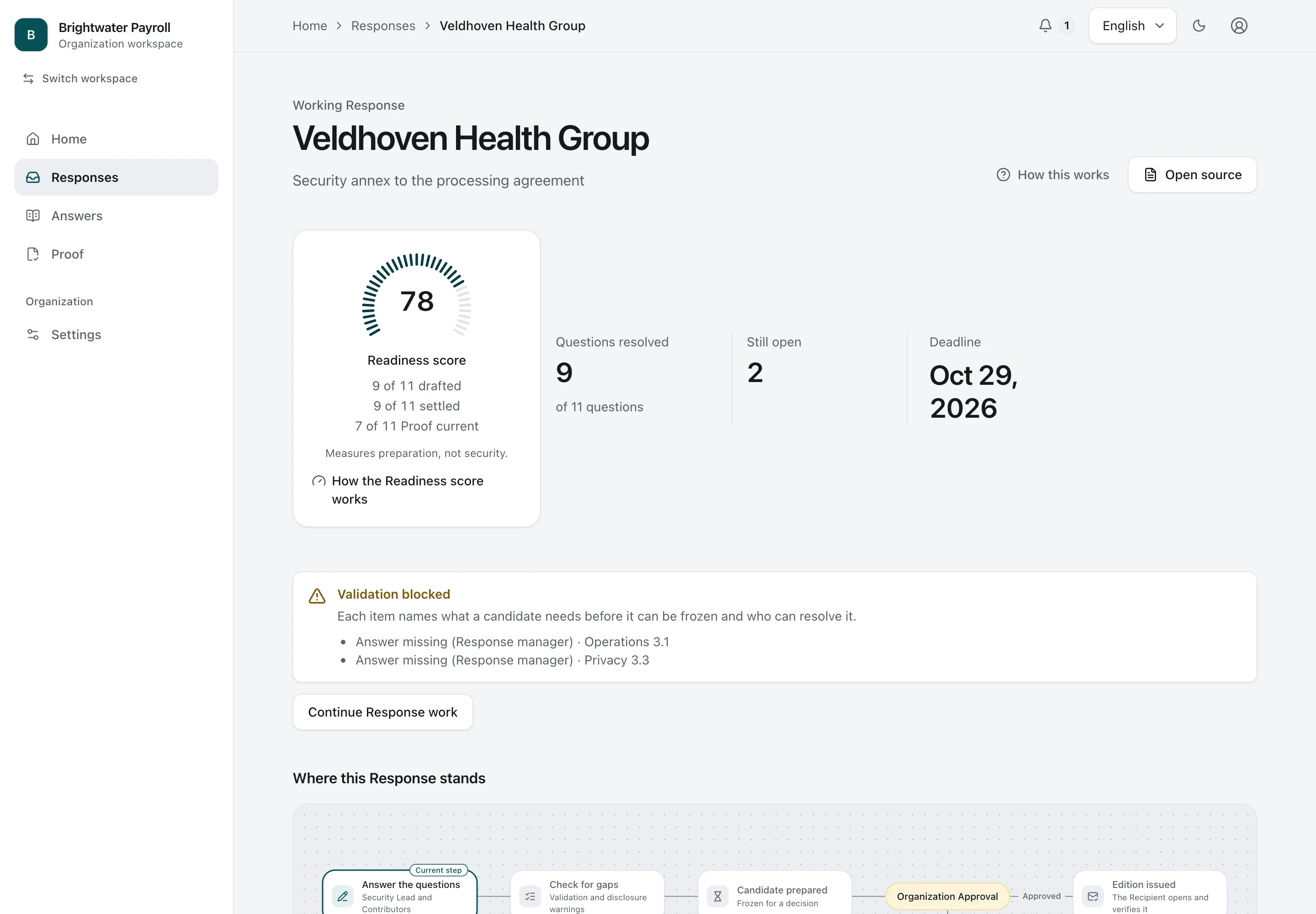
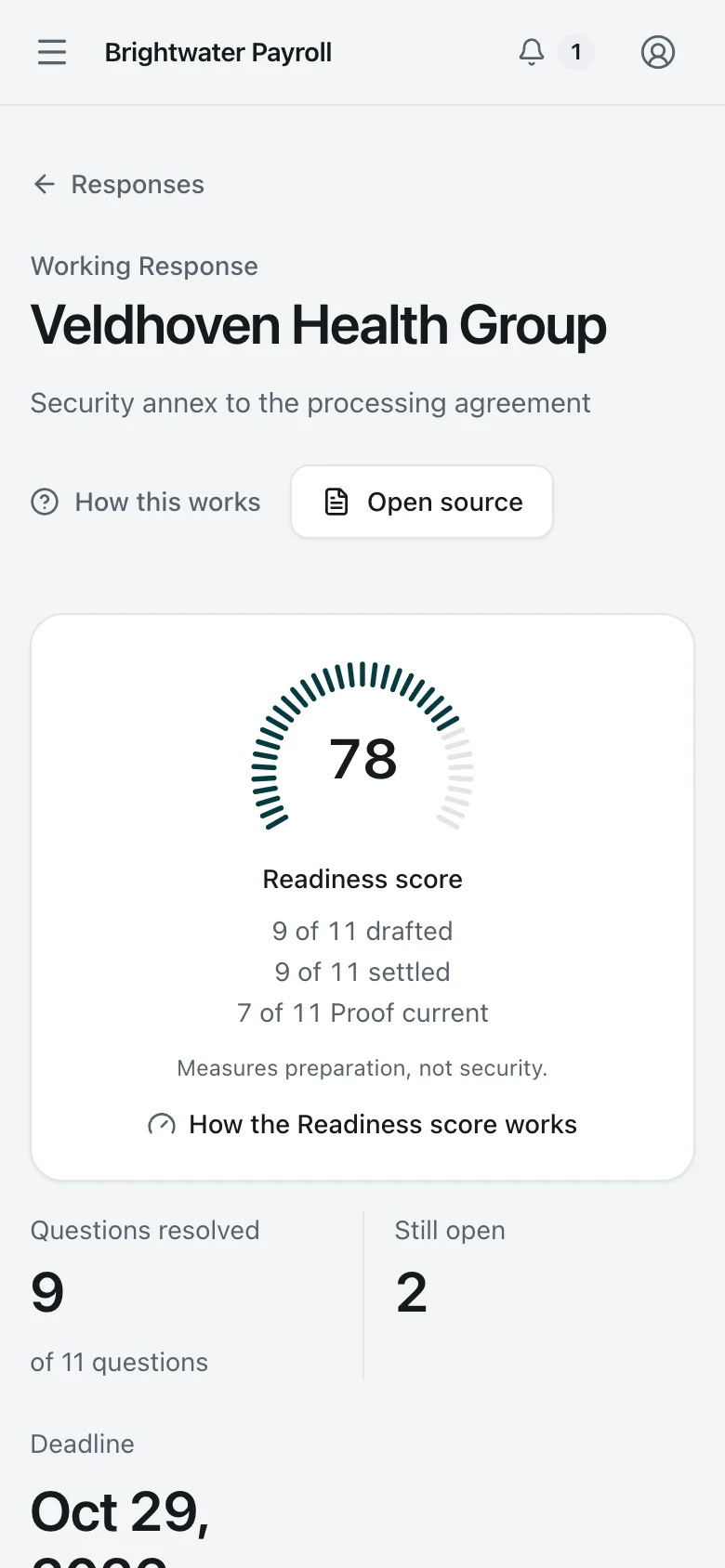
    Response under Adviser review. A Response under independent Adviser review. Its Readiness score is 78: two questions are still open and two answers rely on a backup restore report that expired in September.
    Security Lead Desktop Light and dark

    Response under Adviser review

    A Response under independent Adviser review. Its Readiness score is 78: two questions are still open and two answers rely on a backup restore report that expired in September.

    Response under Adviser review. A Response under independent Adviser review. Its Readiness score is 78: two questions are still open and two answers rely on a backup restore report that expired in September.
    Security Lead Phone Light and dark

    Response under Adviser review

    A Response under independent Adviser review. Its Readiness score is 78: two questions are still open and two answers rely on a backup restore report that expired in September.

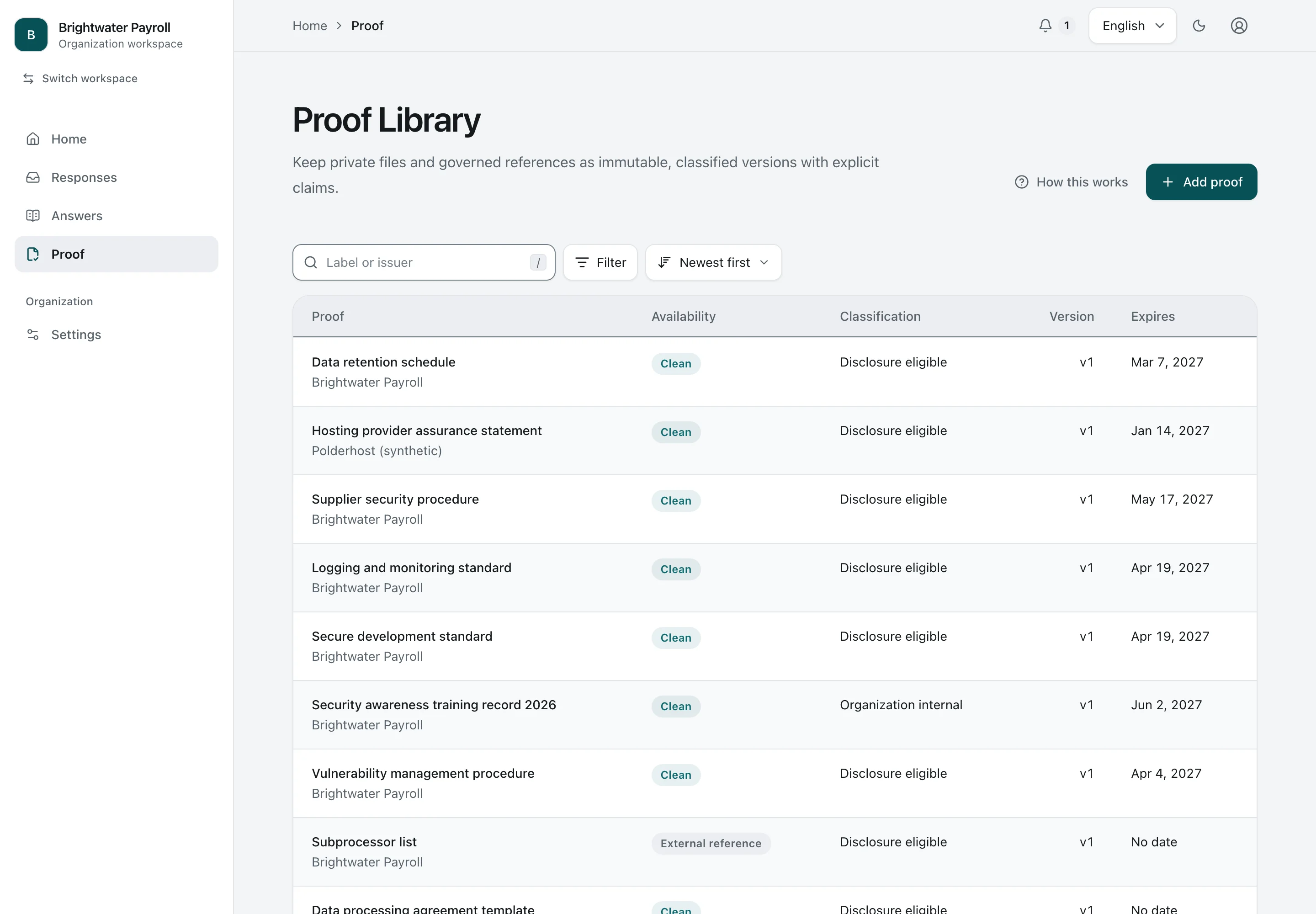
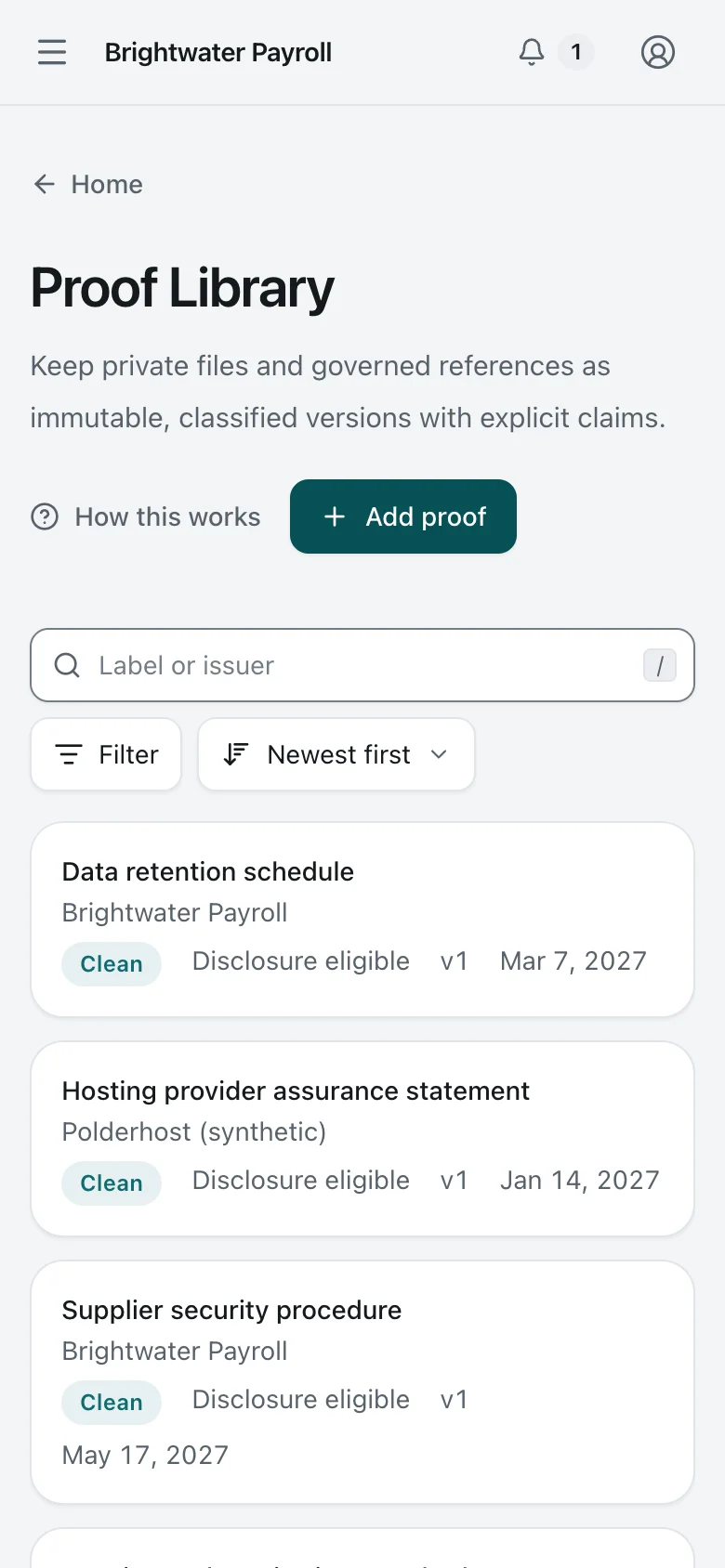
  3. 3. Proof library

    Proof library. The Proof library: private files and references, each scanned before use, classified, versioned, and dated with its expiry.
    Security Lead Desktop Light and dark

    Proof library

    The Proof library: private files and references, each scanned before use, classified, versioned, and dated with its expiry.

    Proof library. The Proof library: private files and references, each scanned before use, classified, versioned, and dated with its expiry.
    Security Lead Phone Light and dark

    Proof library

    The Proof library: private files and references, each scanned before use, classified, versioned, and dated with its expiry.

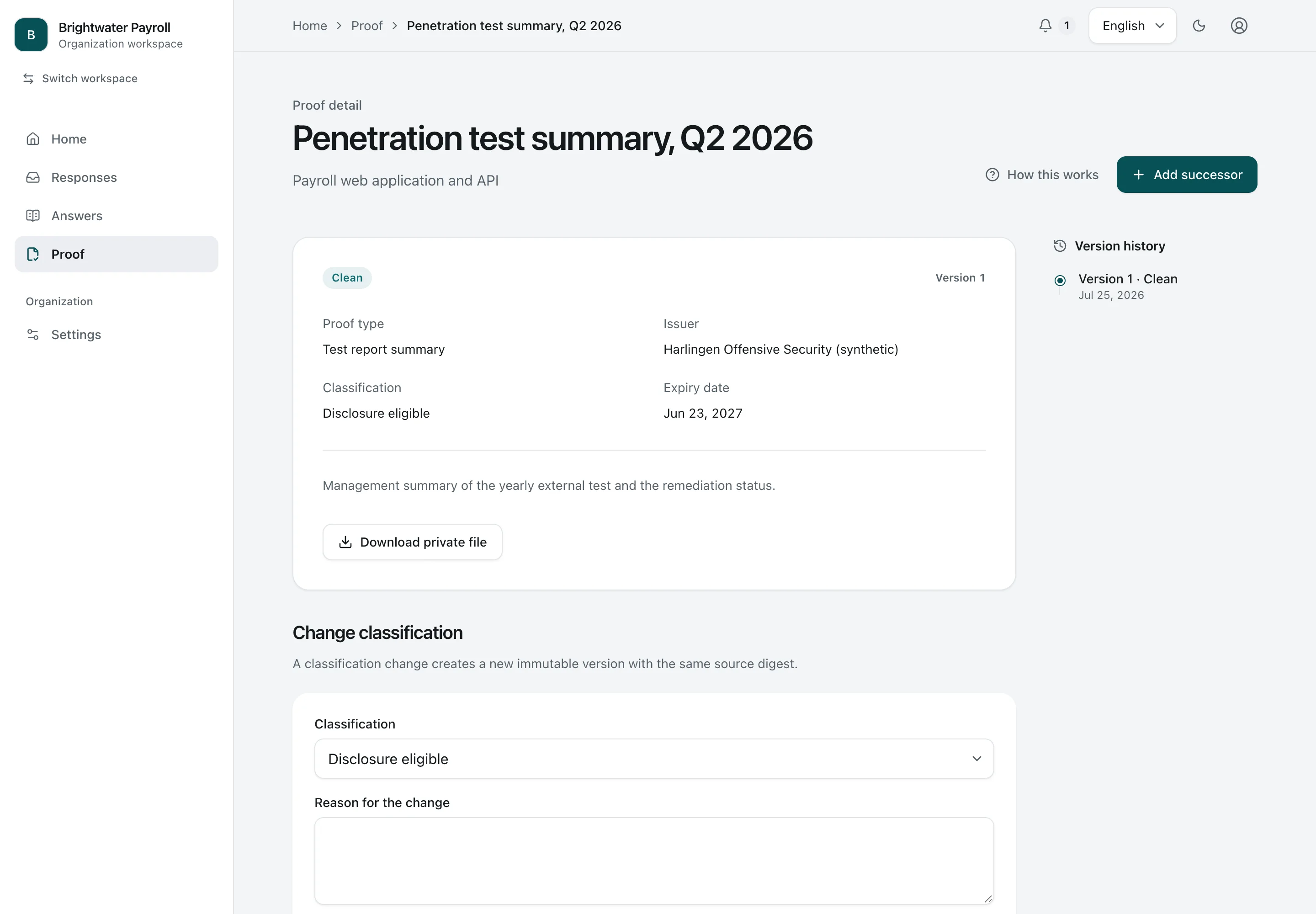
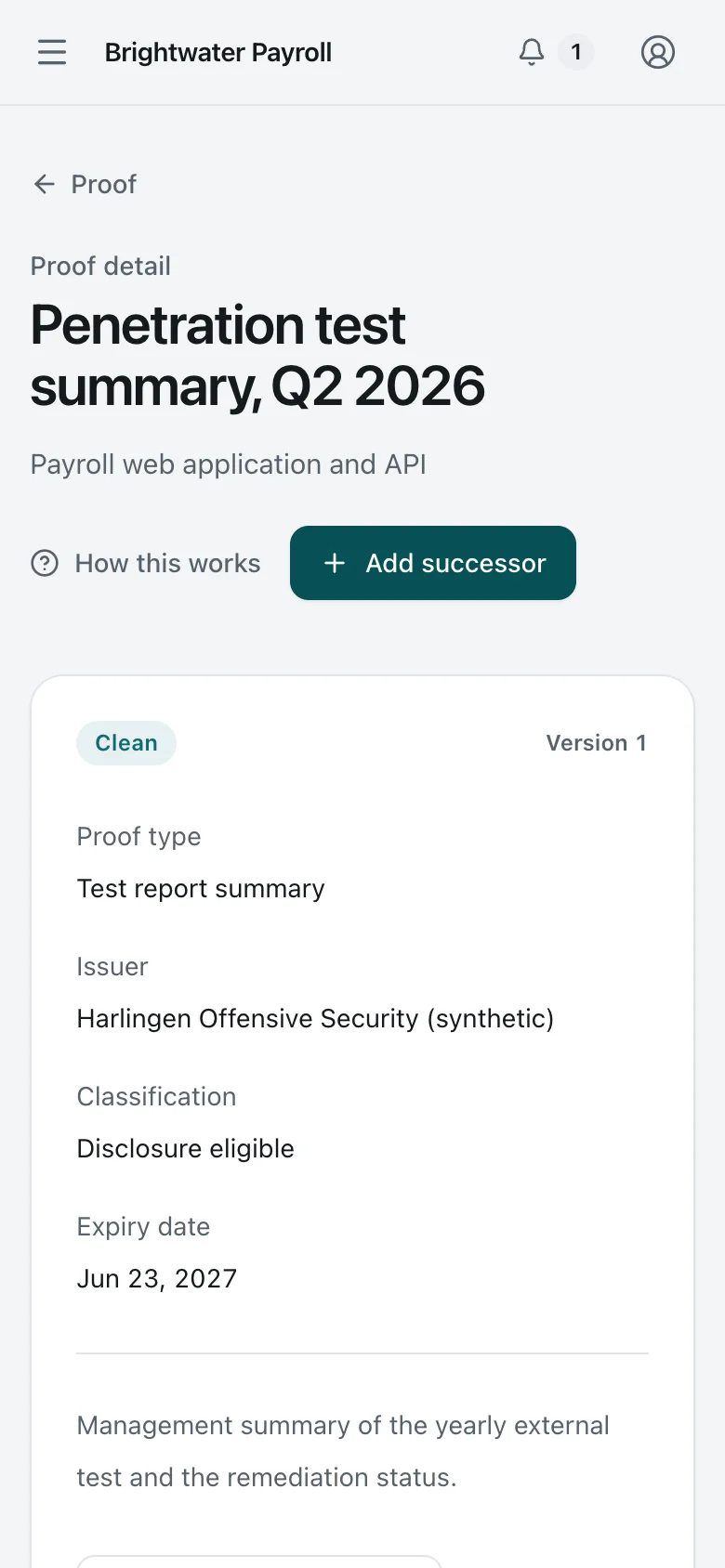
  4. 4. One Proof record

    One Proof record. One Proof record: its type, issuer, classification, and expiry, a private download, and its version history.
    Security Lead Desktop Light and dark

    One Proof record

    One Proof record: its type, issuer, classification, and expiry, a private download, and its version history.

    One Proof record. One Proof record: its type, issuer, classification, and expiry, a private download, and its version history.
    Security Lead Phone Light and dark

    One Proof record

    One Proof record: its type, issuer, classification, and expiry, a private download, and its version history.

6

Company administration and service operations

Daan manages people, billing and access. Noor operates the service from a separate console. Each person’s permissions determine what they can see and do.

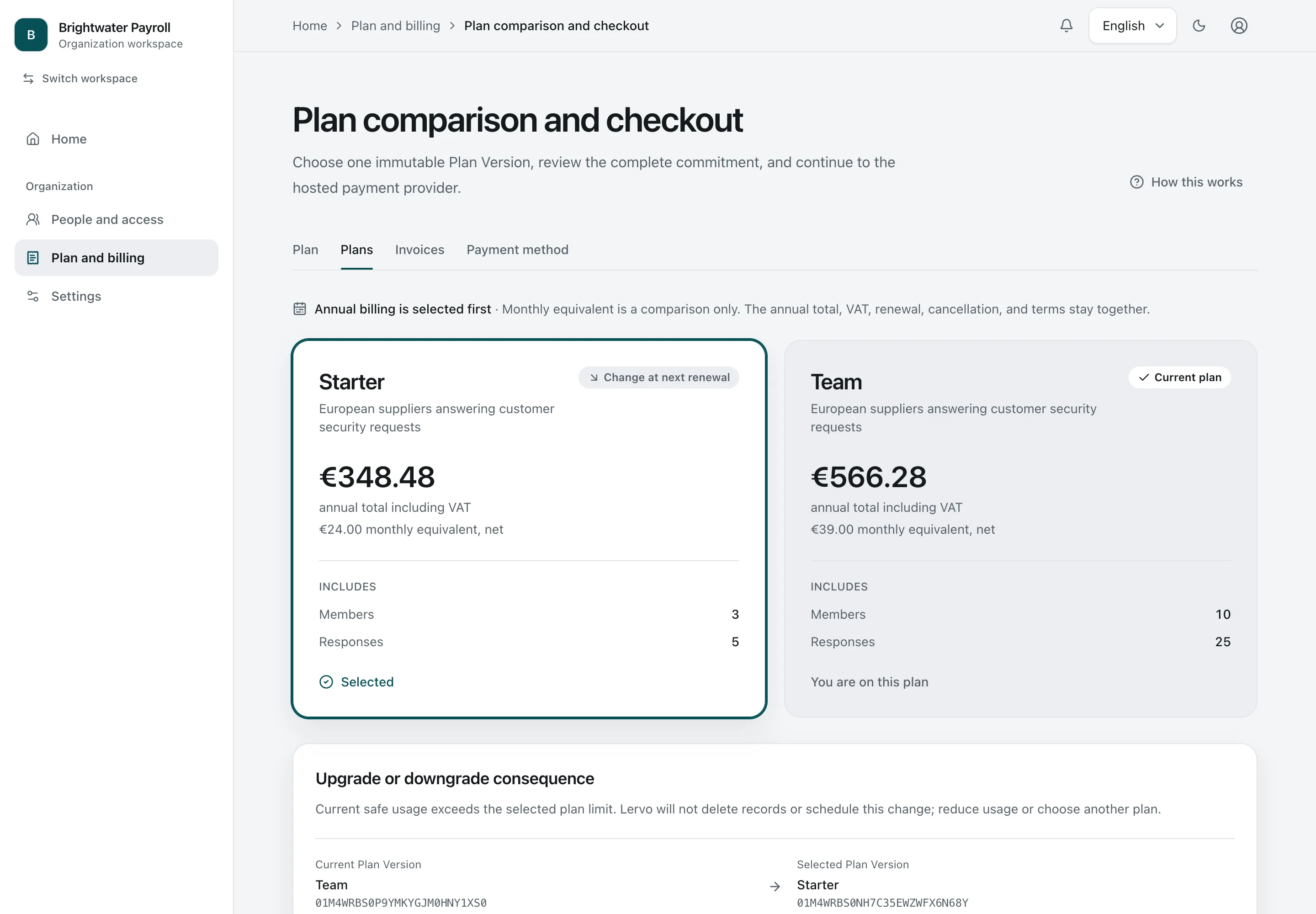
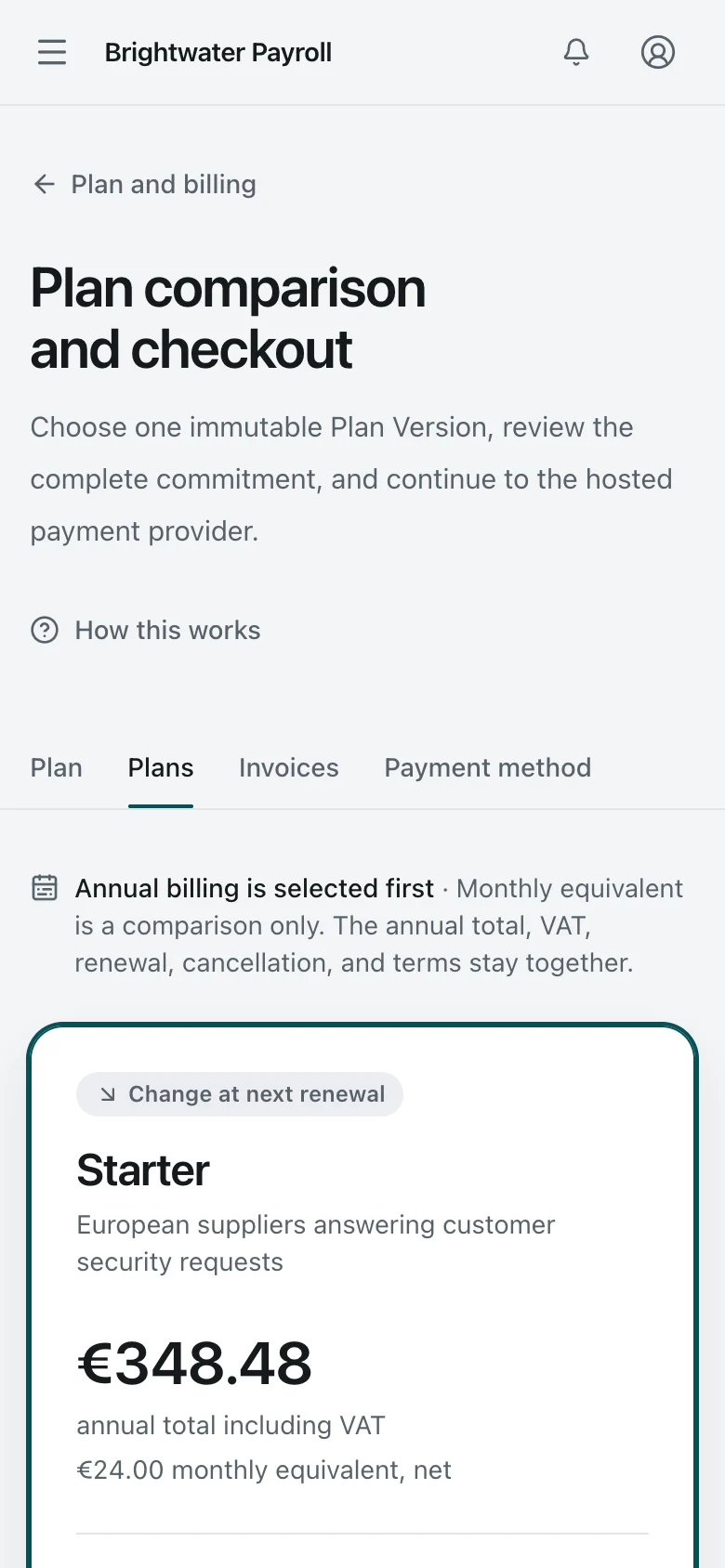
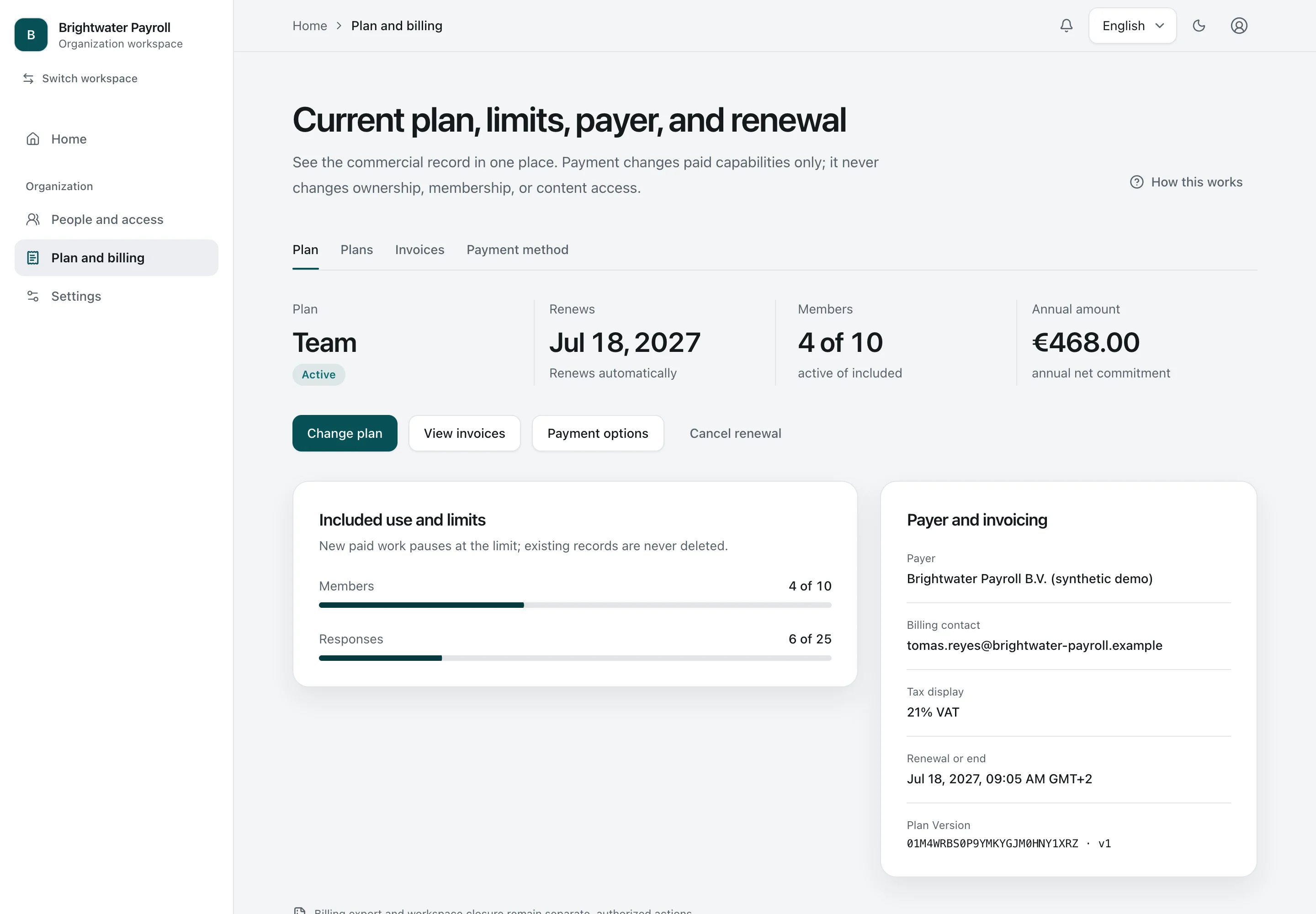
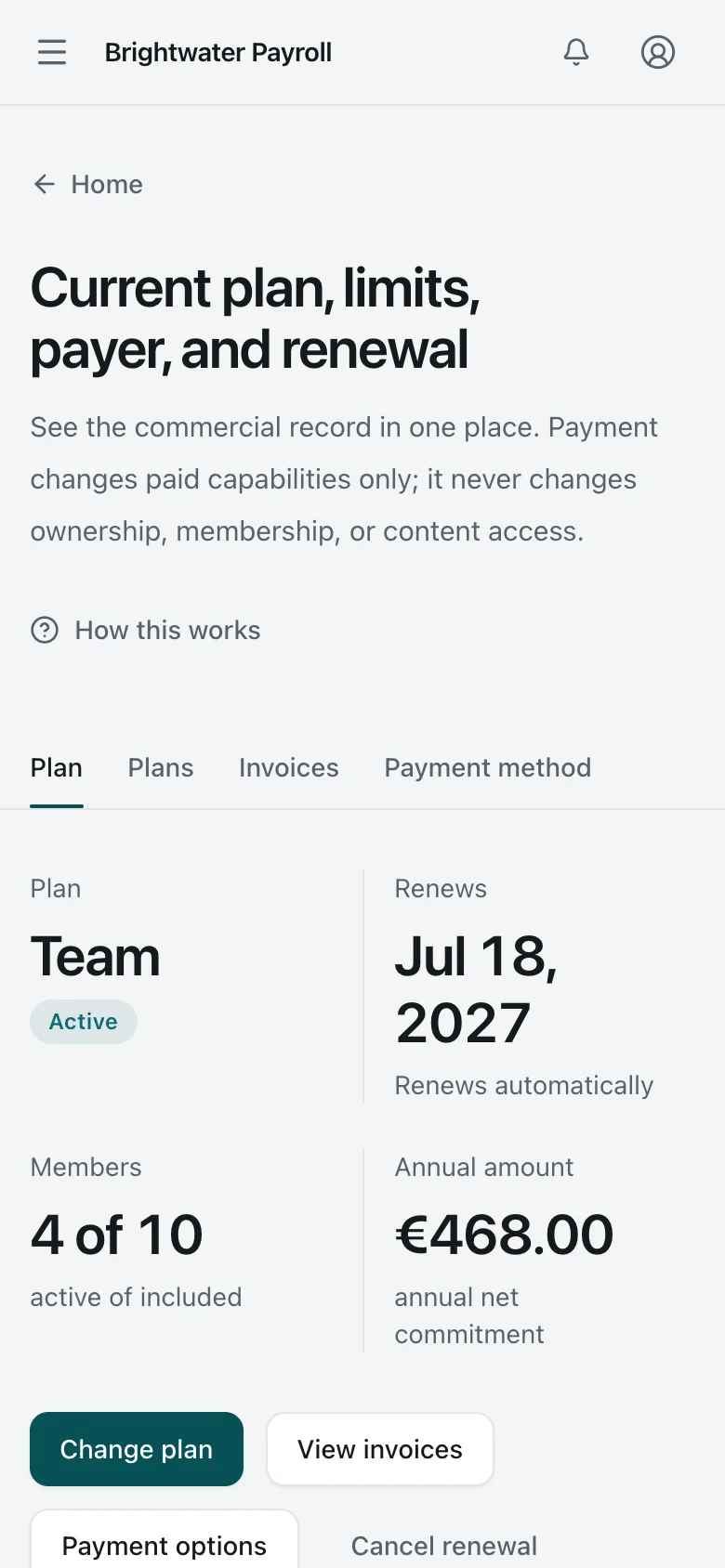
  1. 1. Billing

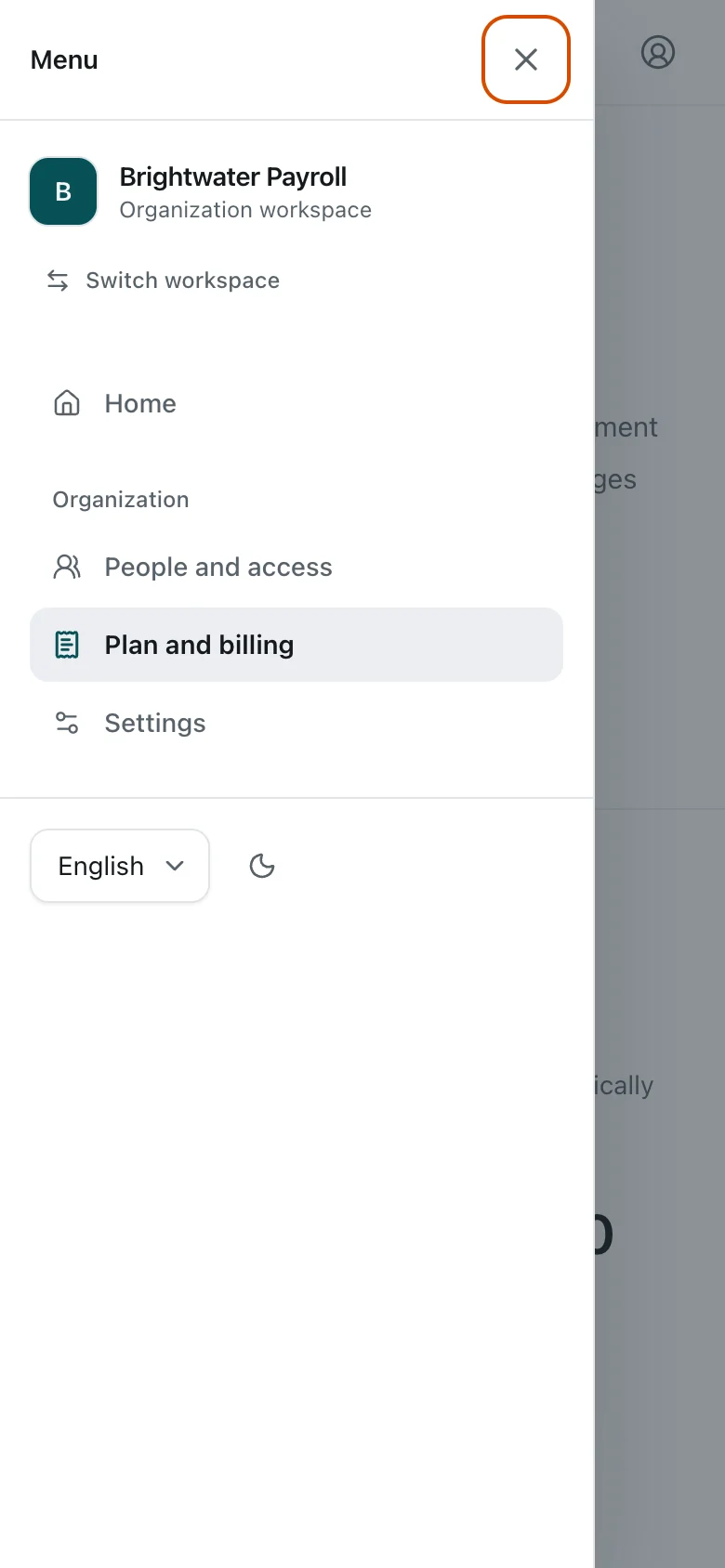
    Billing. The Owner sees the plan, renewal date, member usage, payer, and billing contact. Amounts are synthetic demo values.
    Organization Owner Desktop Light and dark

    Billing

    The Owner sees the plan, renewal date, member usage, payer, and billing contact. Amounts are synthetic demo values.

    Billing. The Owner sees the plan, renewal date, member usage, payer, and billing contact. Amounts are synthetic demo values.
    Organization Owner Phone Light and dark

    Billing

    The Owner sees the plan, renewal date, member usage, payer, and billing contact. Amounts are synthetic demo values.

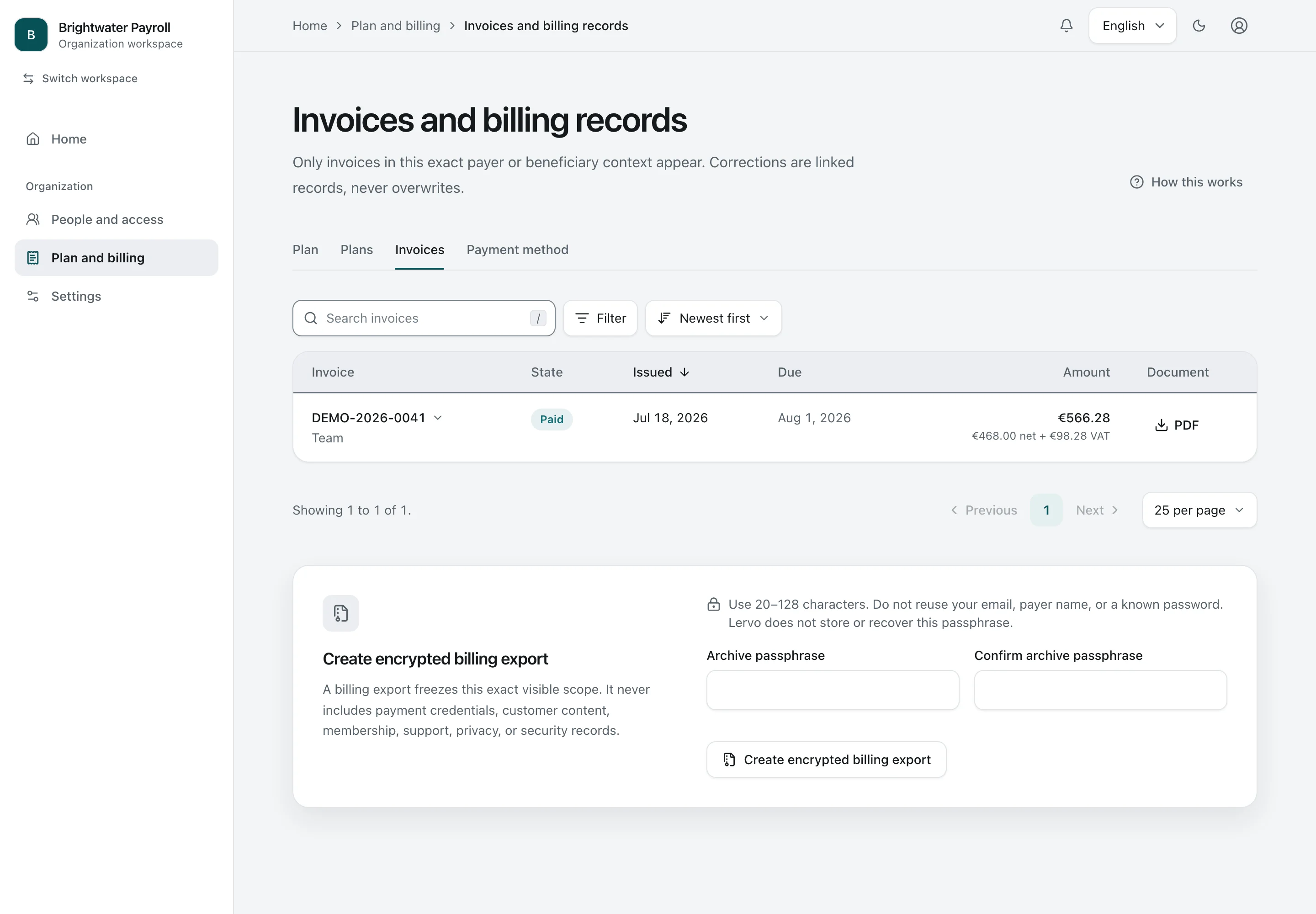
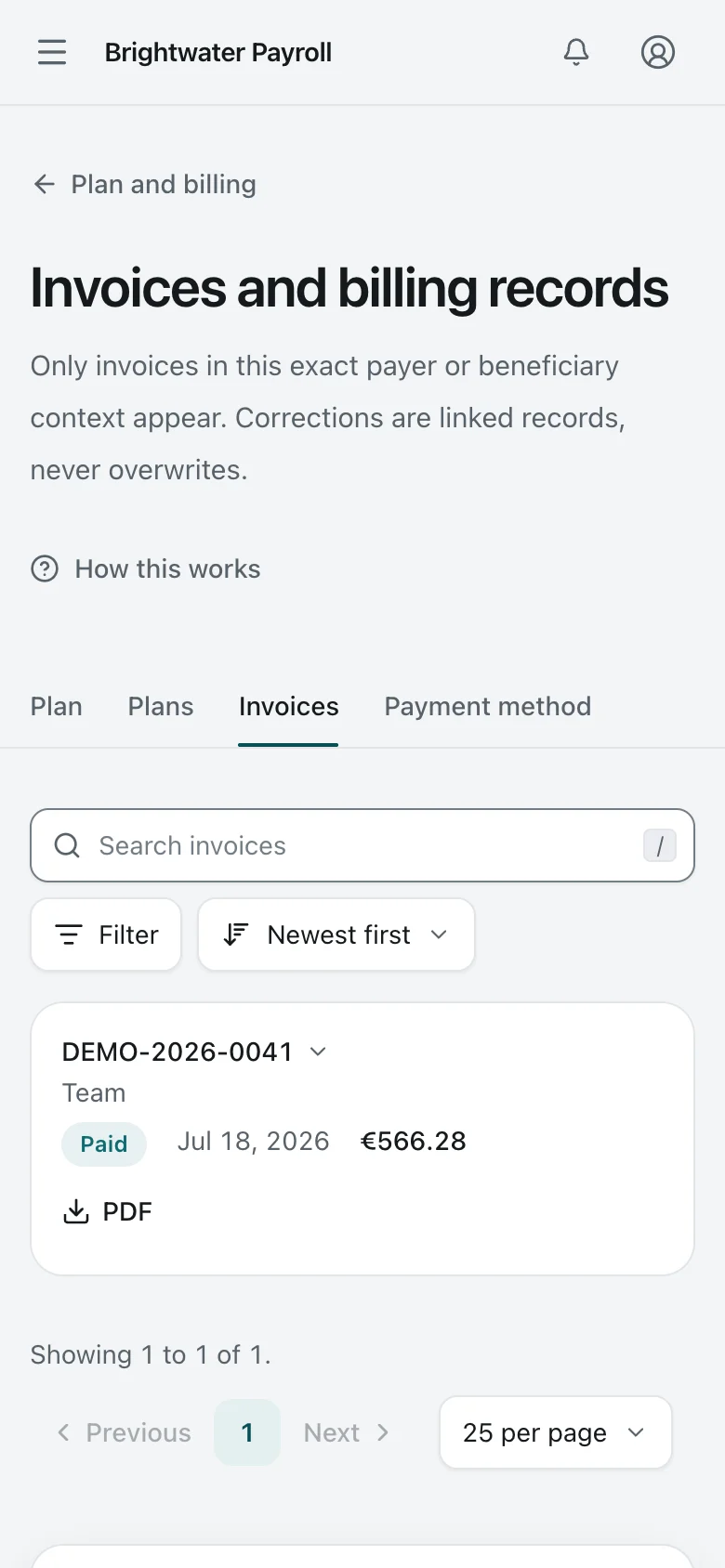
  2. 2. Invoices

    Invoices. Invoices with number, state, and amount including VAT, plus an encrypted export of the billing records.
    Organization Owner Desktop Light and dark

    Invoices

    Invoices with number, state, and amount including VAT, plus an encrypted export of the billing records.

    Invoices. Invoices with number, state, and amount including VAT, plus an encrypted export of the billing records.
    Organization Owner Phone Light and dark

    Invoices

    Invoices with number, state, and amount including VAT, plus an encrypted export of the billing records.

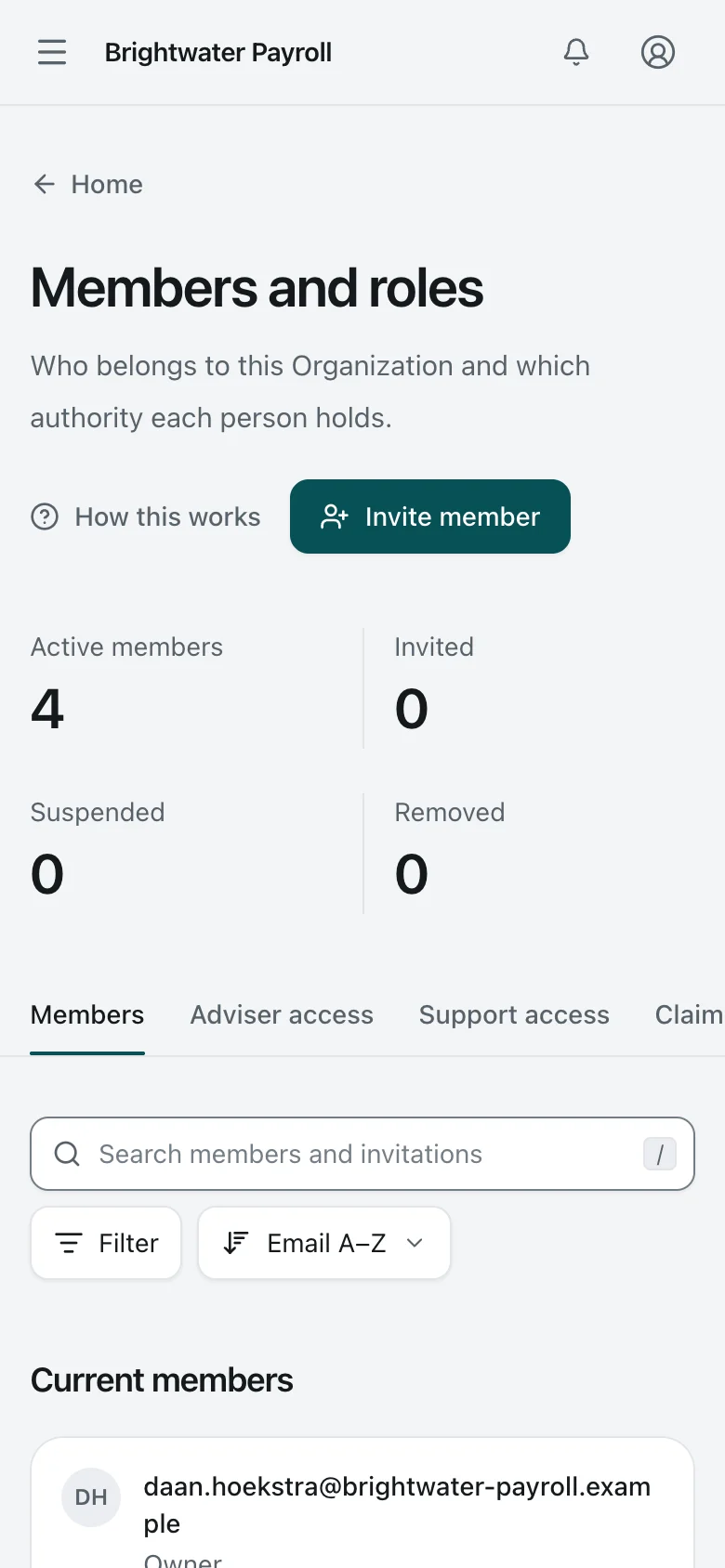
  3. 3. Members

    Members. Members and their roles. Owner, Security Lead (shown as Response manager), Organization Approver, and Contributor are separate authorities.
    Organization Owner Desktop Light and dark

    Members

    Members and their roles. Owner, Security Lead (shown as Response manager), Organization Approver, and Contributor are separate authorities.

    Members. Members and their roles. Owner, Security Lead (shown as Response manager), Organization Approver, and Contributor are separate authorities.
    Organization Owner Phone Light and dark

    Members

    Members and their roles. Owner, Security Lead (shown as Response manager), Organization Approver, and Contributor are separate authorities.

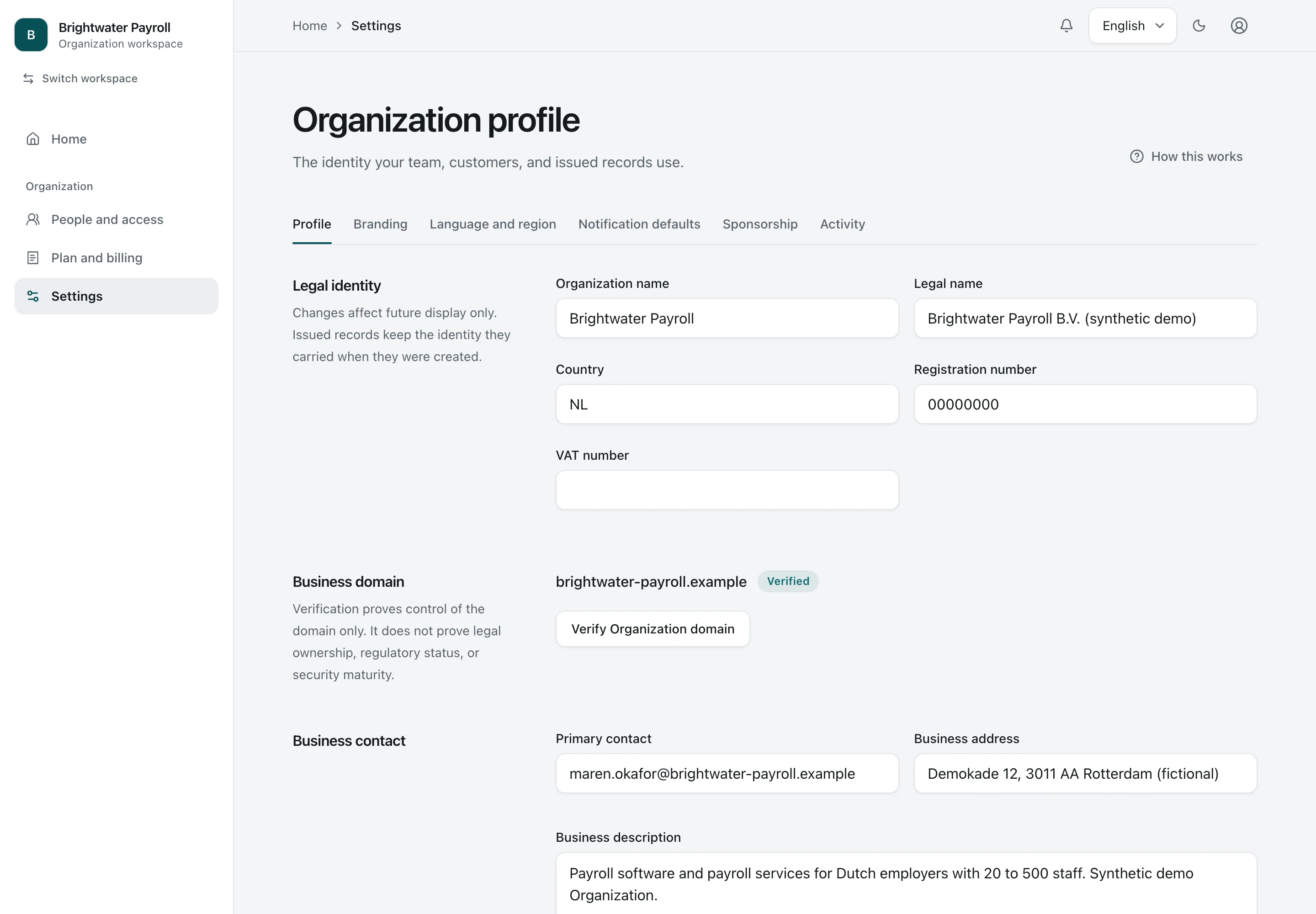
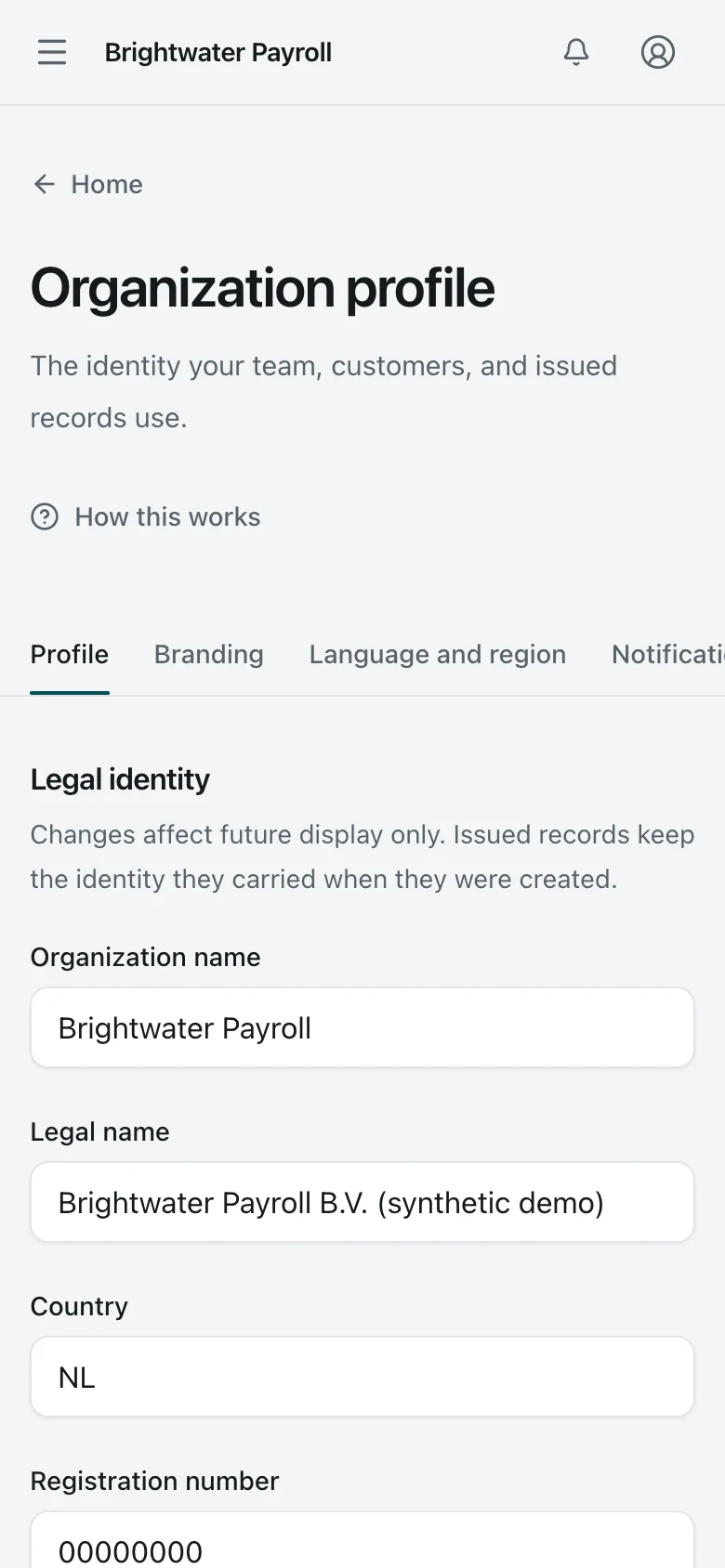
  4. 4. Organization settings

    Organization settings. The Organization profile: legal name, verified domain, and contact details. Issued editions keep the identity they carried when issued.
    Organization Owner Desktop Light and dark

    Organization settings

    The Organization profile: legal name, verified domain, and contact details. Issued editions keep the identity they carried when issued.

    Organization settings. The Organization profile: legal name, verified domain, and contact details. Issued editions keep the identity they carried when issued.
    Organization Owner Phone Light and dark

    Organization settings

    The Organization profile: legal name, verified domain, and contact details. Issued editions keep the identity they carried when issued.

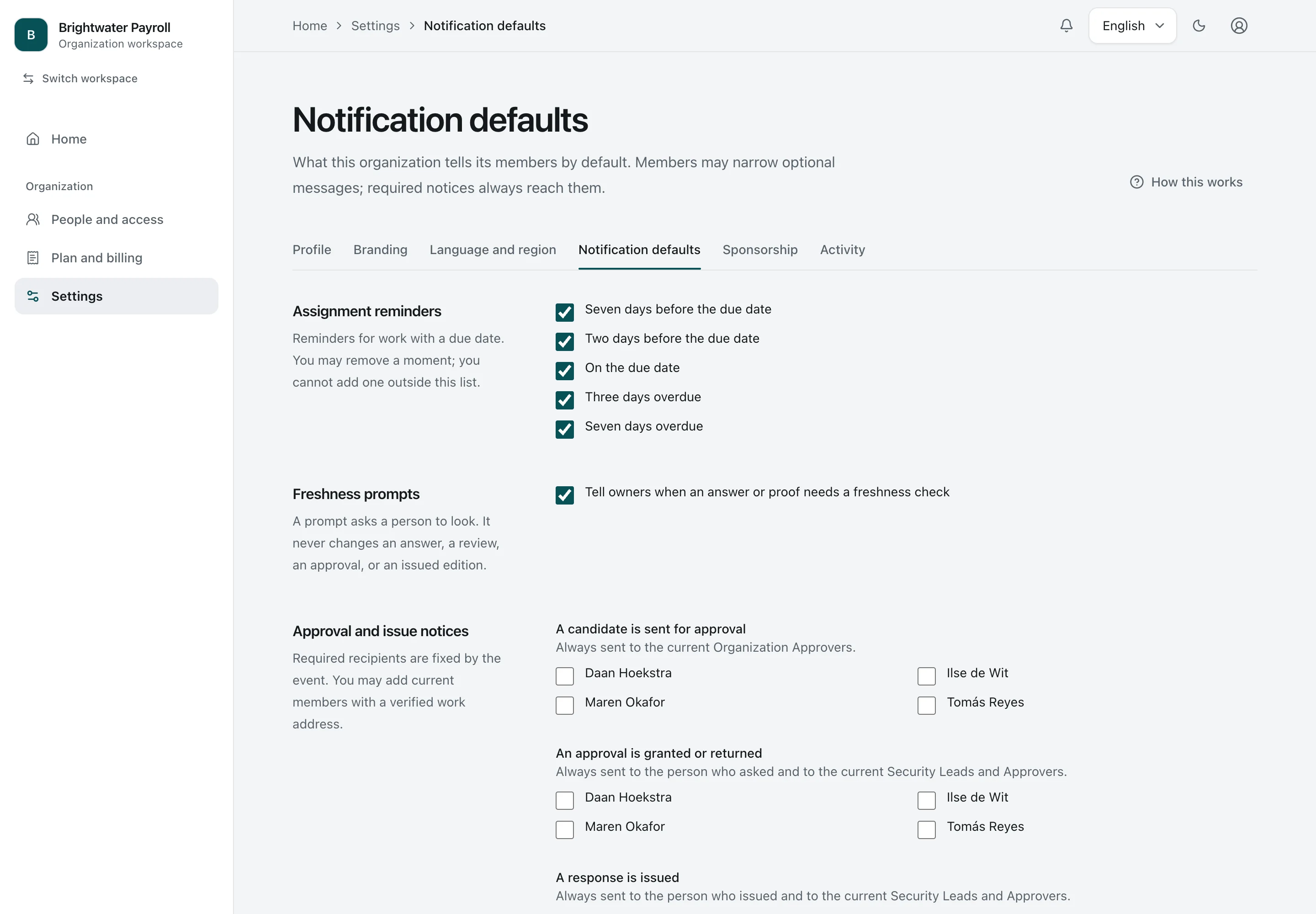
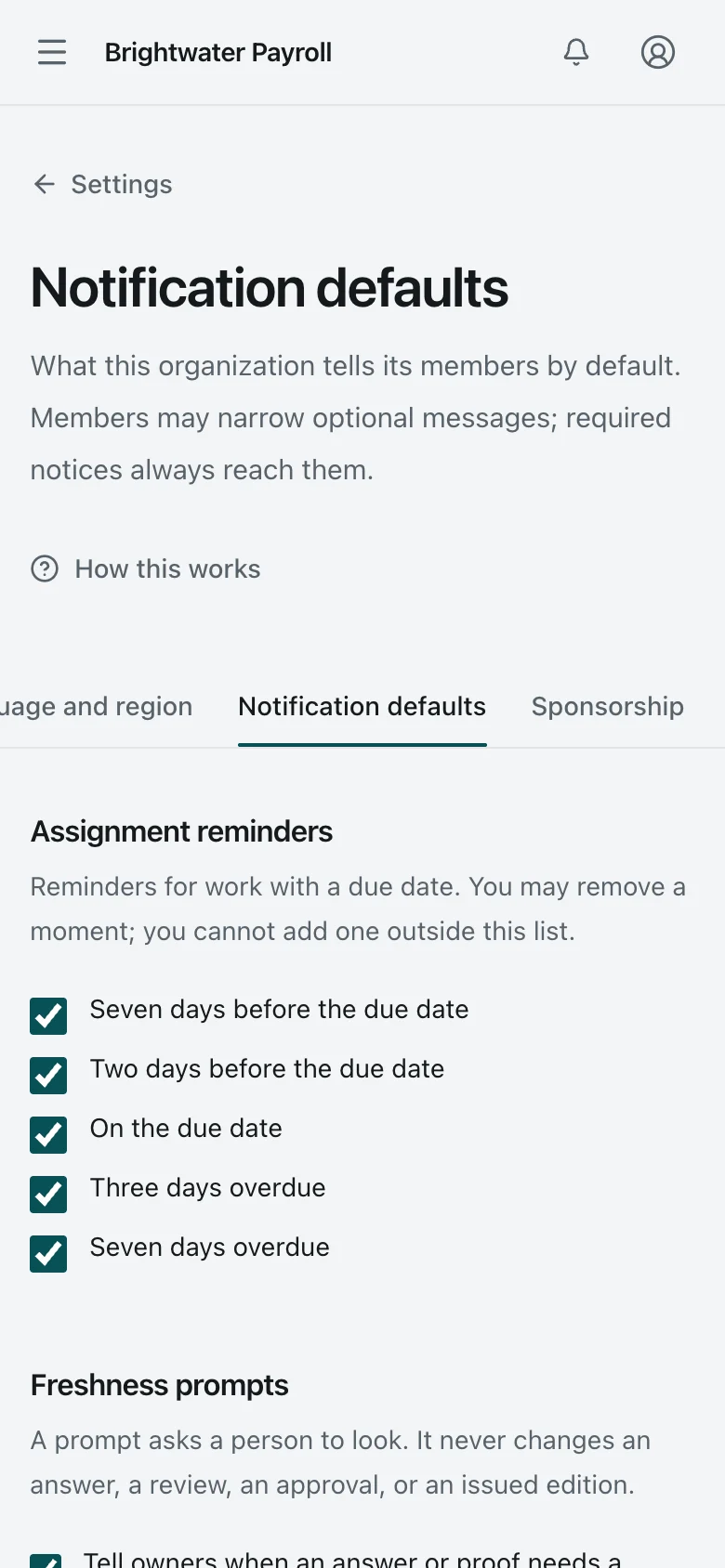
  5. 5. Notification defaults

    Notification defaults. Organization-wide defaults for reminders, freshness prompts, and approval and issue notices.
    Organization Owner Desktop Light and dark

    Notification defaults

    Organization-wide defaults for reminders, freshness prompts, and approval and issue notices.

    Notification defaults. Organization-wide defaults for reminders, freshness prompts, and approval and issue notices.
    Organization Owner Phone Light and dark

    Notification defaults

    Organization-wide defaults for reminders, freshness prompts, and approval and issue notices.

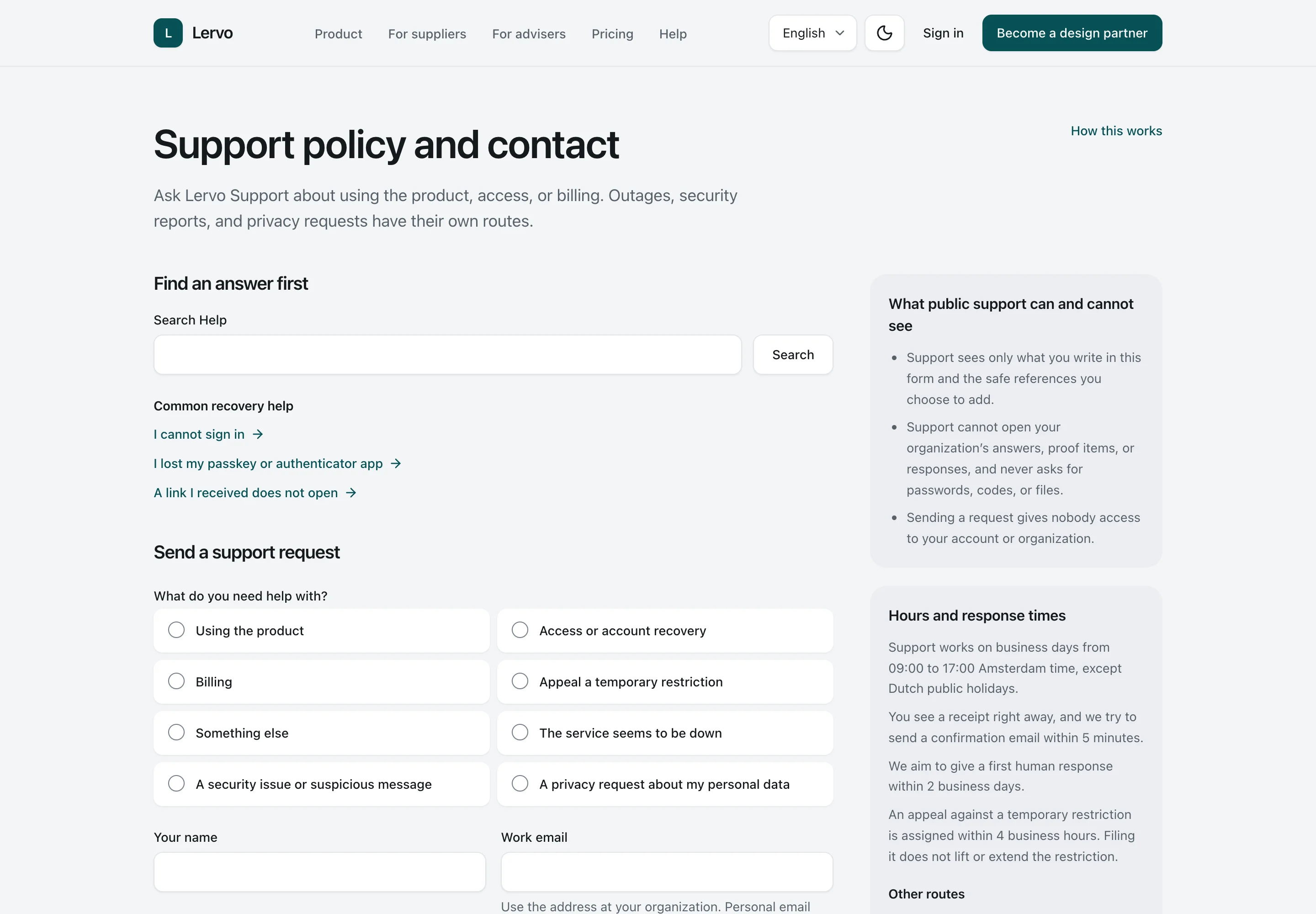
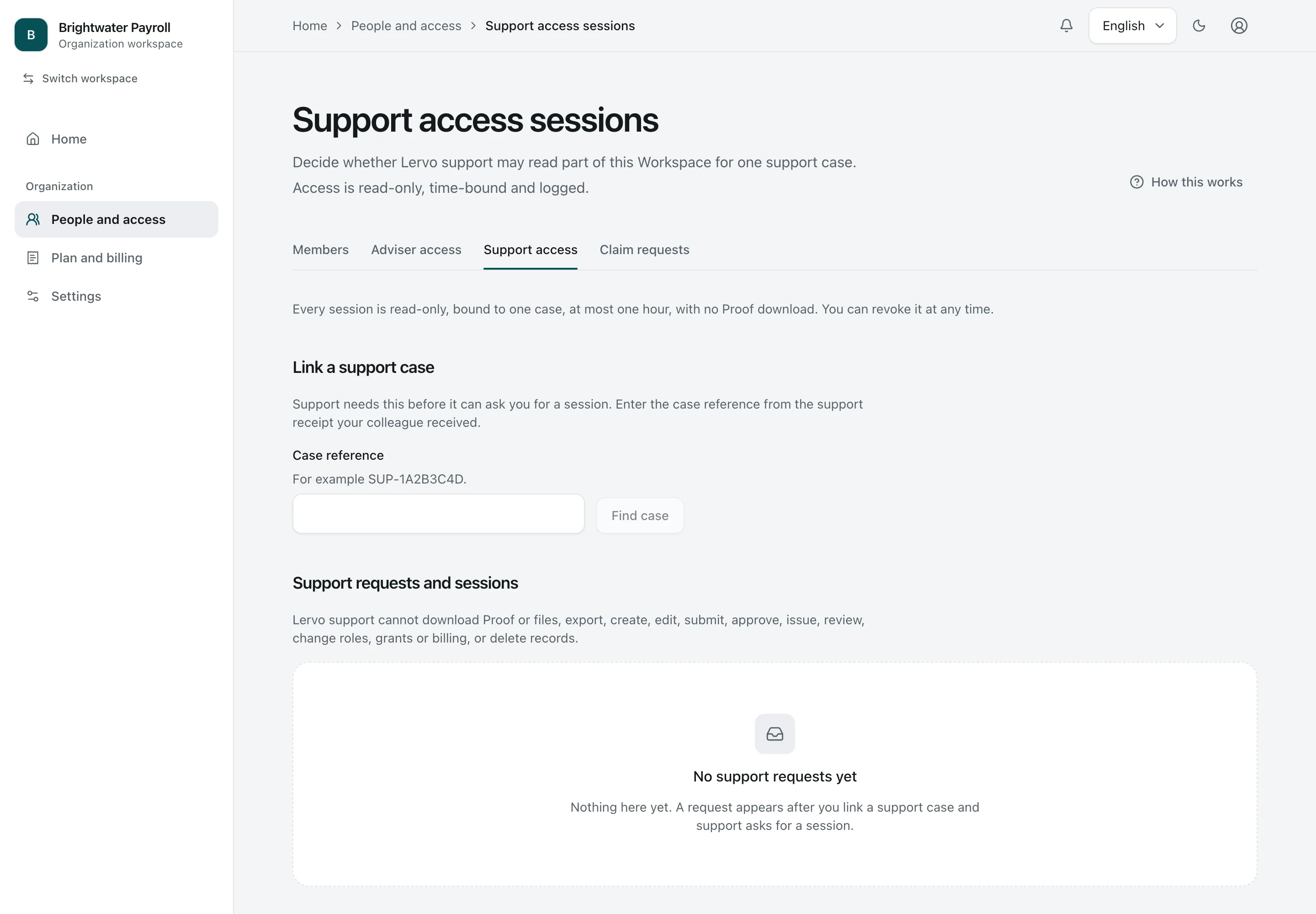
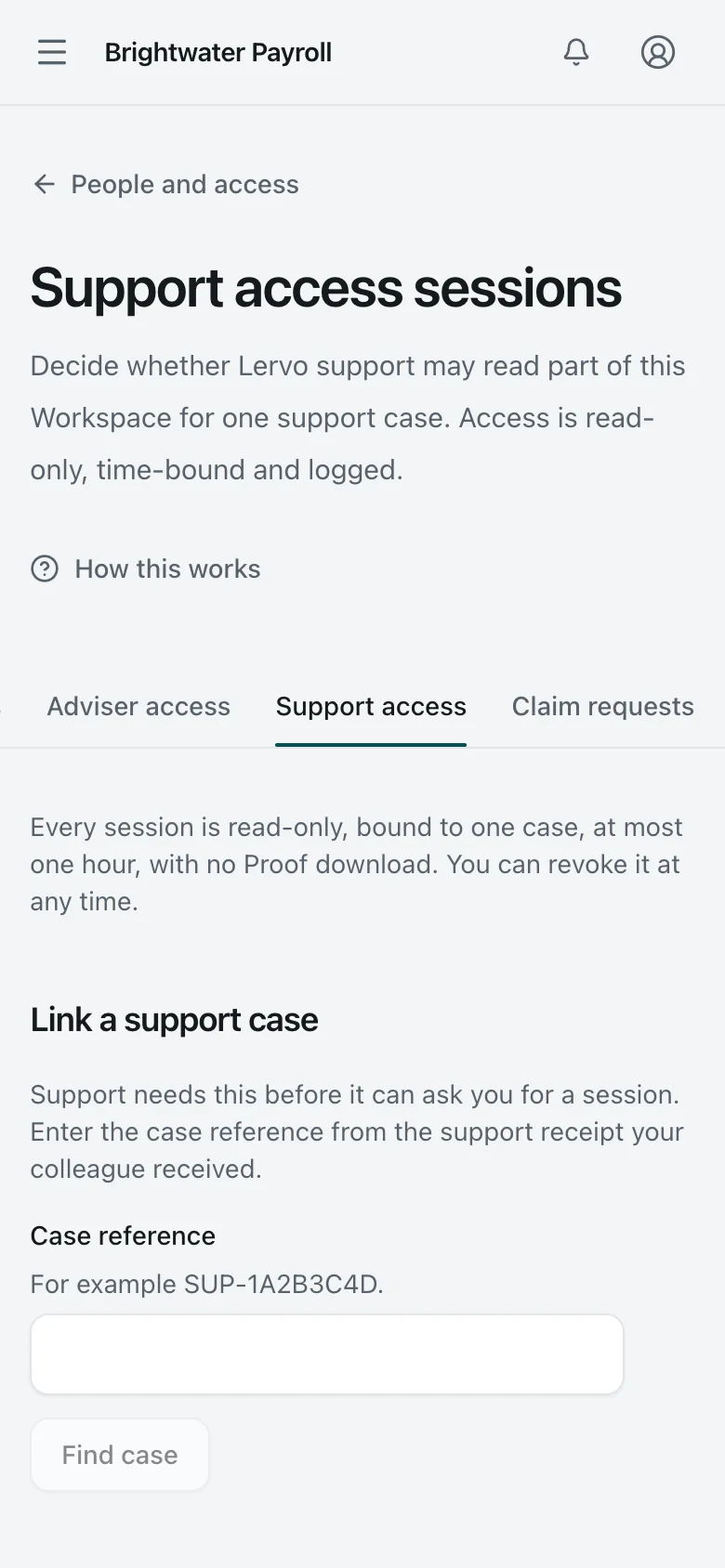
  6. 6. Support access

    Support access. The Owner decides whether support may open a read-only, time-limited session for one support case. None has been requested here.
    Organization Owner Desktop Light and dark

    Support access

    The Owner decides whether support may open a read-only, time-limited session for one support case. None has been requested here.

    Support access. The Owner decides whether support may open a read-only, time-limited session for one support case. None has been requested here.
    Organization Owner Phone Light and dark

    Support access

    The Owner decides whether support may open a read-only, time-limited session for one support case. None has been requested here.

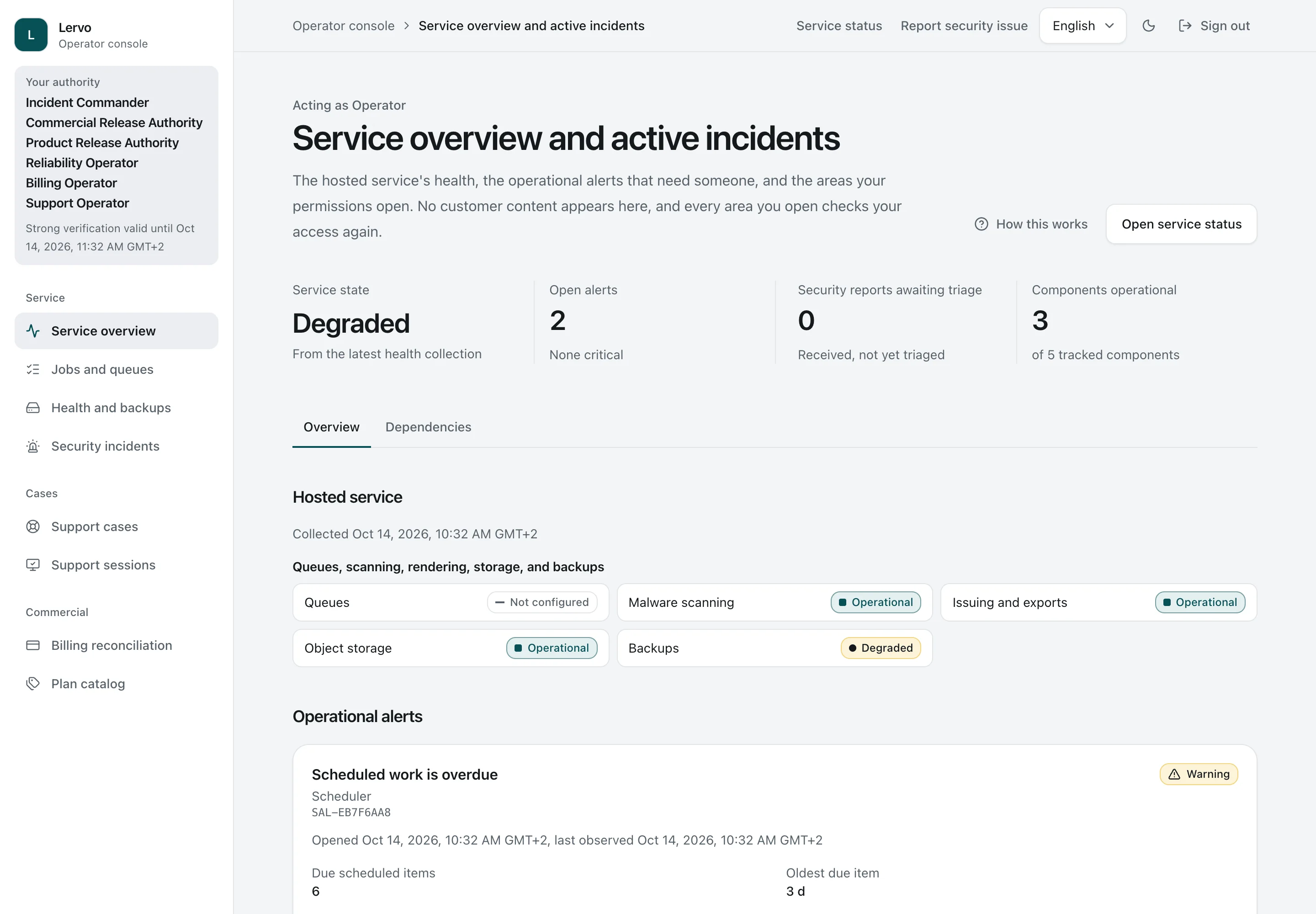
  7. 7. Console overview

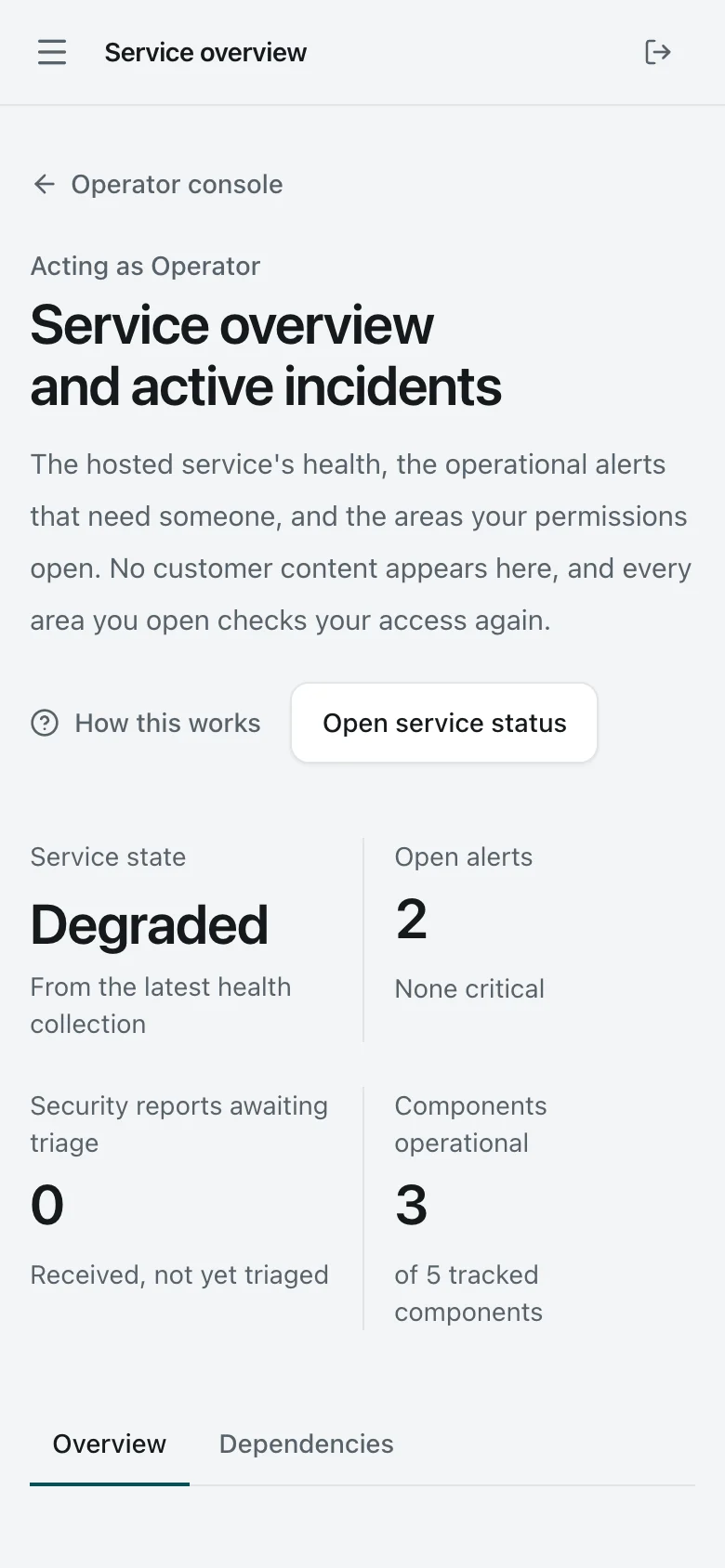
    Console overview. The service operator's console, with its own sign-in and a second factor. It shows service health and the areas the operator's permissions open, never customer content. This demo server does not run scheduled tasks, so the console shows ‘Degraded’.
    Operator Desktop Light and dark

    Console overview

    The service operator's console, with its own sign-in and a second factor. It shows service health and the areas the operator's permissions open, never customer content. This demo server does not run scheduled tasks, so the console shows ‘Degraded’.

    Console overview. The service operator's console, with its own sign-in and a second factor. It shows service health and the areas the operator's permissions open, never customer content. This demo server does not run scheduled tasks, so the console shows ‘Degraded’.
    Operator Phone Light and dark

    Console overview

    The service operator's console, with its own sign-in and a second factor. It shows service health and the areas the operator's permissions open, never customer content. This demo server does not run scheduled tasks, so the console shows ‘Degraded’.

  8. 8. Support cases

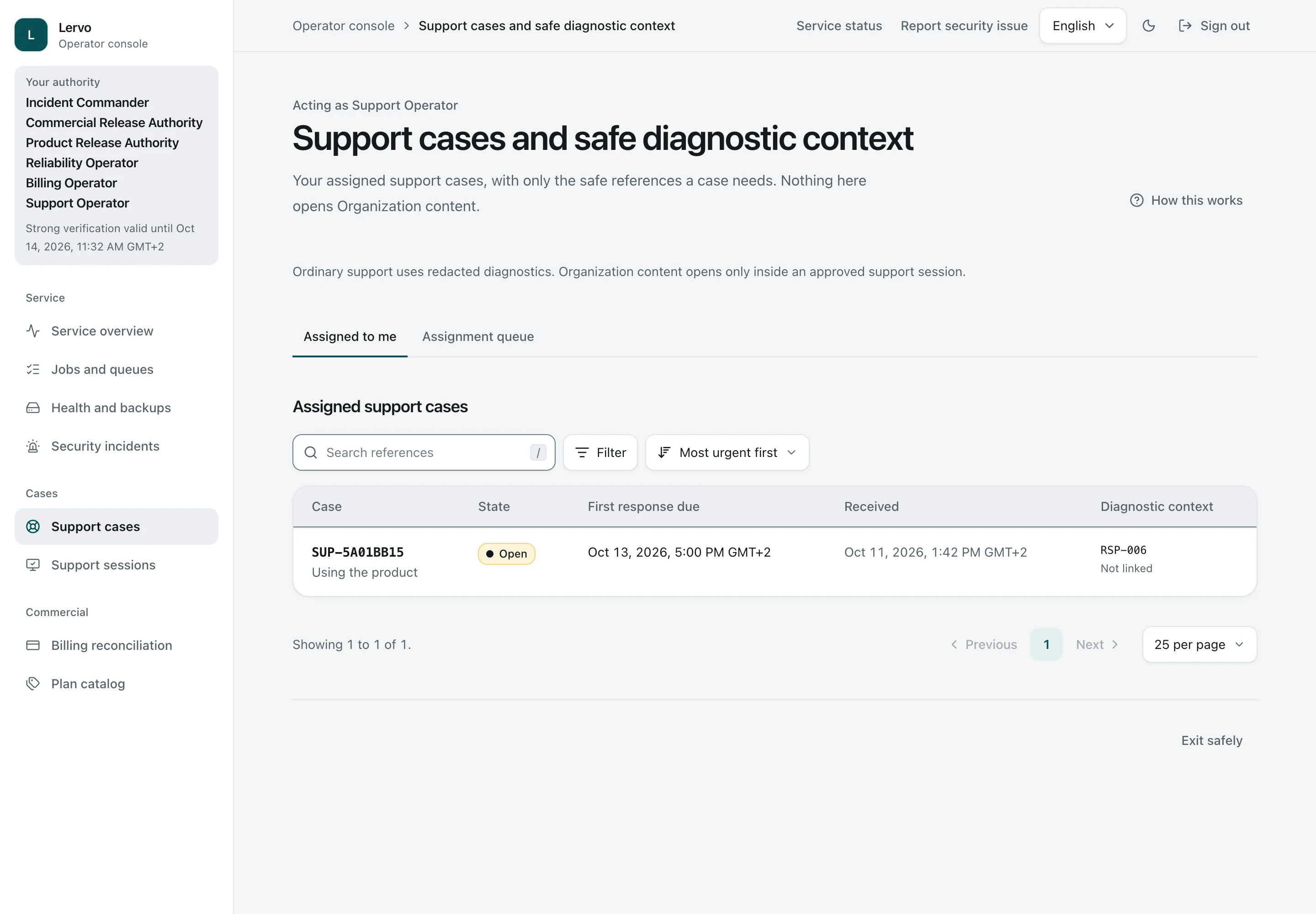
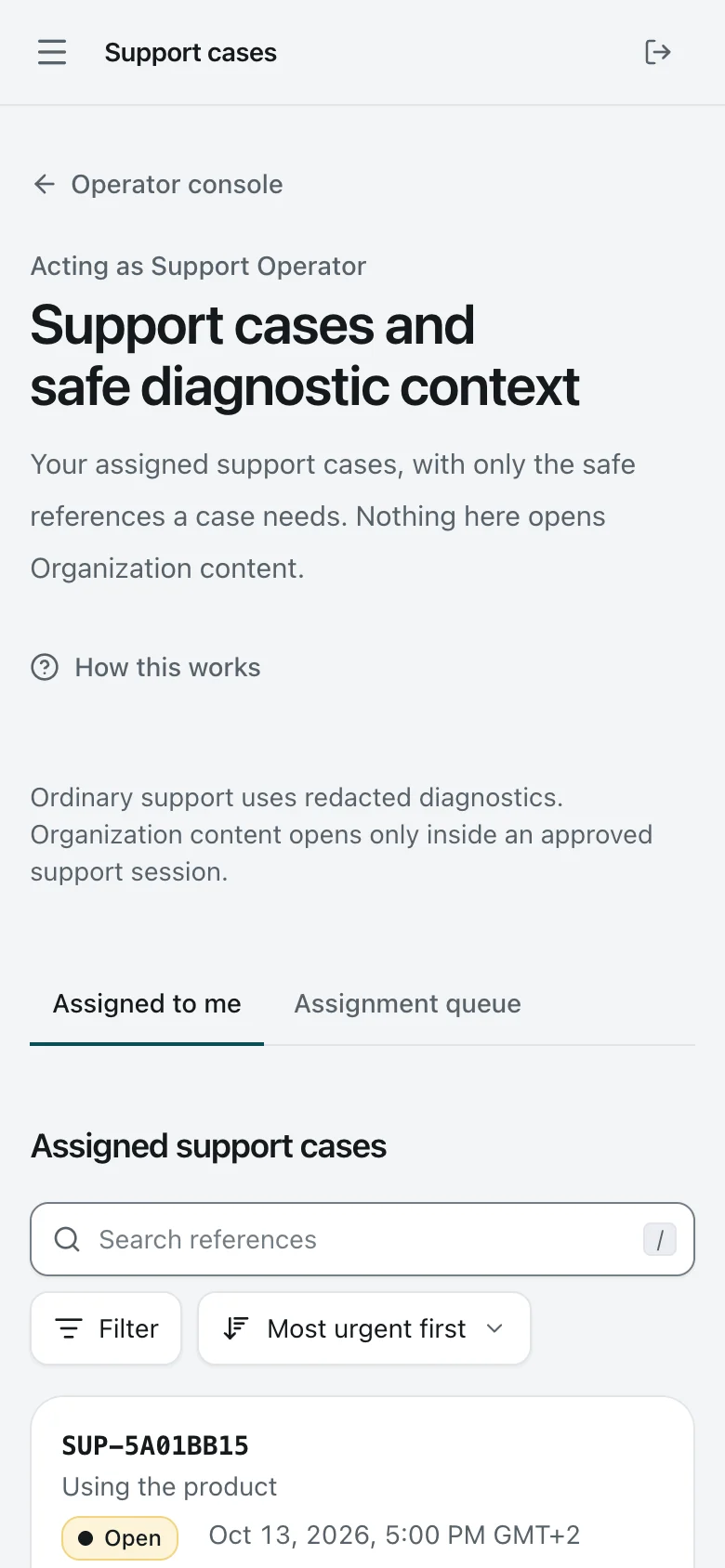
    Support cases. Support cases assigned to the operator, with state, first-response due time, and only a safe diagnostic reference. The Security Lead's question sits here.
    Operator Desktop Light and dark

    Support cases

    Support cases assigned to the operator, with state, first-response due time, and only a safe diagnostic reference. The Security Lead's question sits here.

    Support cases. Support cases assigned to the operator, with state, first-response due time, and only a safe diagnostic reference. The Security Lead's question sits here.
    Operator Phone Light and dark

    Support cases

    Support cases assigned to the operator, with state, first-response due time, and only a safe diagnostic reference. The Security Lead's question sits here.

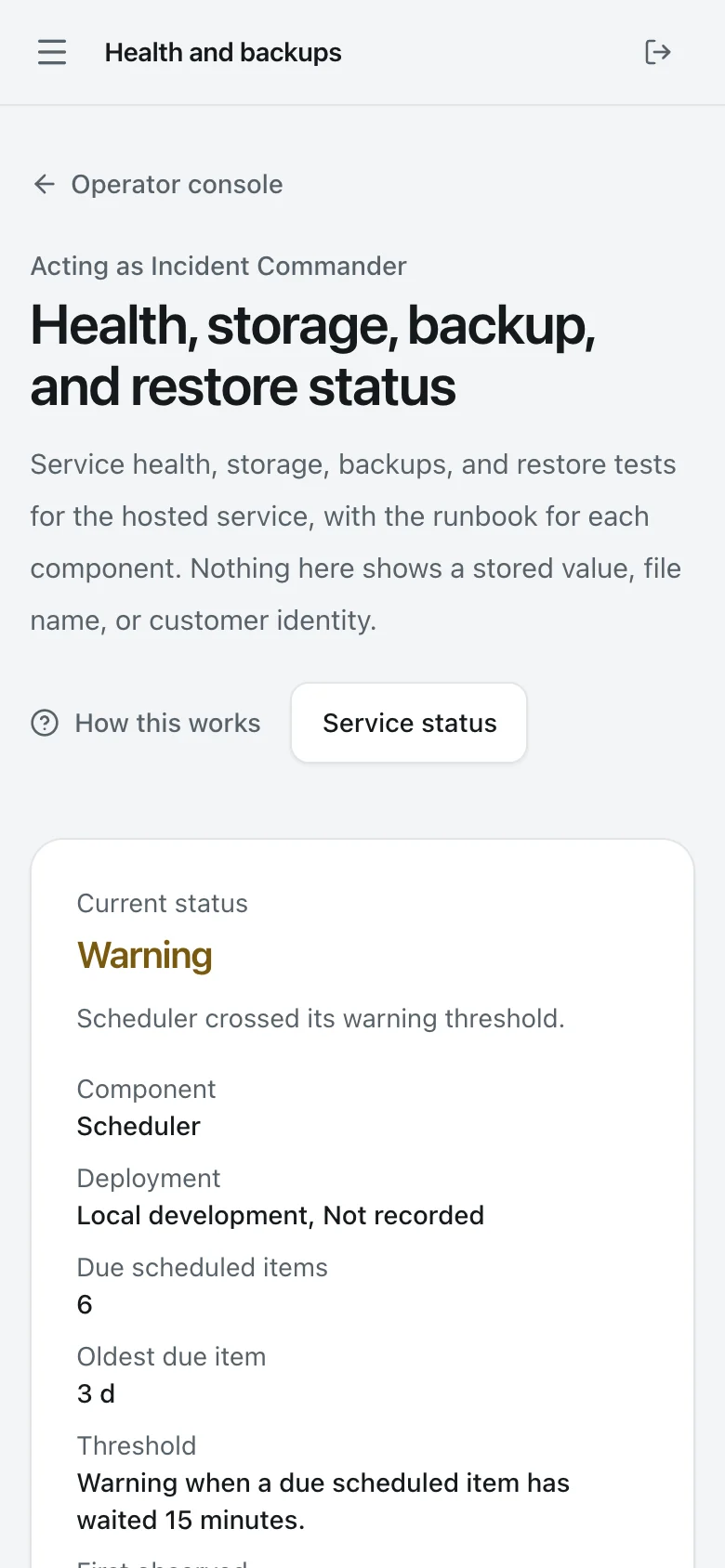
  9. 9. Health and backups

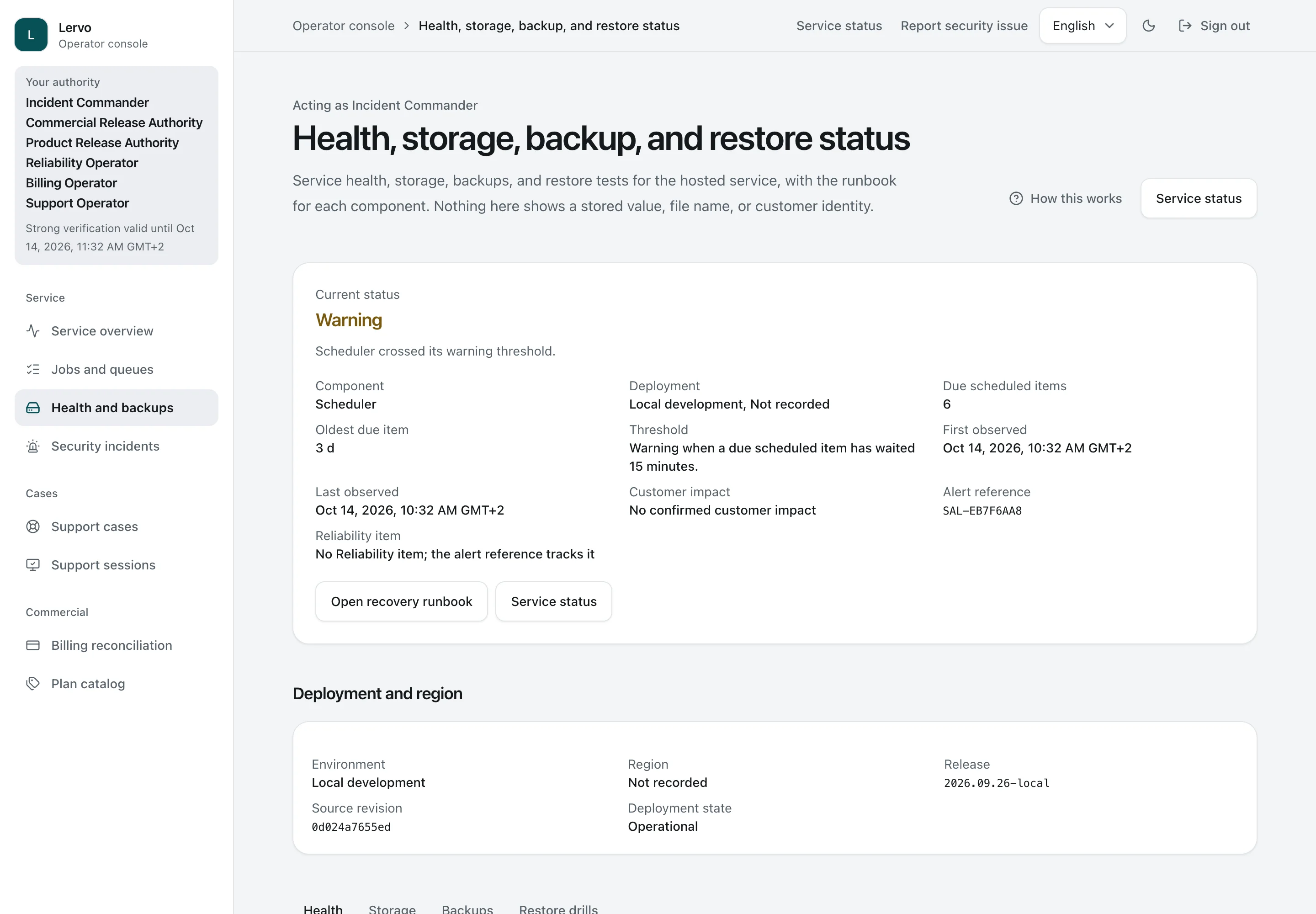
    Health and backups. Health, storage, backups, and restore tests in one place, each with its operating instructions. This demo server does not run scheduled tasks, and the console reports that condition.
    Operator Desktop Light and dark

    Health and backups

    Health, storage, backups, and restore tests in one place, each with its operating instructions. This demo server does not run scheduled tasks, and the console reports that condition.

    Health and backups. Health, storage, backups, and restore tests in one place, each with its operating instructions. This demo server does not run scheduled tasks, and the console reports that condition.
    Operator Phone Light and dark

    Health and backups

    Health, storage, backups, and restore tests in one place, each with its operating instructions. This demo server does not run scheduled tasks, and the console reports that condition.

Who can access information and approve reports?

In the screens, Organization means the company. A Response contains a customer questionnaire and the answers being prepared. A Request asks a colleague for information. Proof means supporting files and references. Findings are issues raised by an adviser.

All organizations, people, documents, and amounts shown are synthetic demo data.

Organization Owner

Daan manages members, billing, company details and permissions granted to advisers or support.

The Organization Owner role alone does not give access to answers or supporting evidence.
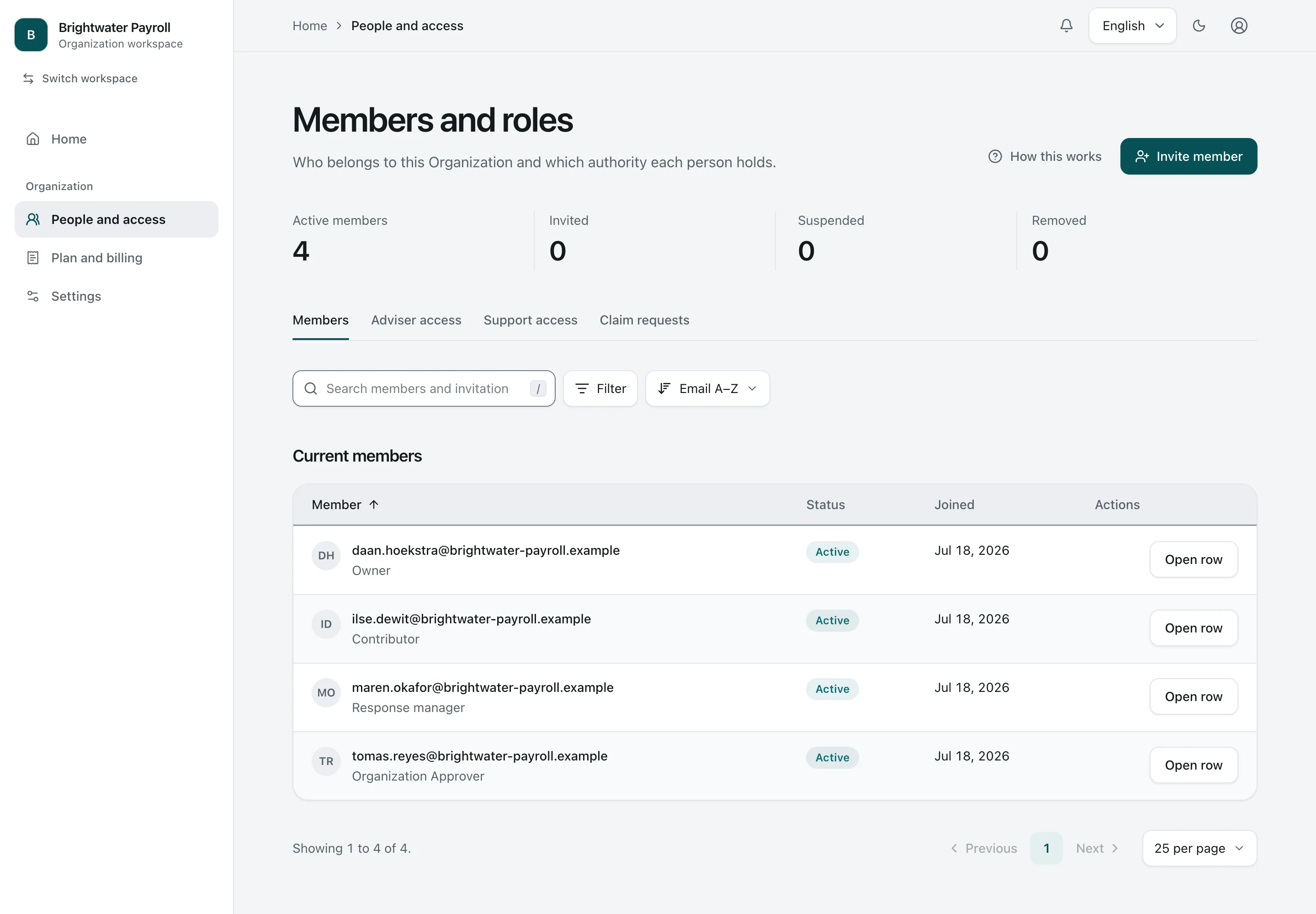
Members. Members and their roles. Owner, Security Lead (shown as Response manager), Organization Approver, and Contributor are separate authorities.
Organization Owner Desktop Light and dark

Members

Members and their roles. Owner, Security Lead (shown as Response manager), Organization Approver, and Contributor are separate authorities.

Security Lead

Maren, shown as Response manager in the interface, prepares customer responses and maintains the answer and evidence libraries.

Preparing responses does not by itself give permission to approve them or record an independent adviser review.

One Answer. One Answer with its scope, stated limitation, linked Proof, and version history.
Security Lead Desktop Light and dark

One Answer

One Answer with its scope, stated limitation, linked Proof, and version history.

Organization Approver

Tomás approves a specific, fixed version and authorises its separate issue as a report.

The approver role does not permit editing the fixed version or recording an independent adviser review.

Candidate awaiting approval. The company’s approver reviews the fixed version awaiting approval, including its recipient, validity, content identifier and every answer. Approval requires a fresh identity check.
Organization Approver Desktop Light and dark

Candidate awaiting approval

The company’s approver reviews the fixed version awaiting approval, including its recipient, validity, content identifier and every answer. Approval requires a fresh identity check.

Contributor

Jonas uses a one-time code to answer one assigned question and attach permitted supporting evidence.

This access does not let him browse Brightwater’s workspace or send a customer response.

Answering the Request. After a one-time code, the Contributor answers the one question and attaches Proof on a phone or laptop. They see nothing else of the Organization.
Contributor Phone Light and dark

Answering the Request

After a one-time code, the Contributor answers the one question and attaches Proof on a phone or laptop. They see nothing else of the Organization.

Recipient

The customer uses a one-time code to open one issued report and download its permitted files.

This access does not let the recipient browse the workspace, hidden evidence or another report.

Recipient view. After a one-time code, the customer's contact downloads the frozen edition files, without an account, and can check them against the public verification page.
Recipient Phone Light and dark

Recipient view

After a one-time code, the customer's contact downloads the frozen edition files, without an account, and can check them against the public verification page.

Adviser Practice and Advisers

Lindqvist & Maas organises the reviews it has permission to perform. Eva reviews specific answer versions and records issues to follow up.

Belonging to the advisory firm does not automatically give access to a client’s information. Adviser permissions do not authorise approval of what the client shares.

Practice portfolio. An independent Adviser Practice sees the Organizations that granted it access, its open review work, and when each grant ends.
Adviser Desktop Light and dark

Practice portfolio

An independent Adviser Practice sees the Organizations that granted it access, its open review work, and when each grant ends.

Sponsor and Billing Contact

A Sponsor pays for the company’s plan. A Billing Contact receives the billing records shared with them.

Payment gives neither role membership, access to answers or evidence, approval rights or ownership.

The screen shows the Owner’s view of the payer and billing contact.

Billing. The Owner sees the plan, renewal date, member usage, payer, and billing contact. Amounts are synthetic demo values.
Organization Owner Desktop Light and dark

Billing

The Owner sees the plan, renewal date, member usage, payer, and billing contact. Amounts are synthetic demo values.

Operator

Noor monitors the service and handles assigned support cases using separate Operator permissions.

The Operator role does not by itself give access to customer answers and evidence or permission to approve a customer’s report.

Console overview. The service operator's console, with its own sign-in and a second factor. It shows service health and the areas the operator's permissions open, never customer content. This demo server does not run scheduled tasks, so the console shows ‘Degraded’.
Operator Desktop Light and dark

Console overview

The service operator's console, with its own sign-in and a second factor. It shows service health and the areas the operator's permissions open, never customer content. This demo server does not run scheduled tasks, so the console shows ‘Degraded’.

[email protected]

Eindhoven region, the Netherlands · CET

Tell us about your company, the commercial opportunity you see in the security response workspace and what you would bring to a partnership. Enquiries sent from a company email address get priority.